Migrate Your Store. Grow Your Business.

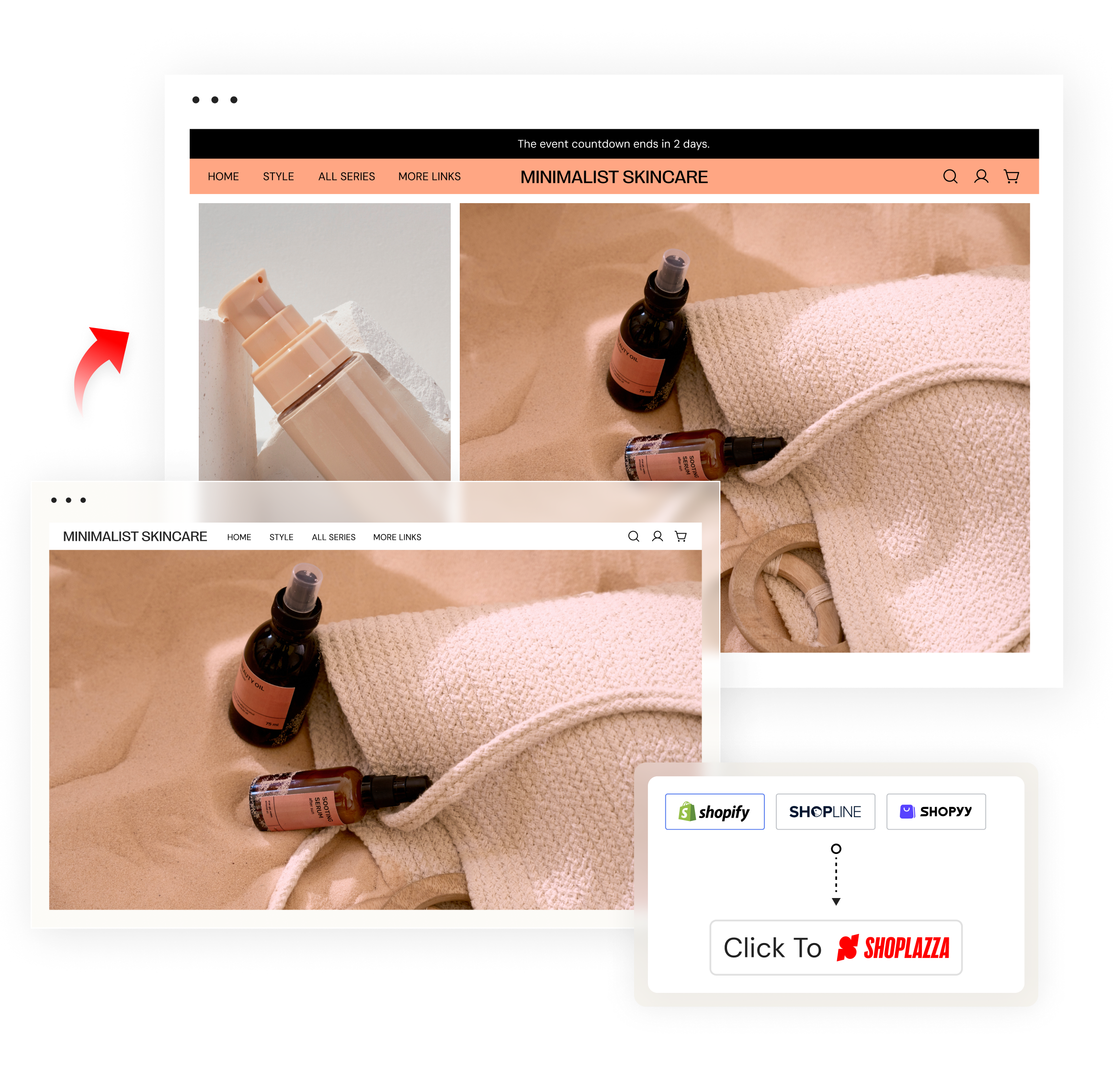
Take your brand further with Shoplazza. One-click migration from Shopify, Shopline, or Shopyy helps you reach more customers and markets. Worry less, sell more.
One-click migration01
One-click migration 02
Sell confidently with smarter risk control
We help you switch, manage risk, and run your store without fear, letting you focus on scaling your business.

Icon-01
Transparent procedures
Every risk alert, payment issue, or account concern is communicated clearly with defined next steps.
Icon-02
No sudden closures
Your store won't be arbitrarily shut down. We provide warnings, guidance, and appeal paths if issues arise.
Icon-03
Fast problem resolution
Dedicated support and built-in dispute management ensure payment and operational issues are solved quickly.

Group 11041-1

Our plan is to expand our business on Shoplazza, moving 90% [of our business] in the coming month, I hope. We trust on Shoplazza. ”

                                                                                                                                                                             — Clara


After all 56 of their stores were shut down without warning on their previous platform, Clara’s team needed stability and a partner that communicated clearly. What they found on Shoplazza was a completely different experience. Transparent risk reviews, guided appeals, smart dispute management, and real humans, all help them resolve issues with fairness and clarity.

Read case study
Group 11041-1

Our plan is to expand our business on Shoplazza, moving 90% [of our business] in the coming month, I hope. We trust on Shoplazza. ”                                                           — Clara


After all 56 of their stores were shut down without warning on their previous platform, Clara’s team needed stability and a partner that communicated clearly. What they found on Shoplazza was a completely different experience. Transparent risk reviews, guided appeals, smart dispute management, and real humans, all help them resolve issues with fairness and clarity.

Read case study
Switch to Shoplazza in 4 easy moves
01
Install the plugin
We support CSV uploads manually, but the fastest way is our free “Store Migration” plugin. Find it in the App Store and add it to your Shoplazza store.
02
Grant access
The plugin works with Shopify, Shopline, Shopyy. Select your previous store, enter the store URL and Access Token, and authorize to safely migrate your data.
03
Choose what to migrate
Full-module migration made it easy. You can move several modules, including products, customers, blogs, orders, and more. Fully automated and hassle-free.
04
Connect your domain
After migration, review the complete migration log. Then add and verify your domain in Shoplazza to make your new store live.
Get Started in 3 Simple Steps
01
Create your Shoplazza store
Choose from industry optimized templates and design your store withno coding.
02
Import winning products
Use the CJdropshipping plugin toselect, price, and publish products toyour store.
03
Connect and promote
Link your store to Pinterest and othersocial channels, attract targetedtraffic, and convert followers intobuyers.
Businesses do better on Shoplazza

Wider reach with bigger sales


Open up to 50 markets in one store at no extra cost. Connect to major channels and sell everywhere with ease.


Higher checkout conversion


180+ payment options. Smart retries happen in milliseconds to recover failed transactions. Turn more carts into profit.


Lower costs on same power


Nearly 90% of apps are free, and built-in features cover most needs. Trusted by over 650,000 merchants worldwide.


Easier setup for smoother launch


Start with a stunning free and prebuilt theme. No code, no hassle. Alternatively, describe what you want and let AI generate a store for you.

One-click migration 04
Stronger stores start here.
Icon-04
Load fast as you see
Every page, product, and checkout reacts in milliseconds, so customers stay engaged and orders keep coming.
Icon-05
Turn browser into buyers
AI-driven recommendations based on behavior show the right products at the right time, increasing carts and orders.
Icon-06
Payments you can trust
PCI DSS v4 certified with financial-grade stability, Shoplazza keeps every transaction stable and safe from fraud.
Icon-07
Monitor page performance
Get real-time sales and traffic reports from dashboard. Analyze data, find top products, and improve your store fast.
Icon-08
Shoplazza Payments
Shoplazza Payments protects every order with intelligent tech, improving success rates and offering fastest T+2 payouts.
Shoplazza Solutions
Frequently asked questions
01
How much does it cost to migrate to Shoplazza?
Shoplazza offers a free “Store Migration” plugin to move from Shopify and other platforms quickly and efficiently, no extra fees.
02
How long does migration take?
Migration is fast and hassle-free with Shoplazza's one-click plugin. Small stores can move in just a few minutes, while larger stores may take a few hours depending on the number of products, orders, and customer records. Our system handles up to 20,000 items per hour per module, so even high-volume stores can get up and running quickly.
03
What tools or methods can I use to migrate my store to shoplazza?
You've got three easy options:
  • One-click "Store Migration" plugin: Import data directly from Shopify, Shopline, or Shopyy. Fast and effortless.
  • Manual CSV upload: For other platforms, import your products in CSV files and upload to Shoplazza.


04
What data can I migrate to Shoplazza?
Manual CSV uploads currently support product info only, while the plugin lets you select exactly what to migrate—if unsure, we recommend selecting everything:
  • Full store migration: All products (including unpublished), blogs, customer info, and order history.
  • Products: Published and unpublished items, plus collections.
  • Blogs: All published and draft posts with their collections.
  • Customers: Account details, shipping addresses, and more.
  • Orders: All completed and pending orders.


05
What should I prepare before migrating to my store?
Before migrating, back up your orders, customers, products, and website content to keep everything safe. Most platforms let you export data as files, ready to use during migration.


06
How can I maintain SEO while migrating?
To maintain your SEO intact, try not to change your URLs during migration. If you must change them, set up 301 redirects from your old pages to the new ones. If you use your existing domain on Shoplazza, simply resolve it to your new store after migration, and your URLs will stay the same. If you want to use a new domain, migrate your data first, then resolve your old domain and update it to the new domain. Set up 301 redirects, so every old URL automatically redirects to the corresponding new page, keeping your search rankings safe.
07
Where can I find more migration resources?
Visit our Help Center for step-by-step guides on migrating from Shopify, Shopline, or Shopyy. If you have any questions, you can email our support team at and get help as soon as possible.


Ready to grow your dropshipping business?