When traffic costs keep rising and your customer journey gets more complex, the real competitive edge is no longer just getting traffic. It's knowing what changed and why. The question merchants are asking now isn't "how do I get more visitors?" It's "why aren't my visitors converting?"
Your store data holds the answer. Revenue, orders, sessions, conversion rate, traffic sources — these numbers tell you what happened. But they don't tell you why. Did your conversion rate drop because traffic quality changed? Because a specific audience stopped converting? Because something broke in your checkout? Staring at dashboards won't tell you that. You need to actually break down the data.
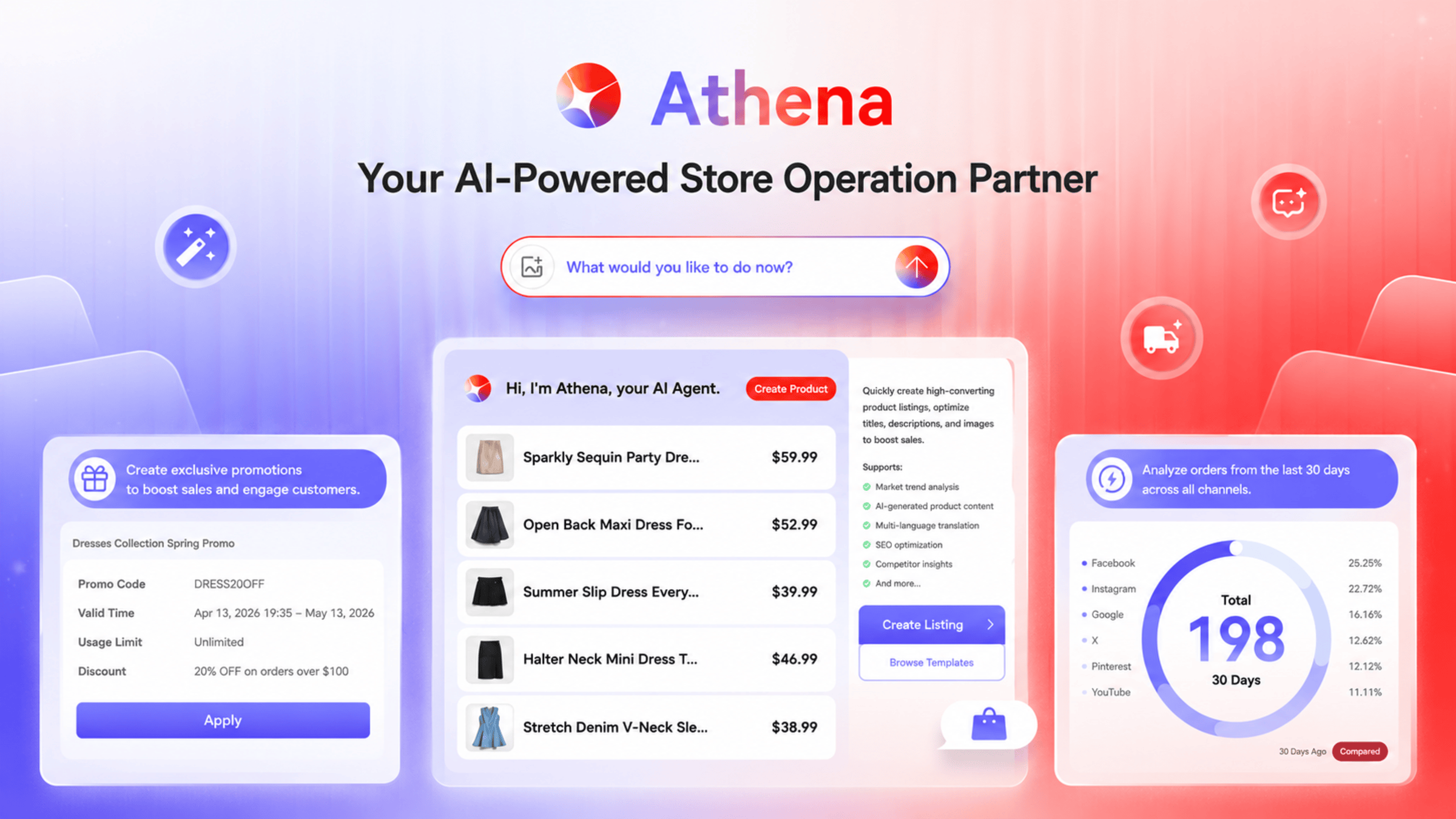
That's exactly what Athena is built for. Athena is Shoplazza's built-in AI operations agent. It lives in your store admin and works like a data analyst on call. You ask questions in plain language, and it digs into your store performance, identifies what changed, and helps you figure out what to do next.
Data diagnosis: from a suspicious number to a real answer
When you notice your conversion rate dipping, you can ask Athena directly:
- "Why did my conversion rate drop yesterday?"
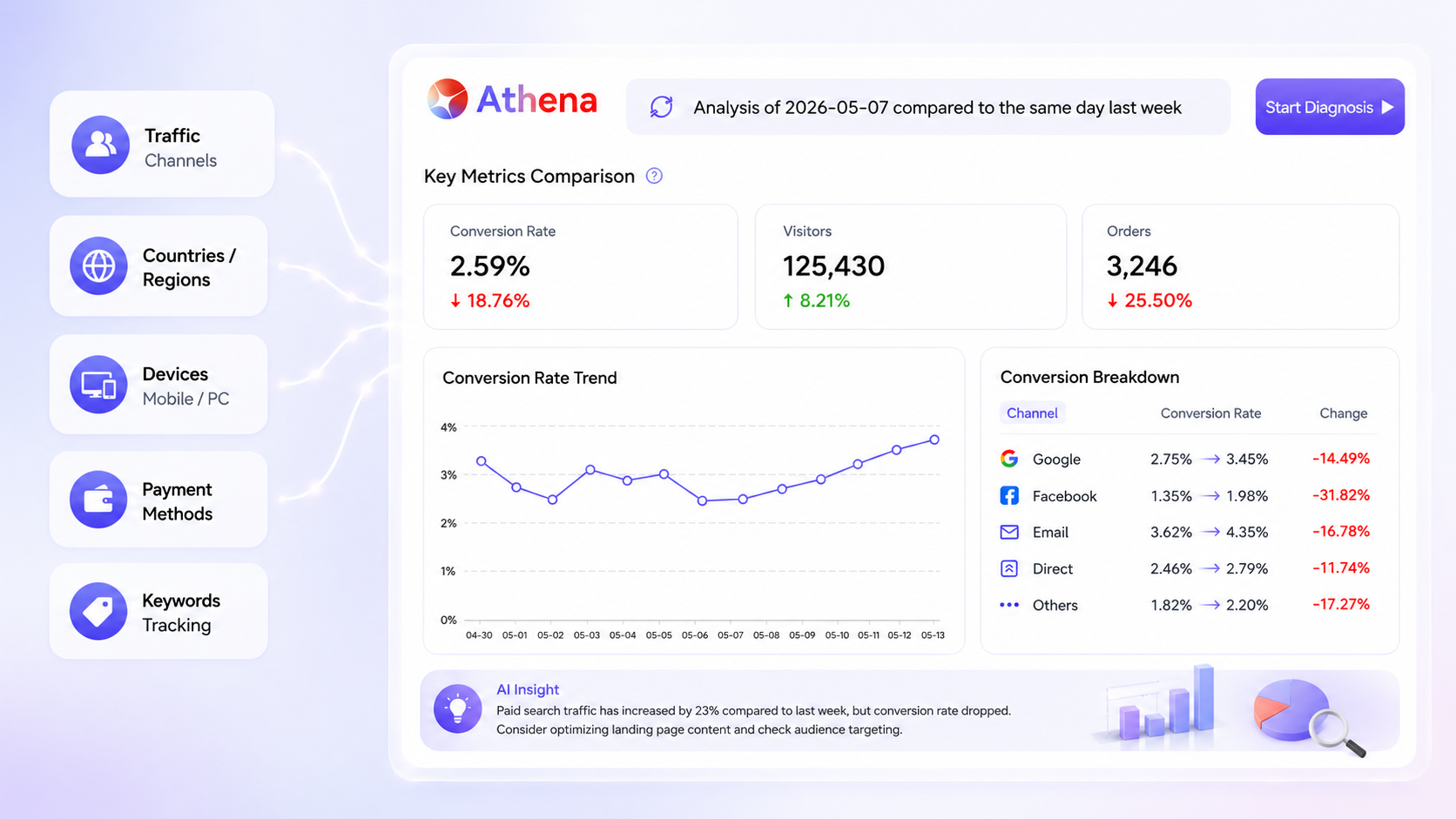
- "May 7th looked off. Compare it to the same day last week and tell me what happened."
- "Is my conversion drop a traffic quality issue or a user behavior issue?"
Athena doesn't just pull a report. It first confirms the diagnostic parameters with you: the time window, the baseline period, whether to filter out bot traffic, and any promotion differences that might skew the data. Then it generates a structured conversion rate diagnosis.
The report breaks things down across overall trend, visitor and order changes, audience segmentation by channel, country and device, shopping funnel drop-off points, and suggested next steps. It might tell you that mobile conversion dropped sharply, that traffic from the US fluctuated, or that Facebook is underperforming compared to your baseline period — and point you toward what to investigate next.
The goal isn't to show you more data. It's to turn a conversion rate drop into something you can actually act on.
Audience breakdown: finding the variable that actually matters
Overall conversion rate is a blunt metric. It tells you something changed, but not where or why. Even channel-level data can be misleading — traffic from Facebook might perform completely differently across countries or devices.
The questions that actually move the needle are:
- Which channel is dragging the number down the most?
- Which market is converting worse than before?
- Is mobile pulling down your overall performance?
- Is this a new traffic mix problem, or are existing users converting less?
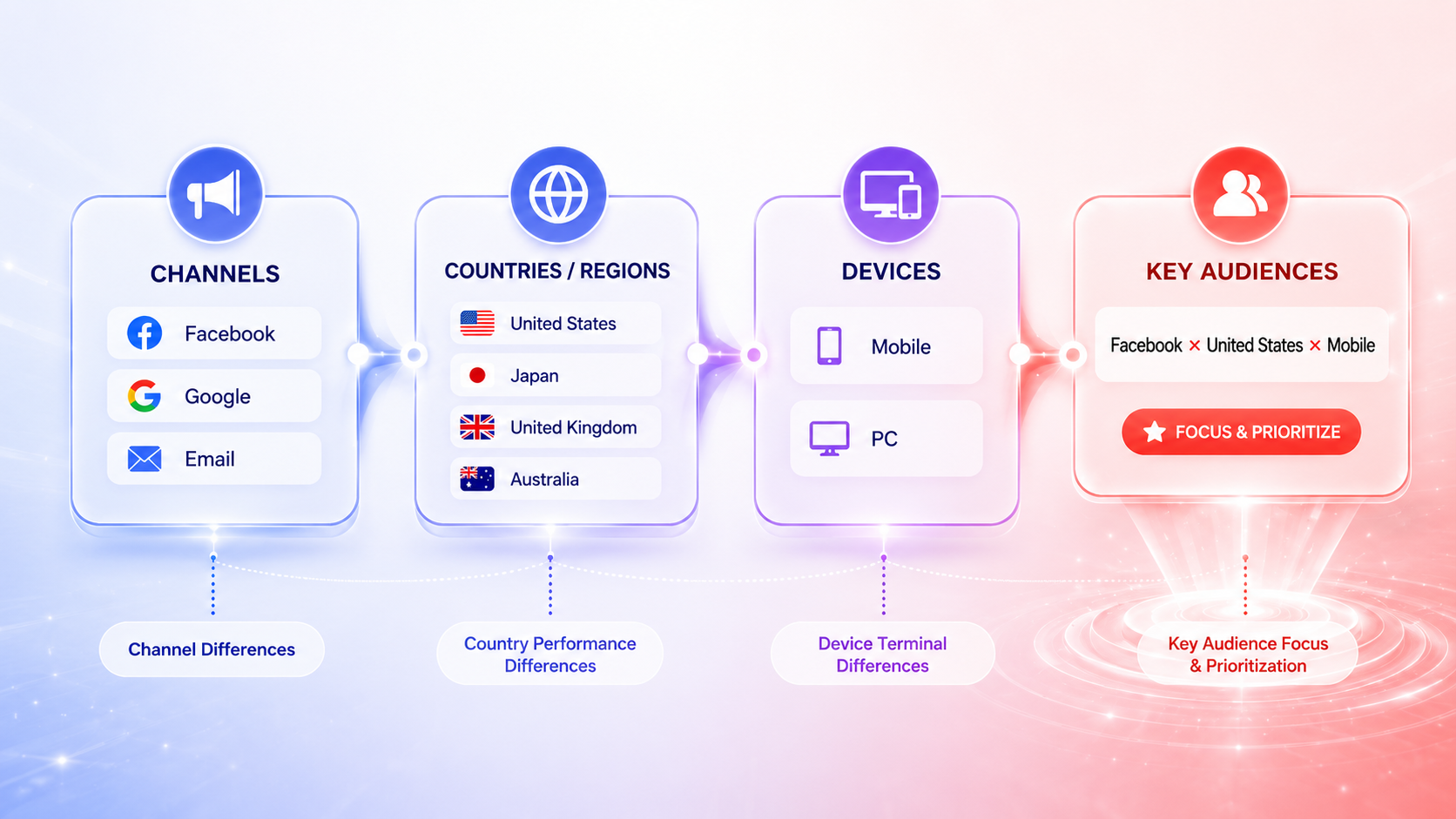
Athena breaks your audience down across three dimensions: channel, country, and device. That combination is what takes you from "conversion rate dropped" to "mobile traffic from Facebook in the US is the main driver." Once you know that, you can make a real decision — revisit your ad targeting, adjust your market strategy, or check your product pages and payment flow for that specific segment.
Funnel analysis: where exactly are shoppers dropping off
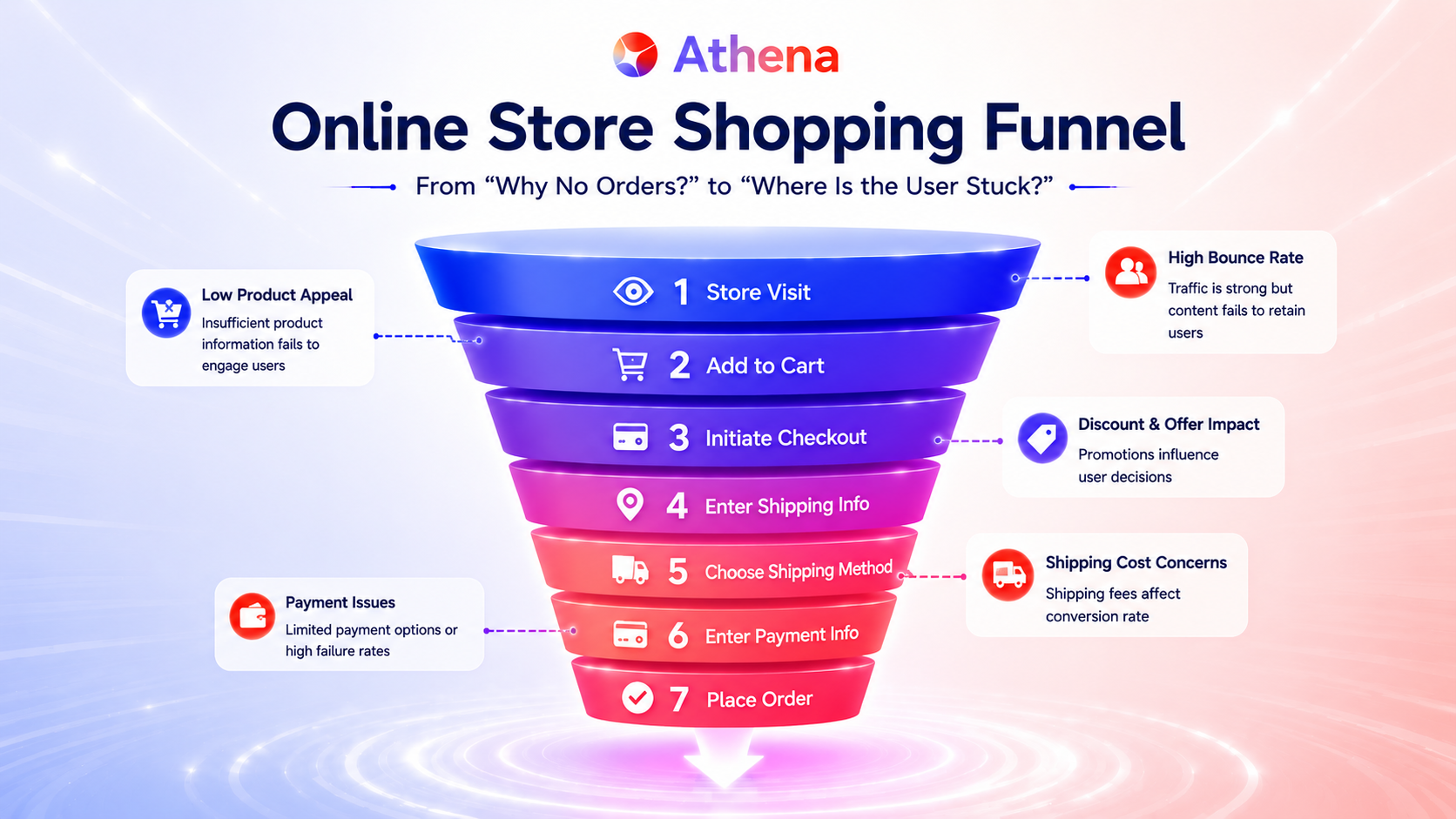
Your conversion rate is the result of every step in the purchase journey. A shopper visits your store, browses, adds to cart, starts checkout, and completes payment. Drop-off at any step affects your final number.
So when you're seeing fewer orders, the right question isn't just "why aren't people buying?" It's:
- Are they not adding to cart at all?
- Are they adding to cart but not reaching checkout?
- Are they starting checkout but not completing payment?
Athena maps your shopping funnel and shows you where the drop-off is happening. It turns an abstract conversion rate problem into a visible, step-by-step picture of where shoppers are getting stuck. That's one of the most practical parts of Athena's diagnosis — because once you see the exact drop-off point, you know exactly where to focus.
Actionable insights: going beyond the report
Most data tools stop at the report. Merchants need to know what to do next. Athena works more like an analyst than a dashboard. It doesn't just surface the data — it helps you interpret it and prioritize your next move. For example:
- If overall traffic is stable but orders are falling, the issue is likely conversion efficiency, not reach.
- If drop-off is happening before add-to-cart, look at your product pages — copy, images, pricing clarity.
- If payment completion is low, the problem may be payment method coverage in a specific market.
This is what separates Athena from a standard analytics tool. It translates data changes into testable hypotheses so you can make a decision, not just a note.
Daily store queries: your always-on analytics assistant
Athena isn't only useful when something goes wrong. You can use it for everyday store performance questions too:
- "How is my store performing today?"
- "What's my order trend over the last 7 days?"
- "Which channel drove the most revenue yesterday?"
- "What are my top 5 products in the last 30 days?"
For any of these, Athena returns charts, key conclusions, metric definitions, and analysis notes — all in one place. It becomes your go-to starting point every time you want to understand how your store is doing.
Run your store smarter with Athena
Before, getting answers meant jumping between reports. Now, you just ask. As an AI operations agent in Shoplazza admin, Athena connects task execution, data queries, and store diagnosis in a single place inside your admin. You can manage day-to-day operations and get performance insights without switching tools or digging through dashboards. From spotting an anomaly to understanding what caused it. From reading a metric to knowing what to do about it. Athena is the data-savvy operations partner that's always available when you need it.
Frequently asked questions about Athena
Q: What is Athena and how is it different from a regular analytics dashboard?
Athena is Shoplazza's built-in AI operations agent. Unlike a dashboard that displays data passively, Athena lets you ask questions in plain language and returns structured analysis, funnel breakdowns, and actionable next steps — not just charts.
Q: What kind of conversion rate questions can I ask Athena?
You can ask anything from "why did my conversion rate drop yesterday" to "is my drop a traffic quality issue or a user behavior issue." Athena will confirm the diagnostic parameters with you and generate a full breakdown.
Q: How does Athena break down audience data?
Athena segments your audience across three dimensions simultaneously: traffic channel, country, and device type. This lets you pinpoint exactly which combination of factors is driving a conversion change.
Q: Can Athena show me where shoppers are dropping off in the funnel?
Yes. Athena maps your full shopping funnel from first visit to completed payment and shows you which step has the most drop-off, so you know where to focus your fix.
Q: Do I need to set anything up to use Athena?
No setup is required. Athena is built directly into your Shoplazza admin. You can start asking questions about your store performance immediately after logging in.