
How much does it cost to build an online store? Many sellers wonder, “Do I need $10,000 to start, or can I launch with just $500?” The reality depends on your goals, platform, and the level of customization you need. Instead of general talk, this guide breaks down costs with Shoplazza for starter, small-business, and growth stores, and offers practical strategies to control your budget, helping you plan wisely before launching your store.
Quick answer
How much does a website cost? The answer depends on your platform and goals. SaaS platforms like Shoplazza and Wix can start around $30-$40 per month, covering hosting, SSL, and basic store features. Open-source solutions like WooCommerce vary widely, from $21.25 to $410 per month, depending on hosting, plugins, and customizations. Custom-built stores, such as Adobe Commerce, often require $5,000+ upfront for full control and enterprise-level functionality. Ongoing maintenance also differs: SaaS stores typically cost $30–$330/month for updates, security, and backups, while open-source and custom stores need more frequent management, increasing costs.
How much does it cost to build a store? Full cost breakdown
Here’s a rough breakdown of what you will pay to build an online store, based on verified ranges from the ecommerce cost:
| Shoplazza | Wix | WooCommerce | Adobe Commerce | |
| Platform type | SaaS | SaaS | Open source | Custom service |
| Ecommerce plan | $39 (Basic, $29.25 if billed annually) | $39 (Business) | $0 | $5,000+ upfront (custom solution) |
| Website themes | $0 | $0 (free or paid premium templates) | $0 (free or paid premium templates) | Included in custom solution |
| Domain | $10–$20/year | $0 for 1st year, then $10–$20/year | $10–$20/year | $10–$20/year |
| Hosting | ✓ | ✓ | $5–$500/month | $5–$500/month if self-hosted |
| SSL certification | ✓ | ✓ | $0–$800/year | $0–$800/year if self-hosted |
| Plugins | Most built-in and 90% free plugins, paid apps optional | $0–$100/month (Paid apps optional) | $20–$300/month for advanced features | Custom integration costs $500+ |
| Estimated total | $30.4 – $40.6/month | $39.8 – $140.7/month | $21.25 – $410/month | $5,000+ upfront, ongoing maintenance extra |
Domain name
A domain is your store’s web address, such as yourshop.com, yourshop.co.uk, or yourshop.io. Costs vary by extension and registrar, typically $10–$20/year for standard domains. Country-specific or premium domains with general brand names may cost more. Choosing the right domain ensures credibility and helps customers remember your store.
Web hosting
Web hosting keeps your website online. Shared hosting starts at about $5–$30/month, while managed or cloud hosting typically costs $50–$500/month, depending on speed, storage, and traffic capacity. If you use a SaaS website builder like Shoplazza, hosting is included in your plan at no extra cost, saving both time and setup hassle.
Secure sockets layer (SSL) certificates
SSL certificates protect your site and build trust with customers. Costs range from $0 to $1,500 depending on encryption level and additional features. Platforms like Shoplazza provide SSL automatically, allowing one-click setup in the dashboard. Their 3-year SLA guarantees 99.95% uptime, ensuring your store remains secure and accessible.
Ecommerce platform
Ecommerce platform types vary widely, from ready-to-go SaaS solutions to open-source systems and fully custom-built stores, each with different setup costs, monthly fees, and scalability options. Below is a comparison of common platforms and their pricing:
| Platform | Plan | Price / month |
| Shoplazza | Basic | $39 ($29.25 if billed annually) |
| Advanced | $105 ($78.75 if billed annually) | |
| Pro | $399 ($299.25 if billed annually) | |
| Wix | Light | $17 |
| Core | $29 | |
| Business | $39 | |
| Business Elite | $159 | |
| WooCommerce | — | $20–$100+ (hosting & plugins) |
| Adobe Commerce | — | $5,000+ (one‑time/custom work) |
Key points to note:
- SaaS platforms like Shoplazza and Wix are easy to start, with monthly fees that include hosting. Wix has no transaction fees, but for ecommerce stores, the Business ($39/month) and Business Elite plans ($159/month) are recommended. Shoplazza charges 0.5–2% transaction fees, but if you pay annually, you can start at $29.25/month. Using Shoplazza Payments (free to apply) removes all transaction fees for Pro users.
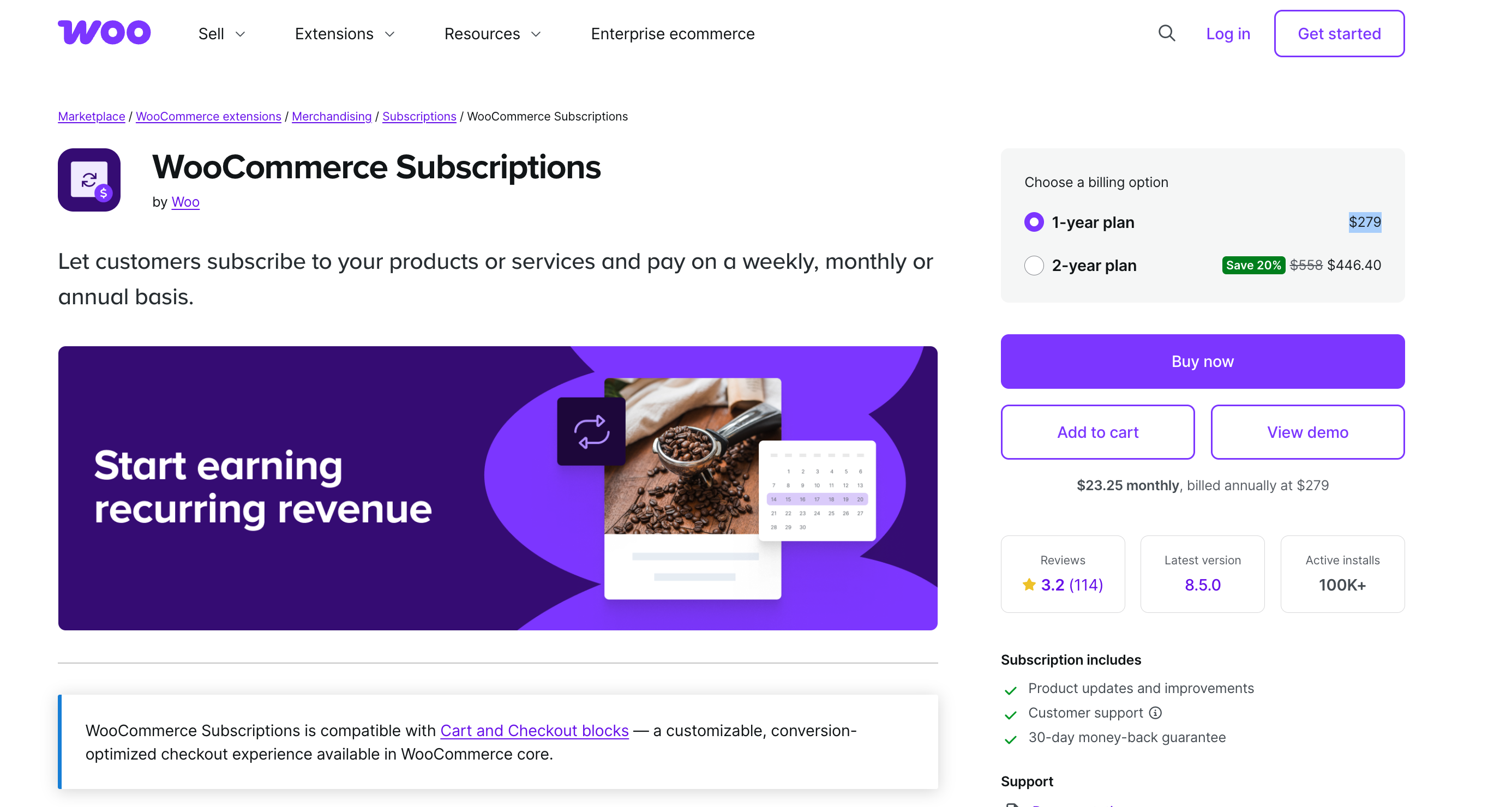
- Open-source platforms like WooCommerce require additional hosting and domain costs (~$5–$25/month depending on speed and security). Basic plugins are free, while some advanced marketing and SEO tools, such as Smart Coupons ($129/year) or WooCommerce Subscriptions ($279/year), may need one-time or annual licenses. In contrast, Shoplazza includes a free Subscription app for recurring product sales, and features like product coupons, flash sales, bulk discount and so on are natively built-in, so no extra plugins are required.
- Custom-built stores like Adobe Commerce have a high upfront cost ($5,000–$50,000+), but they provide full flexibility, scalability, and custom integrations for enterprise-level operations.
Themes and design
Website themes define your store’s look and user experience. Costs range from free → $500 → $5,000+ depending on complexity and customization.
Shoplazza provides free, mobile-responsive themes. For example, Reformia breaks the traditional text-only navigation, supporting image-text layouts, combined product and topic displays, and multiple panel styles like grids, masonry, and mixed layouts. Hovering over a product quickly switches images, and clicking the “+” button adds items to the cart without opening the product page, streamlining conversions
WooCommerce and Wix also offer many free templates to start a website. Premium templates from WooCommerce cost $49–$129 or more, depending on the designer and features, such as animations, or built-in landing pages.
Apps and plugins
Apps and plugins extend store functionality, such as marketing, SEO, and sales optimization. Costs typically range from $20–$300/month, depending on features and vendor. For example, Shoplazza apps include abandoned cart recovery, email marketing, and SEO boosters. However, nearly 90% of Shoplazza’s marketing apps are sufficient for most merchants, so extra app fees are usually unnecessary. Open-source platforms often charge one-time or annual fees for advanced plugins.
Payment processing fees
Payment processing fees are not part of building your store; they apply when you sell. No matter which platform you use to build your store, payment processing fees are always required because they are paid to the payment service provider, not the website platform. These fees typically range from 1.5–3.5% per transaction and cover:
- Interchange (bank costs)
- Assessment (network fees)
- Processor markup
Rates vary by payment method, card type, and industry risk.
How much does maintaining a website cost?
Maintaining a website goes beyond hosting. It includes domain renewal, hosting, security, updates, performance optimization, and occasional custom development. While most costs occur at setup, ongoing maintenance ensures your store runs smoothly, stays secure, and continues converting customers.
Typical ongoing website maintenance costs:
- Domain renewal: $10–$20/year (.com domains usually $10–$15; .co, .uk, or .store domains $15–$20)
- Hosting: $5–$500/month for shared or managed hosting; SaaS platforms like Shoplazza include hosting in the plan at no extra cost.
- SSL certificates: $0–$800/year for standard SSL; SaaS platforms often provide free SSL with a 99.95% uptime SLA.
- SEO and performance monitoring: $0–$100/month for basic tools; premium tools or agencies may cost $100–$500/month.
- Backups or disaster recovery: $20–$50/month may be needed.
Custom development or advanced updates (optional) may cost $200–$3,000/year for minor enhancements, third-party integrations, security patches, unique UX/UI design, or theme adjustments. Larger or complex modifications can cost more, but small-to-medium merchants rarely exceed this range.
Roughly annual and monthly maintenance cost breakdown by website type:
| Website type | Annual cost | Monthly cost |
| Small businesses (SaaS) | $360–$1,500 | $30–$125 |
| Medium businesses (SaaS) | $1,500–$4,000 | $125–$330 |
| Open-source ecommerce | $600–$4,000+ | $50–$330+ |
Key points:
- SaaS platforms like Shoplazza handle most updates, security patches, and backups automatically, reducing time and cost. Open-source stores (WooCommerce, Magento) require more manual updates, plugin maintenance, and security monitoring.
- Small businesses can realistically maintain a fully functional store for $30–$125/month, while medium or customized stores may spend up to $330/month.
Hidden costs you can't avoid
Even after your store is live, merchants face ongoing operational and marketing expenses that are easy to overlook. These include customer service tools, advertising, content creation, and conversion optimization.
Content creation
You can start with free, royalty-free image sites like Unsplash, Pexels, or Pixabay. For copyrighted content, you may pay a one-time license fee without ongoing royalties. Creative Commons images are usually free but may have restrictions (e.g., not for commercial use). AI-generated images may require a paid subscription to ensure you own the usage rights. If you produce your own content, basic photography and editing equipment can cost around $300–$500 initially. Free or beginner-friendly software like Canva or Photoshop Starter versions can be enough for beginners.
Conversion optimization tools
Tools such as Hotjar, Optimizely, or Google Optimize help test layouts, popups, and checkout flows to improve sales. Costs range from $20–$300/month, depending on plan and traffic volume.
SEO tools
Platforms like Ahrefs, SEMRush, or Moz support keyword research, backlinks, and site audits. Entry-level plans start around $20/month, while full-featured plans for larger stores can reach $100–$500/month.
More website security and protection
Website security is often underestimated. Beyond SSL certificates, a robust store needs layered protection to prevent hacks, data loss, and downtime. Key strategies include firewall rules, automated malware detection, two-factor login, plugin and software updates, and regular backups. Ignoring these can lead to expensive emergency fixes, lost revenue, and damaged trust.
Innovative approaches for small businesses:
- Automated monitoring: Some tools alert you immediately if unusual activity occurs, letting you act before issues escalate.
- Staggered backups: Instead of relying on a single backup, maintain daily incremental backups plus weekly full backups for critical files.
- Minimal permissions: Restrict admin access to only essential team members to reduce the chance of accidental or malicious changes.
- Security add-ons: Services like DDoS mitigation or bot protection can often be added modularly, costing roughly $5–$30/month, depending on provider and traffic.
- AI-powered threat scanning: Emerging AI tools can proactively detect suspicious patterns or vulnerabilities, offering early warning before problems hit.
Even on SaaS platforms like Shoplazza, which handle core security automatically, layering extra precautions—such as frequent backups and monitoring—helps protect high-value data, ensures faster recovery, and provides confidence for store owners scaling up their business.
What affects the cost of an online store?
The cost of building an online store isn’t just about the tools you choose. It’s shaped by the store’s complexity, design, platform, integrations, and the team you rely on. Each factor affects development time, ongoing maintenance, and scalability, meaning careful planning can optimize both expenses and growth potential.
Store size and complexity
The size and complexity of your store—such as the number of products, categories, and custom features—directly affect performance and scalability. Platforms like Shoplazza can handle billions of API calls annually and support flexible combinations of functions. Even stores with millions of SKUs can load product collections in just over a second, ensuring speed and reliability at scale.
Platform choice
The platform you select shapes both upfront and long-term expenses. SaaS platforms like Shoplazza offer low upfront costs, built-in hosting, and fast setup, ideal for small to medium stores. Open-source platforms like WooCommerce require lower platform fees but higher maintenance. Custom-built stores demand significant upfront investment but provide total flexibility. Choose based on budget, technical expertise, and scale ambitions.
Design requirements
Whether you use a pre-made template or a fully custom UI affects cost and timeline. Templates accelerate launch and reduce expense, while custom designs improve branding and unique user experience but require more design and development hours. Businesses must weigh visual impact against budget, especially if multiple device layouts are needed.
Integrations
Connecting your store to payment gateways, shipping solutions, ERP, or CRM systems increases functionality but adds development complexity. Each integration requires testing and maintenance to ensure smooth operations. The number, type, and customization of these connections directly influence project duration and ongoing costs.
Team vs DIY
Who builds your store matters. Freelancers can offer cost-efficient solutions, agencies provide full-service expertise but higher fees, and DIY setups reduce initial costs but require time and learning. The choice affects both quality and long-term support—balancing skill level, budget, and time is critical for a sustainable store build.
How to reduce your online store cost: 6 Actionable tips
You don’t have to spend a fortune to launch a professional online store. Smart planning, prioritizing essential features, and leveraging free or built-in tools can help you keep costs low while still delivering a functional, scalable store.
- Start with a free theme, upgrade later: Begin with a free responsive template like Reformia for product pages and core store functions. Once your brand grows, you can invest in premium designs for a unique look.
- Limit apps and plugins: Avoid stacking multiple paid apps. Use only what’s necessary to prevent recurring subscription costs.
- Use built-in features first: Many platforms, like Shoplazza, include essential marketing and sales tools natively, reducing the need for extra paid apps. About 90% of Shoplazza’s marketing apps are free to use.
- Focus on an MVP (minimum viable store): Launch with core products, essential pages, and basic functionality. Additional features can be added as your revenue and traffic grow.
- Delay custom development: Custom features are expensive. Postpone advanced functionality until your store's performance and sales justify the investment.
- Try before you buy: Take advantage of free trials, like Shoplazza’s 7-day trial, to test features, themes, and apps before committing to a subscription.
Build your online store
When you ask how much does it cost to build an online store, there’s no single number. Costs depend on your goals, platform choice, design features, and growth strategy. Start small, validate your idea with an affordable setup on Shoplazza, and scale your budget as your store proves traction. The smartest stores don’t spend the most—they spend at the right time.
FAQs about store cost
Q1: How much would it cost to build a website?
The cost to build a website varies widely. Using a SaaS platform like Shoplazza, you can start with the Basic plan at $39/month ($29.25 if billed annually), which includes hosting, SSL, and most essential apps. Open-source platforms like WooCommerce require hosting and plugin fees, while custom-built stores like Adobe Commerce can start at $5,000+, depending on design and integrations. Your final cost depends on features, design, and scalability needs.
Q2: What is the cheapest way to build a store?
The most affordable approach is starting with a SaaS platform like Shoplazza, using free templates, built-in apps, and minimal customizations. With Shoplazza’s Basic plan at $29.25/month (billed annually), you get hosting, SSL, and essential store features. Open-source options like WooCommerce can also be cheap initially but require technical knowledge for hosting and plugin setup. Custom-built stores are the costliest option.

.png)