On April 21, 2026, OpenAI released GPT Image 2. In its own Prompting Guide, the company described it as the default choice for most production workflows — the strongest image model currently available, and the right upgrade target from Image 1.5 and Image 1.
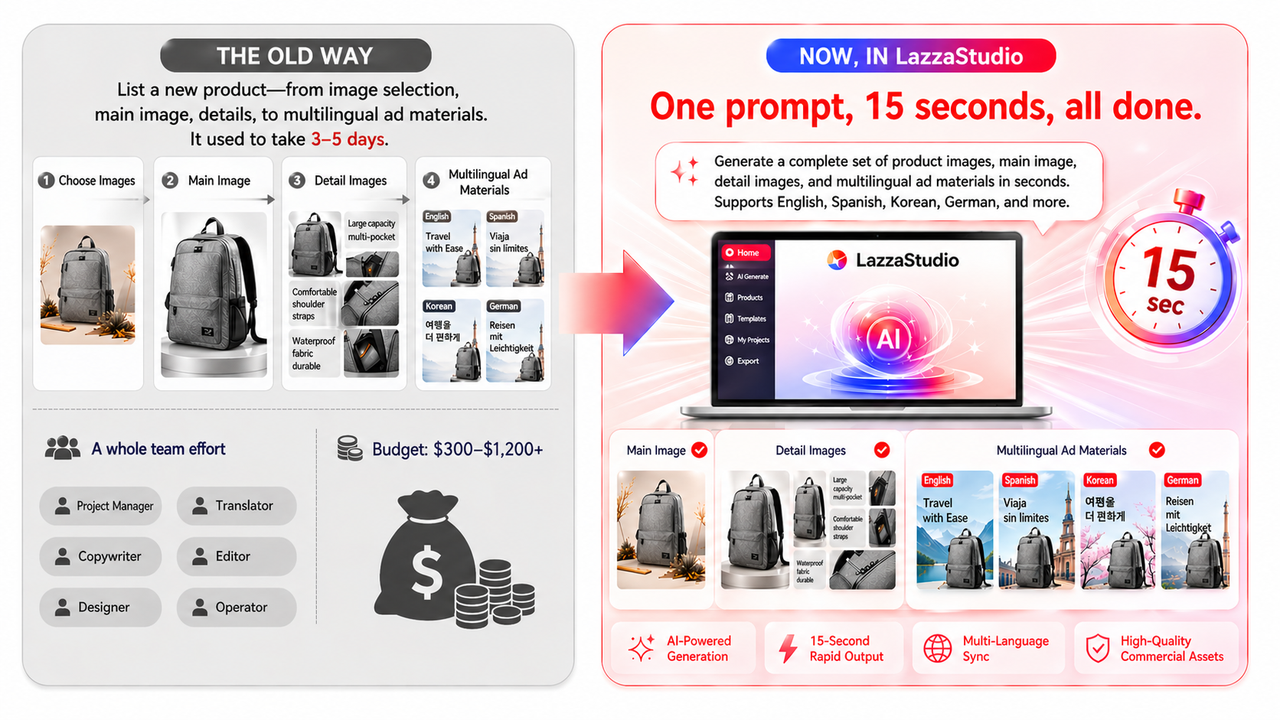
Within 48 hours of that release, LazzaStudio became one of the first e-commerce design platforms in the world to integrate it. So what does that actually mean for cross-border sellers? This article walks through six real usage scenarios — covering everything from new product launches and creative production to multi-market operations — to show how GPT Image 2 fits into the work you're already doing every day.
Why LazzaStudio could move this fast?
The short answer: LazzaStudio isn't just plugging in a new model. It's built from the ground up as a visual creation system for e-commerce operations.
Most AI image tools are designed for occasional use — make a graphic here, generate a banner there. LazzaStudio is built for the high-frequency, repetitive work that cross-border sellers actually deal with: new product launches, creative testing, multi-market localization, and seasonal campaign refreshes. There are three layers behind this:
- Brand context layer. Every merchant's brand tone, SKU library, and historical assets are stored in LazzaStudio. The same prompt generates a completely different visual output for your store versus anyone else's.
- Scene-specific prompt engineering. You don't write prompts from scratch. The Shoplazza product team trained the system on historical data from hundreds of thousands of real stores, distilling that into scene templates with an average creative match rate of 98%.
- Native integration with Shoplazza. Once generated, assets flow directly to product pages, collection pages, ad campaigns, and email marketing — no downloading, re-uploading, or manual touch-ups in Photoshop.
Six real scenarios where GPT Image 2 generation makes a difference
Rather than walking through model specs, here's how LazzaStudio's GPT Image 2 integration shows up in actual day-to-day work. Every image in this article was generated by LazzaStudio after the integration.
Scenario 1: Product main images and detail shots
You've probably noticed this with most AI image tools: the output looks generated. The lighting is off, edges are soft, and materials look plastic. It doesn't match what you're actually selling.
GPT Image 2 runs on a native multimodal Transformer architecture, meaning pixels, text, and scene context are all processed by the same model at once. In practice, this translates to:
- Textures that hold up under scrutiny — leather creases, metal reflections, fabric weave
- Lighting and shadow that follow physical rules, not artistic guesses
- Detail editing that preserves 95% of the original image while changing backgrounds, angles, or colorways
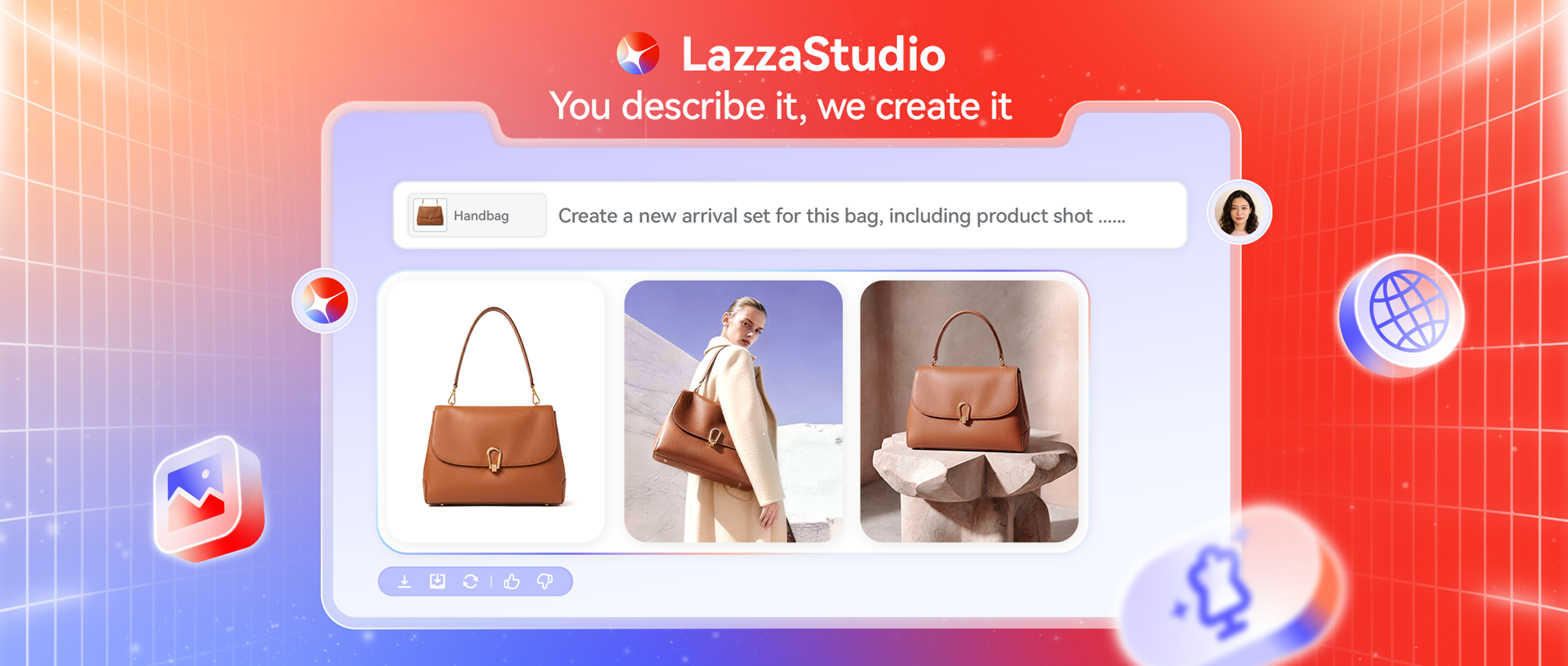
In one test, a flat lay white-background handbag sample was given the prompt: "placed on a wooden café table in New York, light rain outside, warm yellow ambient light." The output was usable as a main product image within 30 seconds.
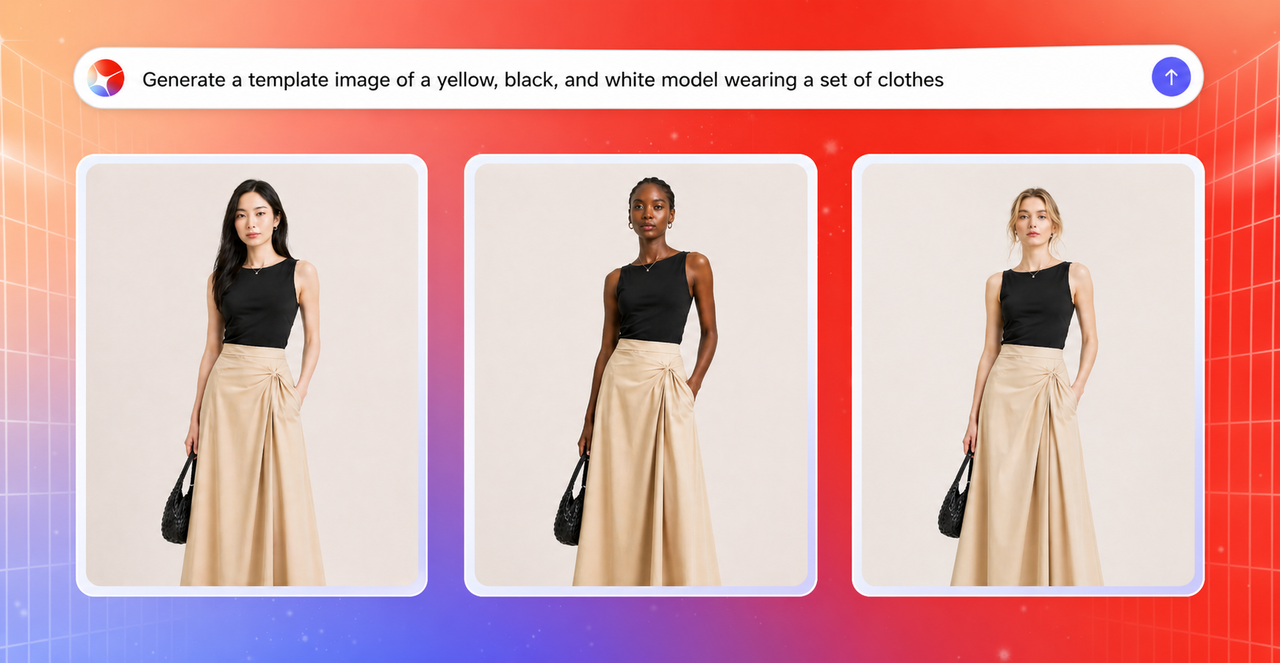
Scenario 2: Model try-ons and outfit changes
For apparel, accessories, and beauty brands, model photography is one of the more predictable costs in operations:
- One shoot often means one model, a half-day booking, and significant fees
- Want a different model ethnicity or body type? That's another shoot
- Different season, different location? Add travel costs
GPT Image 2 handles this at what the e-commerce industry is calling production-ready quality:
- The same garment on 10 different skin tones, body types, and ages — generated in under a minute
- A single model wearing every SKU in your store, with consistent face, posture, and proportions
- Drape, fit, and fabric behavior that follows physical logic, not the "clothes as texture overlay" look from older models
The output isn't a reference image. It's ready to upload directly to your product page.
Scenario 3: Marketing posters and ad creatives
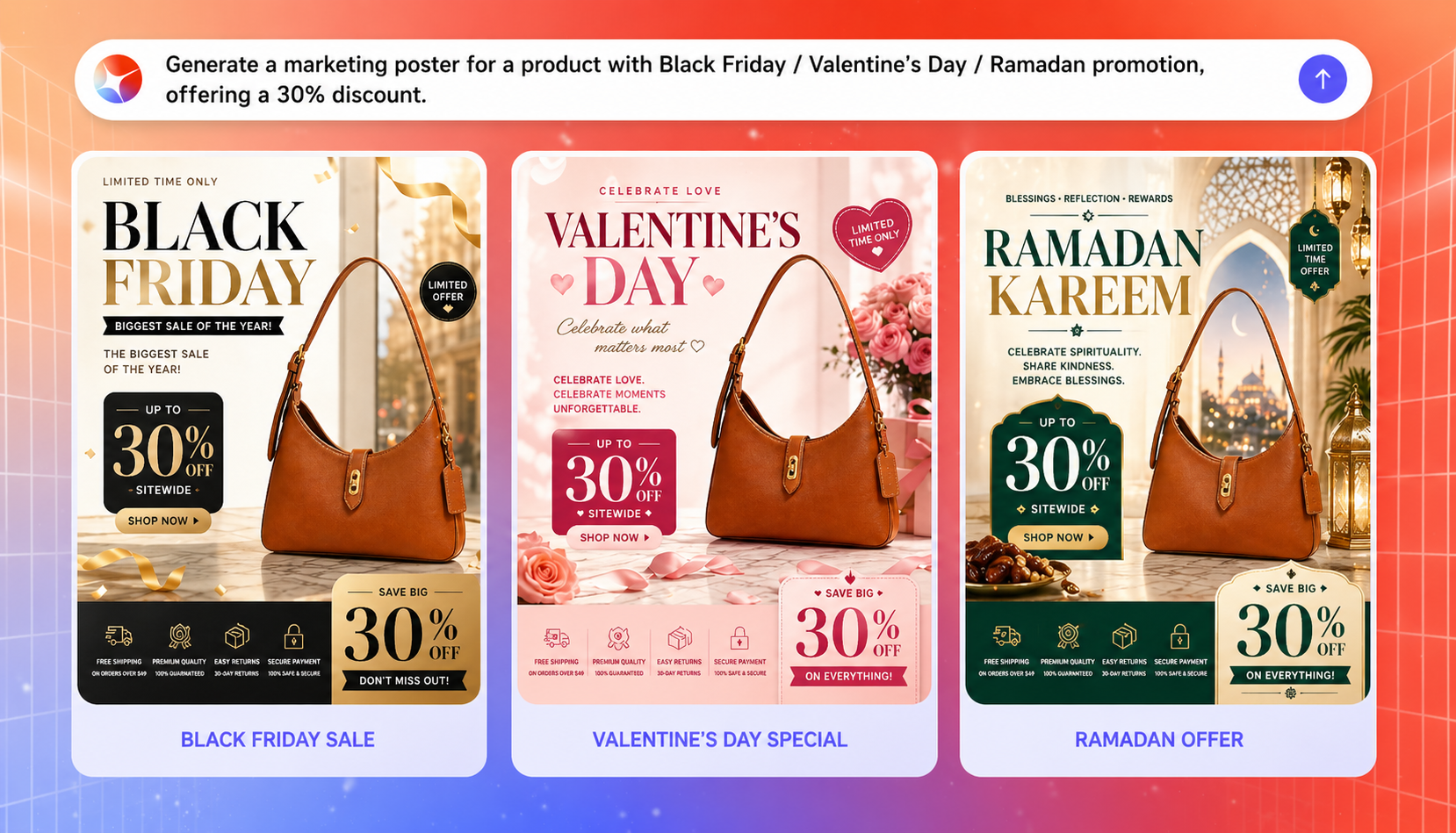
Text rendering has been the most obvious weak spot in AI image generation. Most cross-border sellers have seen it — "Black Friday" becomes "Blak Fridav," "50% OFF" becomes "5O% 0FF." It's the kind of error that makes the whole creative unusable.
GPT Image 2 treats this as a core problem, not an afterthought. As one technical evaluation put it: if the previous generation made AI text "sometimes usable," this version makes it "reliably usable" — and for anyone running real business content, that gap matters a lot.
In internal testing, a Black Friday hero banner was generated with an English headline, French subheading, and numeric discount callouts — all accurate, properly spaced, and ready to run in a single generation pass. You might notice the downstream effect here. For sellers running Meta, TikTok, or Google ads:
- Creative testing cycles that used to take three days can now take three hours
- A/B test variants can scale from 5 versions to 50
- Per-creative cost drops close to zero
Scenario 4: Lifestyle and scene product images
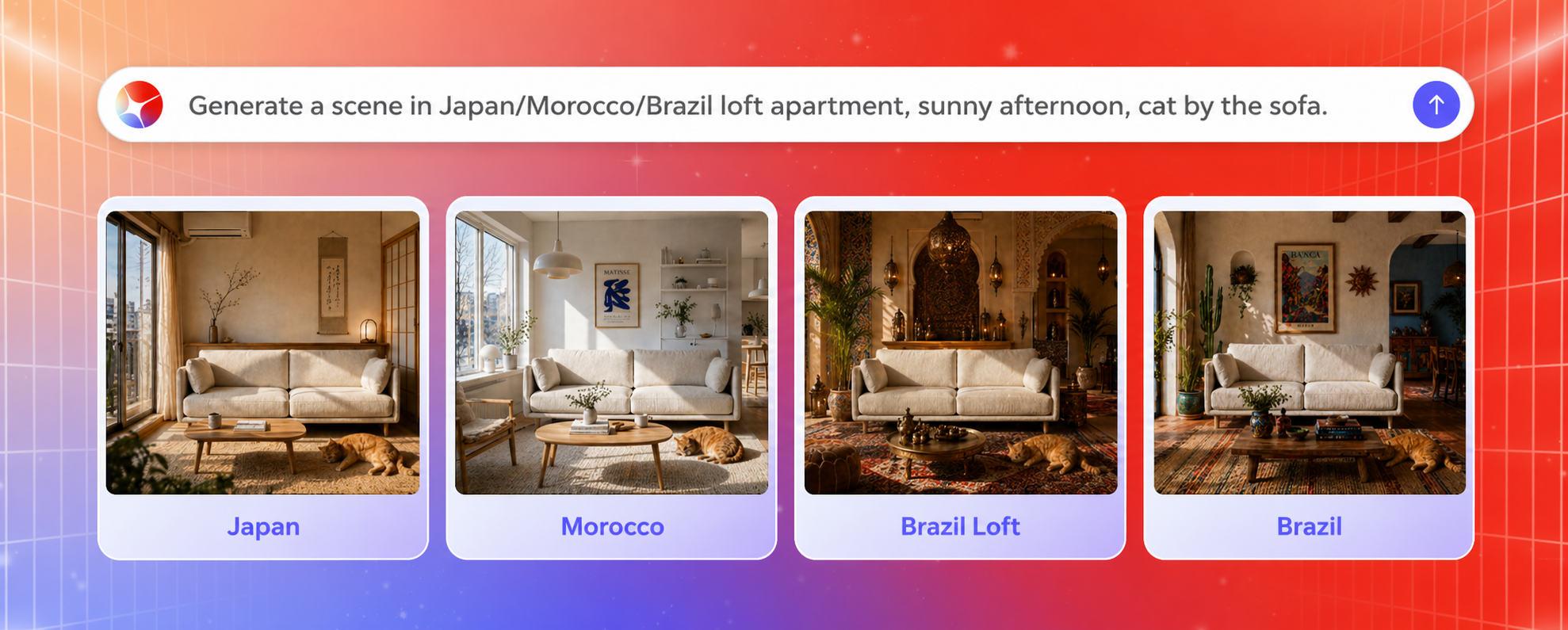
White background images are a requirement, but scene images are what actually move conversion. Research suggests high-quality lifestyle imagery can lift product page conversion rates by 20% to 35%. Getting this kind of content used to involve real costs: studio rental, location shoots affected by weather and scheduling, and local lifestyle scenes for different markets — a Scandinavian living room, a Japanese kitchen, a Middle Eastern family setting — that were nearly impossible to produce at scale.
With GPT Image 2 integrated into LazzaStudio, the process is significantly simpler. You may just upload a product sample image, describe the scene — something like "Japanese small apartment, tatami, winter afternoon light, an orange cat nearby" — and the system generates a lifestyle image where the lighting, spatial relationships, and cultural details all hold together.
In one internal test, the same Nordic-style aroma diffuser stone was placed into 12 different market lifestyle scenes. None of the 12 outputs needed revision.
Scenario 5: Multi-language and multi-market asset localization
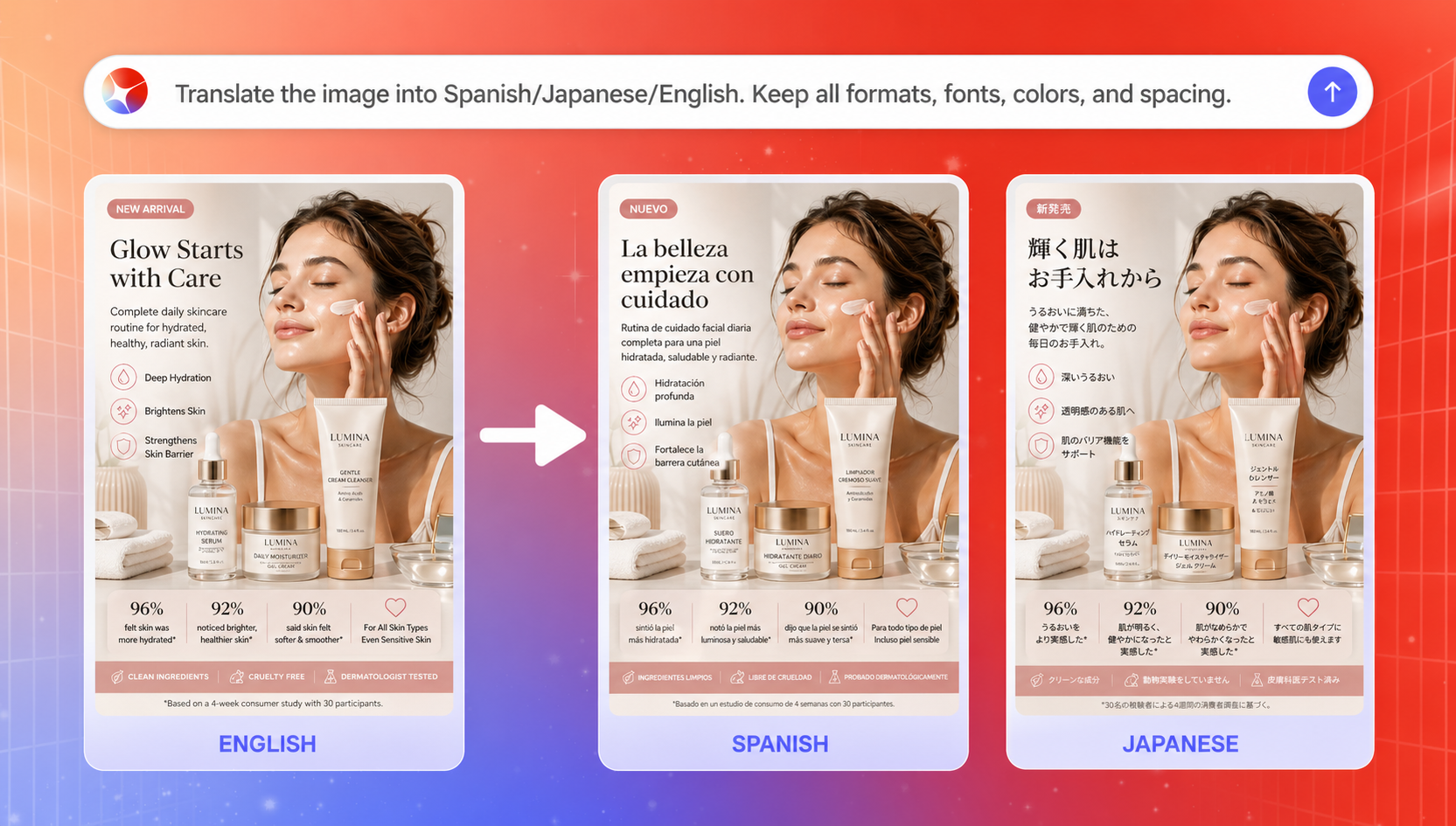
Many people overlook how much time goes into this part of running a global ecommerce store. You have one well-designed English detail banner. To enter additional markets, you need Spanish, Japanese, Arabic, and Portuguese versions. In the past, that meant a designer doing the same work multiple times — text swaps, layout adjustments, alignment fixes — across days or even a full week, with inconsistencies creeping in along the way.
Now it's one step: upload the original image, give an instruction like "translate to Spanish, keep all layout, font style, and spacing intact," and LazzaStudio generates the localized version in seconds. Not just translated text, but design-level fidelity — fonts stay consistent, text positions don't shift, logos and icons aren't accidentally altered.
For merchants operating DTC websites across multiple markets, this is a structural change. Localization costs can compress by over 90%, and new market launch timelines shrink from weeks to days or hours.
Scenario 6: Seasonal and holiday visual refreshes
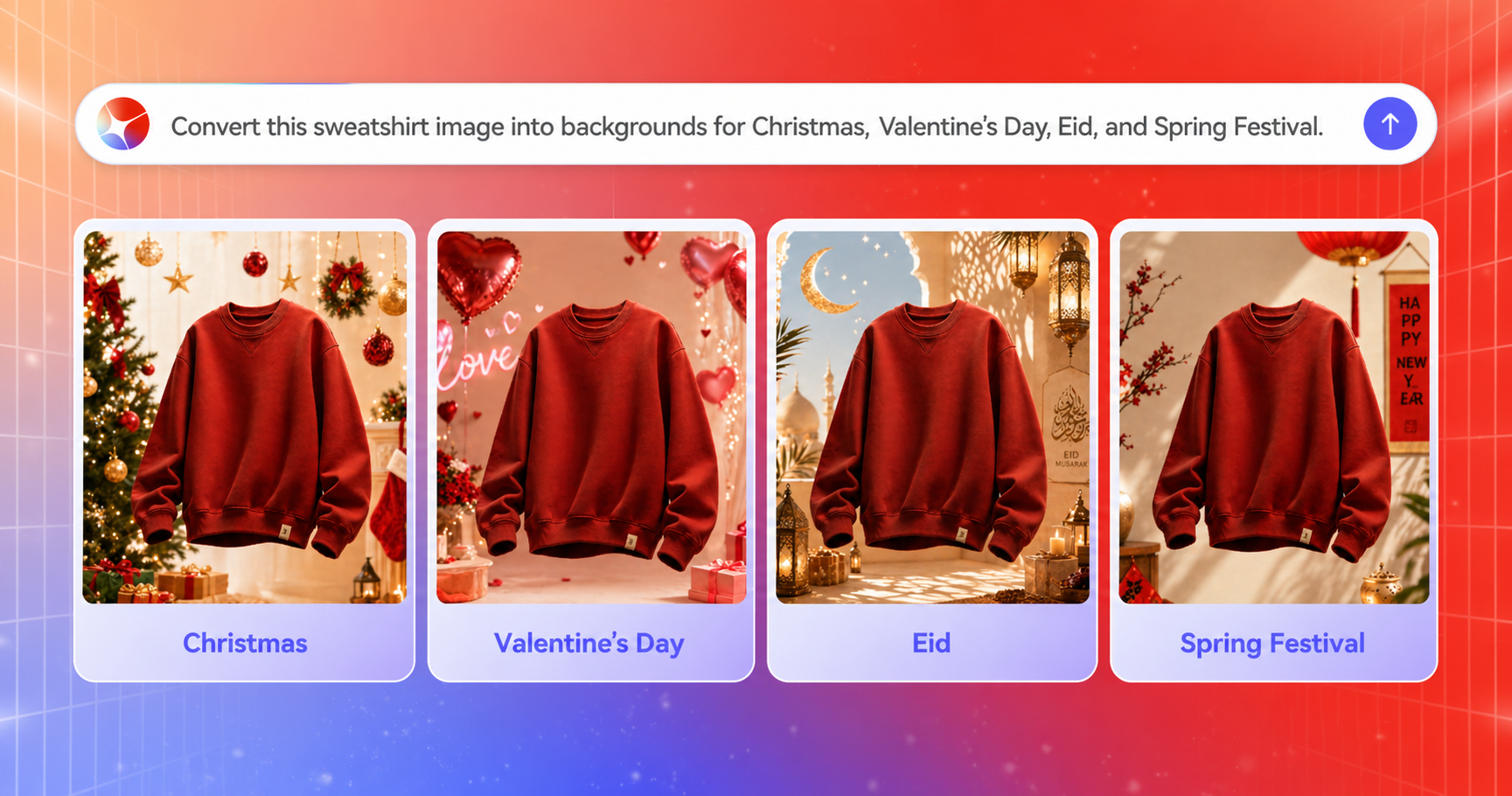
Black Friday, Christmas, Valentine's Day, Ramadan, Diwali, Lunar New Year — cross-border sellers typically face 30-plus promotional moments in a year. Each one usually means a full-store visual update: new banners, main image overlays, ad creative refreshes.
It's repetitive, time-sensitive work, and it puts real pressure on operations and design teams every time it comes around. With GPT Image 2, LazzaStudio can handle this at batch scale. The product stays exactly as it is — only the background, atmosphere, and decorative elements are changed. Christmas gets snowflakes and red-green tones, Valentine's Day gets roses and soft pink, Ramadan gets geometric patterns and gold accents.
More practically: 500 SKUs can complete a full-store seasonal visual refresh in 15 minutes. What used to be a high-cost production project becomes something you can schedule into your normal campaign calendar.
Start using LazzaStudio
GPT Image 2 has been out for a week, and LazzaStudio has already made it part of your daily workflow. We're not here to tell you that AI for product pictures will change e-commerce someday. It's already in your next task. Open LazzaStudio, and your next product image, poster, model shot, or ad creative will be on your screen in 15 seconds — at a genuinely hard quality to believe came from an AI.
- If you're already on Shoplazza, log in to the dashboard, open LazzaStudio, choose a scene template, and start generating.
- If you're not yet a Shoplazza merchant, there's a free preview entry that lets you try the core features without going through the full signup process.
Shoplazza serves over 650,000 cross-border merchants across more than 180 countries. LazzaStudio is the visual creation Agent within the Shoplazza AI Commerce OS, working alongside AI Store Builder, Athena Agent, and AI Ad Agent as part of a multi-agent merchant operating system.
Frequently asked questions
Q1: What is the GPT Image 2 release date, and what changed from the previous version?
OpenAI officially released GPT Image 2 on April 21, 2026. Compared to earlier versions, the main improvements are in text rendering accuracy, material and texture realism, and the ability to handle complex multi-language layouts in a single generation pass. For e-commerce use specifically, the gap between generated images and professionally shot photos has narrowed significantly.
Q2: Is LazzaStudio an AI product picture generator or a general design tool?
LazzaStudio is built specifically for e-commerce operations, not general design work. Unlike a generic AI product picture generator, it's trained on data from hundreds of thousands of real cross-border stores, so the output is optimized for product pages, ad creatives, and multi-market campaigns rather than one-off graphics.
Q3: How is LazzaStudio different from other AI tools for professional product pictures?
Most AI tools for professional product pictures generate a single image from a prompt and stop there. LazzaStudio goes further — generated assets connect directly to your Shoplazza store, flowing to product pages, collection pages, and ad campaigns without any manual re-uploading. Your brand context, SKU library, and historical assets are also factored into every generation, so results stay consistent across your store.
Q4: Do I need design experience to use LazzaStudio?
No. The scene templates handle the prompt engineering for you. You upload a product image, pick a scene, and the system takes care of the rest. Most sellers start getting usable output within their first session.