As competition in overseas markets grows, relying on a single store in a single market carries more and more risk. More cross-border sellers are moving from "single-point effort" to a "store matrix." Multiple stores spread your risk and let you serve different markets and customer groups. But once you go from 1 store to 10 or dozens, your team's repetitive work multiplies. Below, we look at the two main forms of multi-store operations, break down four common challenges, and show how Shoplazza's multi-store solution addresses each one.
What are the two forms of multi-store operations?
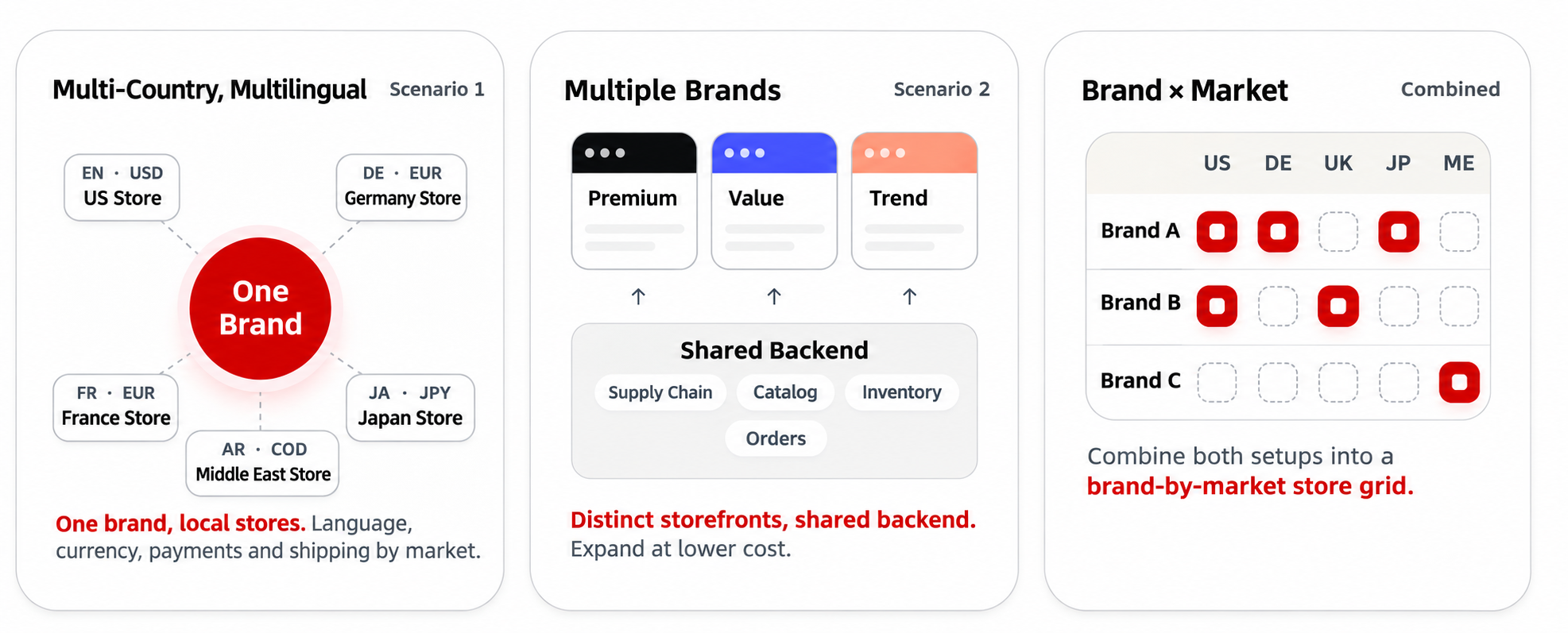
Based on our experience serving hundreds of thousands of sellers worldwide, Shoplazza sees two main forms of cross-border multi-store operations, and many sellers combine them.
- Multi-country, multi-market stores. You build localized stores around the same core product, each matching the language, currency and cultural preferences of a country or region. A yoga wear seller, for example, might run German, French, Japanese and Middle East stores under one brand.
- Vertical, multi-brand stores. You build separate sub-brand stores for different customer segments, each with its own product line, brand image and pricing room. A pet supplies seller, for example, might run a cat store, a dog store and an aquarium store for different audiences.
Compared with running a single store, a multi-market, multi-store approach has three advantages.
- It spreads operating risk. Traffic swings or policy changes on one store don't affect the whole business.
- It deepens local conversion. Customizing language, settlement currency and payment methods for each market can help raise buyers' willingness to pay and your conversion rate.
- It reaches more customer segments. You can serve shoppers with different spending power and preferences, which opens room for overall GMV growth.
What are the four common challenges of multi-store operations?
Behind the advantages sits a higher operating cost. The more stores you run, the more your team falls into repetitive work, and the challenges tend to fall into four areas.
New stores take too long to launch.
Every new market or sub-brand needs its theme style, shipping templates, tax rules and localized settlement built again from scratch. Manual setup makes it easy to miss something, and that stretches out the time before a new store can go live.
Products are hard to maintain across stores.
With a large catalog, you have to edit and list products on each store one by one. A best-seller can't be copied to a new store quickly, and when you need to change prices for a big sale or update product information, the repeated manual work takes time and invites mistakes.
Payments and funds carry more risk.
Every new store means resubmitting payment account documents and waiting for review. Multiple stores also bring multiple currencies to display and settle, which makes reconciliation slow. After a big sale, chargebacks and disputes tend to arrive all at once, and if you don't handle them in time, your funds can be frozen or even your payment channel shut down.
Large-scale automation is hard.
Traditional operations depend on manual work. Setting up big-sale campaigns is tedious, the data in different admins sits apart, and it's hard for a team to run bulk actions and manage everything in one place.
How does Shoplazza's multi-store solution solve these problems?
For sellers running multi-brand matrices and multi-market layouts, Shoplazza offers a multi-store operations solution. The goal is to turn "every new store adds more repetitive work" into "configure once, reuse across stores." Below, we go through the four challenges one by one, and where Athena, the AI operations agent built into the Shoplazza admin, is involved, we add use cases and sample instructions.
Reuse a sample store's setup to cut launch time
- Fast launches. Opening a new store doesn't mean starting from scratch. You can start from a store that already works and reuse its theme, page layout, shipping templates and tax templates in the new store.
- An Athena setup check. Once the new store is configured, you can hand it to Athena for a check. Athena reviews the new store's tax rates, shipping zones and payment setup, and together with the checkout diagnosis tools, it helps prevent missed settings and keeps localized payments running smoothly.
For example, if a yoga wear seller opens a new German store, they can tell Athena:
Check the tax rates, shipping zones and payment setup for my German store and tell me if anything is missing.
Manage products across stores in bulk
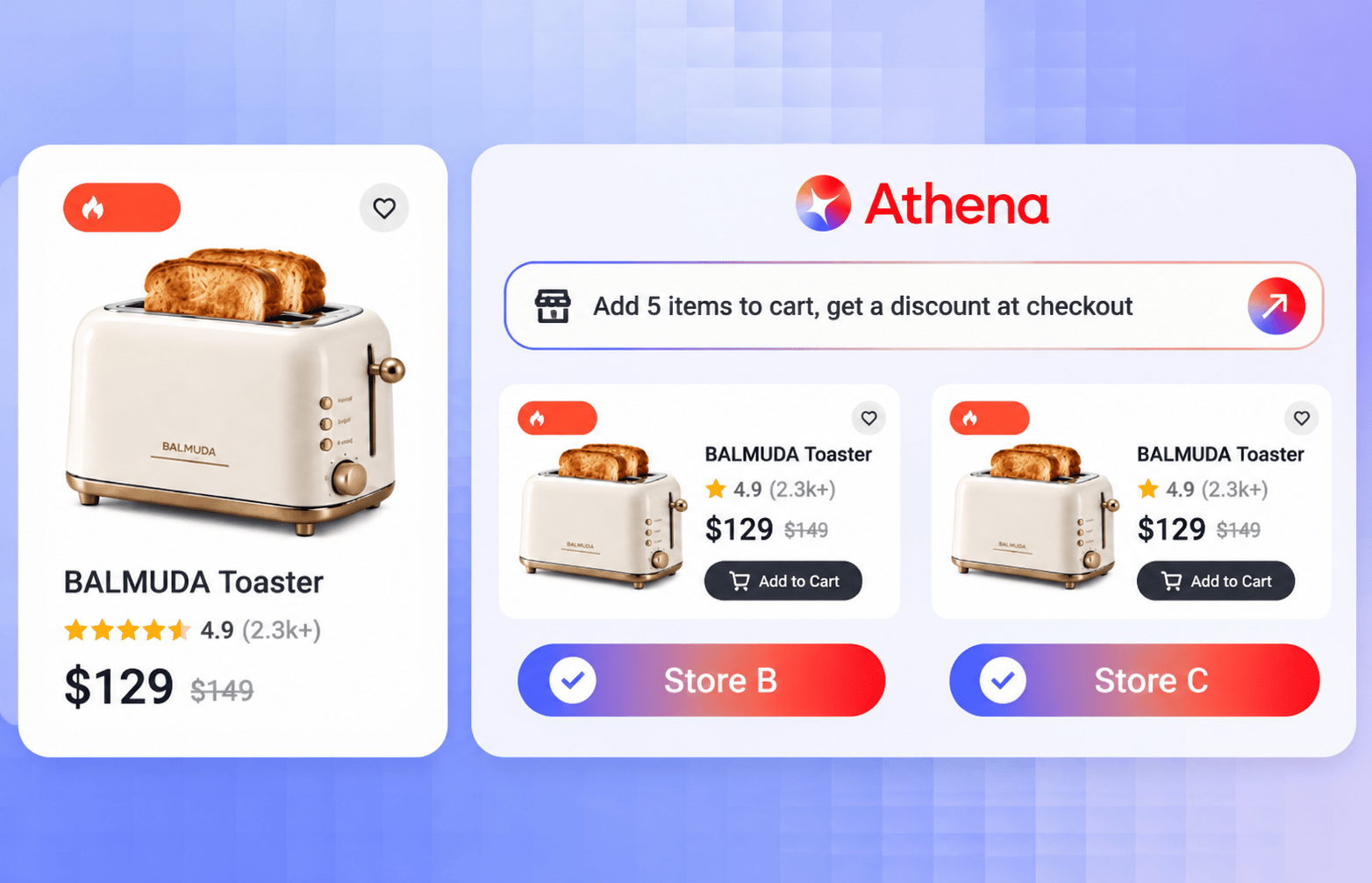
- Safe bulk edits across tens of thousands of SKUs. For bulk edits, you only need to set the instruction and the scope. Athena can then update attributes, adjust prices and change stock across stores, covering tens of thousands of SKUs. Before a bulk run, you can test on a sample first to check the result, then decide whether to run it on everything, which keeps the outcome more controlled. For example, if you want to change prices on the same product line across several stores before a big sale, you can say:
Raise the prices of all yoga pants in the German and French stores by 5%. Test on 10 products first, and run the rest after I confirm.
- One-click reuse of best-sellers across stores. This breaks down the data walls between stores. A best-seller that has proven itself on one site can be synced to other target stores, which greatly shortens the time it takes to roll a winning product out across a store matrix.
Handle onboarding, reconciliation and disputes with Payments
Shoplazza Payments offers three capabilities for the payment and cash flow problems of multi-store sellers.
- Verify once, reuse across stores. It supports one-entity, multi-store onboarding. After you complete compliance verification for the first time, new stores automatically link to the qualifications already issued, so you don't have to resubmit documents and wait in line for every store.
- A full-currency funds overview. Balances in USD, EUR, GBP and other currencies appear in one view, with cross-store search and one-click statement export, which makes reconciliation clearer.
- Tiered dispute alerts. Chargebacks and disputes from all your stores are sorted automatically by due date, with alerts for those due within 1 day, 3 days and so on. This helps you handle high-risk orders first and protects your cash flow and payment channel.
Automate operations with the CLI and Athena
- One-click rollout of big-sale campaigns from a template. You can set up big-sale campaigns with the Shoplazza CLI. Configure one set of discount rules and one banner, and sync them to dozens of target stores at once, with no need to set them up store by store.
- Cross-store automation with Athena. Daily cross-store analysis can go to Athena. It can compare operating data across several stores, analyze traffic, average order value, products and customers, locate problems and suggest improvements. It can also push operating data on a daily schedule. For example, a pet supplies seller with a cat store, a dog store and an aquarium store can say:
Compare traffic and average order value across the three stores over the past 7 days. Tell me which store has the lowest conversion and what might be causing it.
Summary
The challenges of multi-store operations come down to four areas, launching new stores, maintaining products across stores, managing payments and funds, and automating operations. Shoplazza's solution maps to each one with sample store reuse, cross-store bulk management with Athena, multi-store onboarding and fund management with Payments, and automation with the CLI and Athena. The goal is to cut the repetitive work that grows with every new store and make multi-market, multi-brand expansion more sustainable.
Frequently asked questions about running multiple ecommerce stores
Q: When do you need more than one ecommerce store?
There are two main cases. One is when a single brand expands to several countries and regions and needs to match local languages, currencies and payment methods. The other is when you build sub-brand stores for different customer segments, such as a pet supplies seller who runs separate cat, dog and aquarium stores.
Q: Can multiple stores share one payment entity?
Payments supports one-entity, multi-store onboarding. After you complete compliance verification for the first time, new stores automatically link to the qualifications already issued, so you don't need to resubmit them store by store. The final review result follows the payment service's actual rules.
Q: What if a bulk edit across stores goes wrong?
Before a bulk run, Athena can test on a sample first so you can check the result. You run it on everything only after you're satisfied, which keeps the outcome more controlled.
Q: How can you sync a big-sale campaign across several stores?
You can use the Shoplazza CLI to configure one set of discount rules and one banner, then sync them to dozens of target stores at once. You don't need to set them up store by store.
Q: Which data can Athena look at across stores?
Athena can compare operating data across several stores, analyze traffic, average order value and products to locate problems, and suggest improvements. It can also push operating data on a daily schedule.
