
Q4 stocking and promotion season is close, and for sellers running dozens of stores, the pressure lands on the back office as much as on the storefront. Orders surge, disputes pile up, and balances sit in several currencies at once. Multi-store payment management comes down to two questions: which dispute should you handle first, and where is your money right now? This guide covers how Shoplazza Payments helps with both, through urgency-based dispute triage, early chargeback prevention, and a separate card for each currency.
Why does peak season strain payments across multiple stores?
Peak season adds order volume on the storefront, but it also adds work behind it. Finance and risk teams tend to run into two problems first.
- Funds are hard to see clearly. As the store count grows, balances in different currencies have to be checked one by one. Month-end counting and reconciliation take a lot of effort, because each currency has to be pieced together separately.
- Disputes have no clear priority. Chargeback disputes from every store pile up in one list, with no set order and no deadline reminders. Staff struggle to spot the most urgent cases, and a missed deadline can mean losing the dispute by default, along with the sale amount and the fees.
In peak season, back-end turnaround and risk response speed directly affect how stable a multi-store business stays. Shoplazza Payments offers centralized tools for funds and disputes across stores, so finance and risk teams can count funds and handle risk with less manual work.
How can you triage disputes by urgency across all your online ecommerce stores?
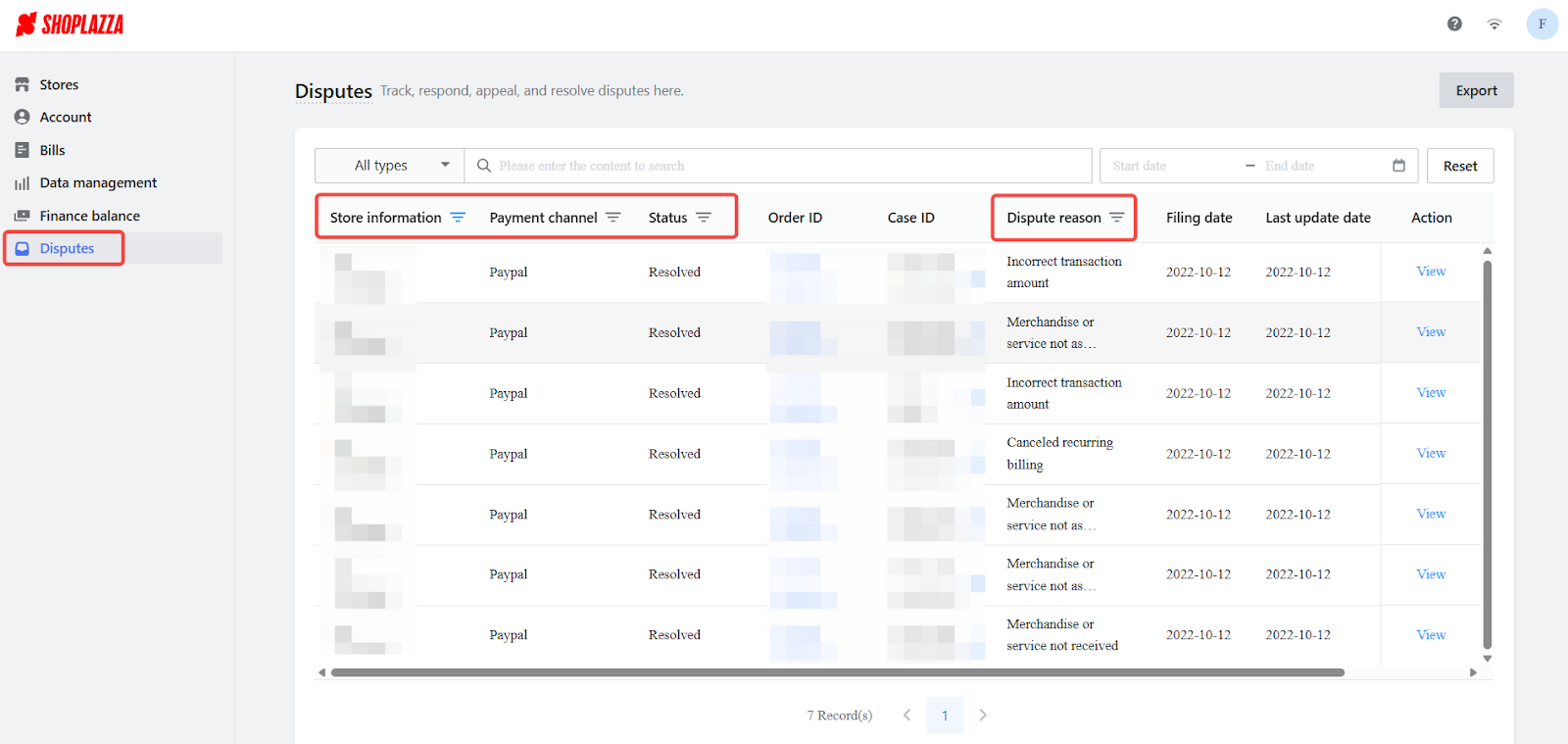
When a large number of open disputes sit in one list, the first challenge is deciding which one to open first. Shoplazza Payments adds status grouping and urgency triage to dispute management.
In a multi-store setup, the dispute list often holds a large number of pending orders. Risk and operations staff end up checking due dates by hand, and it is easy to miss one. Triage replaces that manual check with three features:
- Three-color urgency labels. Disputes are marked red, orange, or gray based on the time left to respond. Pending disputes are sorted with the most urgent at the top by default, so color shows priority at a glance.
- Due date filters. You can filter by “Due within 1 day,” “Due within 3 days,” “Due within 7 days,” “Due in more than 7 days,” and “Overdue.” Risk and operations staff can pull up the cases that need action first.
- One view for every store. You can review and handle disputes from all stores on a single page. The list moves from a pile of data to one that sorts itself by status and urgency.
How can you stop an alert from turning into a chargeback?
Triage helps with disputes that already exist. The next step is acting earlier, while an alert is still open and a refund can still prevent a formal chargeback.
After an alert arrives, sellers without a precise deadline can miss the best window to refund. The alert then becomes a formal chargeback, which costs the sale amount plus extra handling costs. Shoplazza Payments puts alert and countdown information at the front of the dispute list, so you can step in before a chargeback forms.
- Visible countdowns. Each row in the dispute list shows the time left, down to the minute. Anything under 6 hours shows in red, 6 to 24 hours shows in orange, and overdue items display “Overdue.” The filters support the same tiers, so you can refund before a chargeback is formally created.
- A dashboard with alert labels. The top of the dispute page shows a global dashboard with the number of pending, closed, and total disputes. You can see your overall risk position and quickly find the disputes that need urgent action.
- Smart Dispute Resolution (SDR). SDR integrates Verifi RDR from Visa and Ethoca from Mastercard, and it steps in before a dispute is formally created. Verifi RDR lets merchants preset rules so that eligible disputes are refunded automatically. Ethoca sends real-time alerts, so sellers learn about a risk before a dispute is filed and can decide whether to step in. Used together, the two tools help stop risk before it becomes a chargeback.
Countdowns and alert-based intervention move chargeback handling from after-the-fact checking to early action. For multi-store sellers, that lowers the risk of fees and lost sale amounts caused by missed deadlines, and it speeds up risk handling during peak season.
How do you see funds by currency across multiple stores?
Disputes are one half of the back-office workload. The other half is knowing how much money sits in which currency and in which store, especially at month-end.
Sellers who operate across several websites often hold funds in USD, EUR, GBP, and other currency accounts. In the past, finance staff had to switch between accounts and pages to check each currency by hand, and month-end counting and reconciliation took a lot of effort. Shoplazza Payments now gives a clearer funds overview, so each amount can be traced.
- Separate currency cards. The funds overview page shows the total balance for each currency, such as USD, EUR, and GBP, on its own card. Click a currency to switch to the balance details for all stores under that currency. In the actions column of the store list, you can view and download that store’s reconciliation report.
- Search and sort. The funds list supports search by store ID, merchant ID, store domain, and store name. You can sort by total balance, available balance, in-transit balance, or reserve, which makes counting assets across stores faster.
Clearer payment control supports multi-store growth
For sellers running a store matrix, competition now depends on more than traffic and bestsellers. How efficiently money moves and how quickly risk alerts get a response matter just as much.
Shoplazza Payments turns a pile of passive data into a structured view, through its funds and disputes management features. Funds are presented in a structured way, and disputes are checked in order of priority. This gives sellers a more efficient view of their business and supports steady expansion. The aim is simple: let the system do the sorting, and leave sellers with a clear sense of control. Shoplazza Payments will keep working with cross-border merchants as their multi-store businesses grow.
Frequently asked questions about payment disupte solution for multi stores
Q1: Should multi-store sellers use one payment account per store, or manage everything together?
It depends on how your business is structured. If your stores serve different markets or run under different business entities, opening accounts by entity usually makes compliance, reconciliation, and tax handling easier. If several stores share one entity, you can manage them under a single Shoplazza Payments account. The funds overview shows balances by currency and by store, so month-end reconciliation does not require jumping between systems.
Q2: What can I do when the chargeback rate rises in peak season, and can I step in before a chargeback forms?
Yes. An alert window usually opens before a chargeback is created, and the key is to refund within that window. Shoplazza Payments integrates Verifi RDR from Visa and Ethoca from Mastercard. Verifi RDR lets merchants preset rules so eligible disputes are refunded automatically, and Ethoca sends real-time alerts so you can judge whether to step in before a dispute is filed. Together, they help stop many chargeback risks before they form.
Q3: How can I reduce currency conversion losses when I collect and settle in several currencies?
The main approach is to collect and settle in the original currency wherever possible, so funds do not pass through multiple conversions that add exchange rate losses. Shoplazza Payments supports separate account management for major currencies such as USD, EUR, and GBP. The balance, in-transit funds, and available balance of each currency show separately on the overview page. Finance can then decide when to convert based on exchange rate timing, rather than waiting for the system to convert everything.
Q4: How can a small team of one or two people handle a large number of disputes?
Prioritization is the key. With a small team, the biggest risk is not knowing which case to handle first, so an urgent case gets buried among routine ones and its deadline passes. The Shoplazza Payments dispute list marks cases red or orange by time left and puts the most urgent at the top by default. You can also filter by tiers such as “Due within 1 day” and “Due within 3 days.” Even a team of one or two can find the cases that must be handled today, with the system doing the triage instead of manual checking.
Q5: How do I manage compliance risk when collecting payments across borders, given that markets have different requirements?
Requirements for the collecting entity, fund flows, and data compliance do differ by market. The EU, the UK, and the US tend to have stricter local requirements for payment data. It makes sense to choose a business entity that fits your target market when you open an account. Shoplazza Payments supports account opening for entities in Hong Kong (China), the US, Canada, the UK, France, and other countries and regions. For the exact compliance setup, talk to a dedicated advisor based on your actual business, so an unsuitable entity choice does not interrupt your payment collection.
