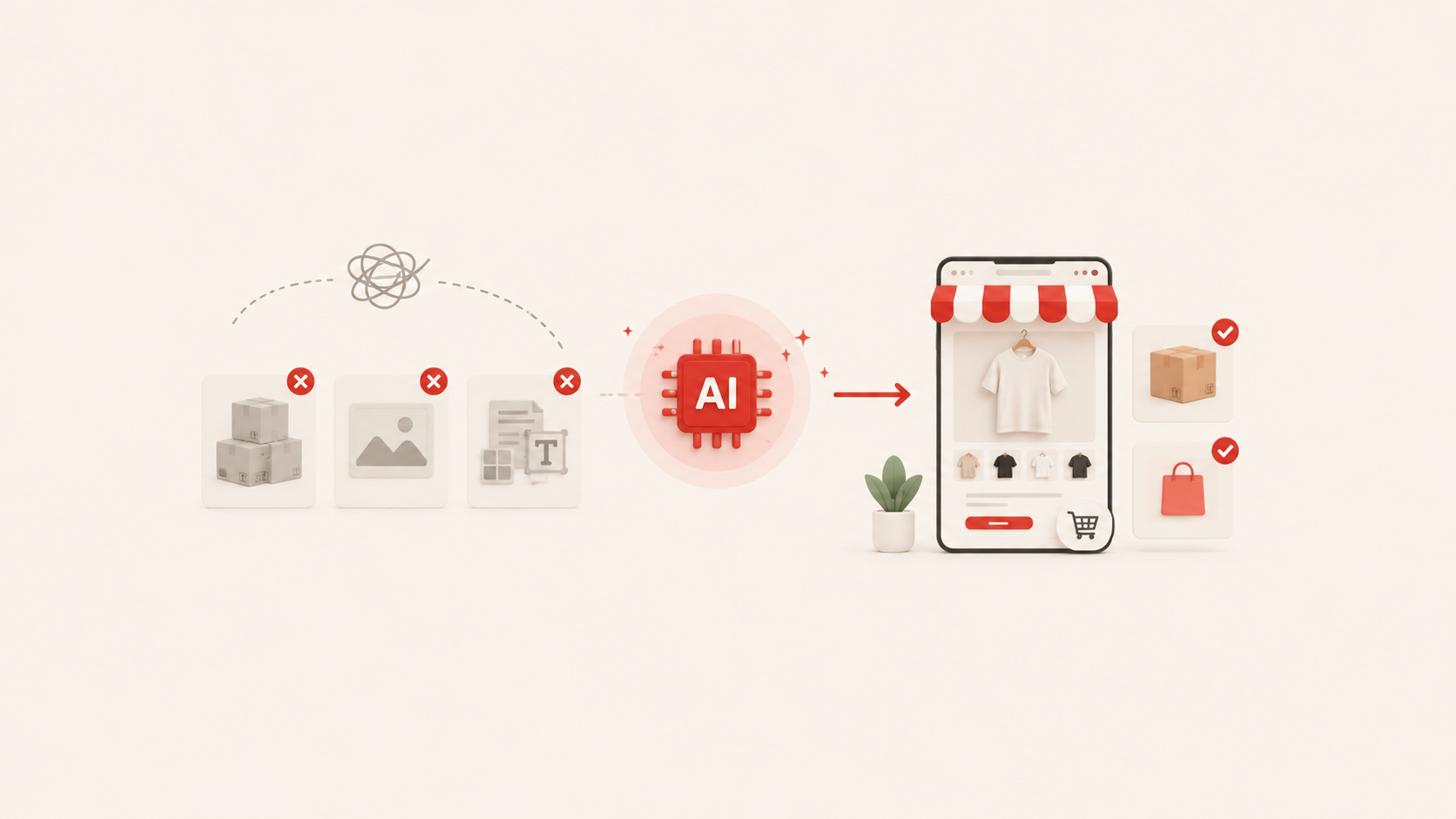
Building an online store used to take months of developer meetings, design revisions, and payment headaches. AI has changed that. Understanding how to use AI to build an online store, and what actually happens after you type a prompt, is what separates a store that works from one that just exists. Many people overlook the harder parts:
- What AI cannot handle?
- How to manage products at scale?
- What demands your attention after launch?
This guide covers all of it. You will find the real steps, the honest trade-offs, and the decisions that actually matter, so you can go from idea to functional storefront without the exhaustion.
What an AI store builder actually does?
Before you start, it helps to know exactly what you are working with. And the first thing worth clarifying is the difference between an AI website builder and an AI store builder, because people mix them up often.
- A website builder generates pages and layouts. An AI store builder creates a complete selling environment with checkout, payment infrastructure, and inventory management on a native backend. If your goal is to sell products, that difference matters before you choose a tool.
An AI store builder generates a functional selling store. That includes the homepage layout, product pages, About page, Contact page, policy pages, checkout flow, SEO metadata, and a mobile-responsive design. You go from nothing to a publishable store in minutes, not months.
What it does not do is equally important to understand. The AI does not choose your niche for you. It does not research your competitors, set a pricing strategy, find your customers, or guarantee that your product will sell. Those decisions still belong to you. The AI handles the construction of the store. The business behind it is still your job.
Decide these three things before you start
Most sellers jump straight to "enter your prompt." That is a mistake if you have not thought through a few basics first. The quality of what the AI generates depends directly on the quality of what you give it.
What you are selling and to whom
Be specific. "Home goods" is vague. "Minimalist kitchen storage for apartment dwellers in the US" gives the AI something to work with — the right product framing, the right design tone, the right market assumptions. The more precisely you can describe your product and your target customer, the more useful the initial output will be.
Also think about the target country. If you are selling cross-border, the platform needs to support the currencies, payment methods, and language conventions of your target market. Clarifying this before you start prevents having to rebuild later.
Which business model fits you
Your business model shapes how your store is built. Three models are common:
- Dropshipping: You list products, a supplier holds the inventory, and they ship directly to your customer. You do not handle stock. This model suits sellers who want low upfront costs and fast product testing.
- Print on demand: Products are created when an order is placed, common for merchandise, clothing, and accessories with custom designs. No inventory held.
- Direct-to-consumer (DTC): You produce or source your own products, hold stock, and ship directly. More control over branding and margins, but requires more upfront investment.
Each model changes how you connect suppliers, how you import products, and what your fulfillment workflow looks like. Know your model before you generate your store.
What your brand direction looks like
You do not need final answers here, but rough ones help. What is your brand name — or what should it feel like? Is the tone minimal and clean, bold and energetic, or warm and conversational? Are there reference stores or brands you admire? Feeding the AI these inputs produces noticeably better output than going in with no direction at all.
How to build an online e-commerce store with AI: step-by-step guide
The actual process is more straightforward than most people expect. Here is how it works, from your first prompt to a store that is ready to take orders.
Write a prompt that works
This is the step most guides treat as obvious. It is not. The quality of your AI-generated store depends more on your prompt than most people expect.
What a weak prompt looks like: "Create a clothing store."What a strong prompt looks like: "Create an online store selling minimalist women's activewear targeting millennial professionals in the US. The brand tone should feel clean and premium. I want product pages, an About page, and a blog section."
The difference in output between those two prompts is significant. Specificity gives the AI context it would otherwise have to guess at. You may include the product type, the target customer, the target market, the desired tone, and any pages you know you need.
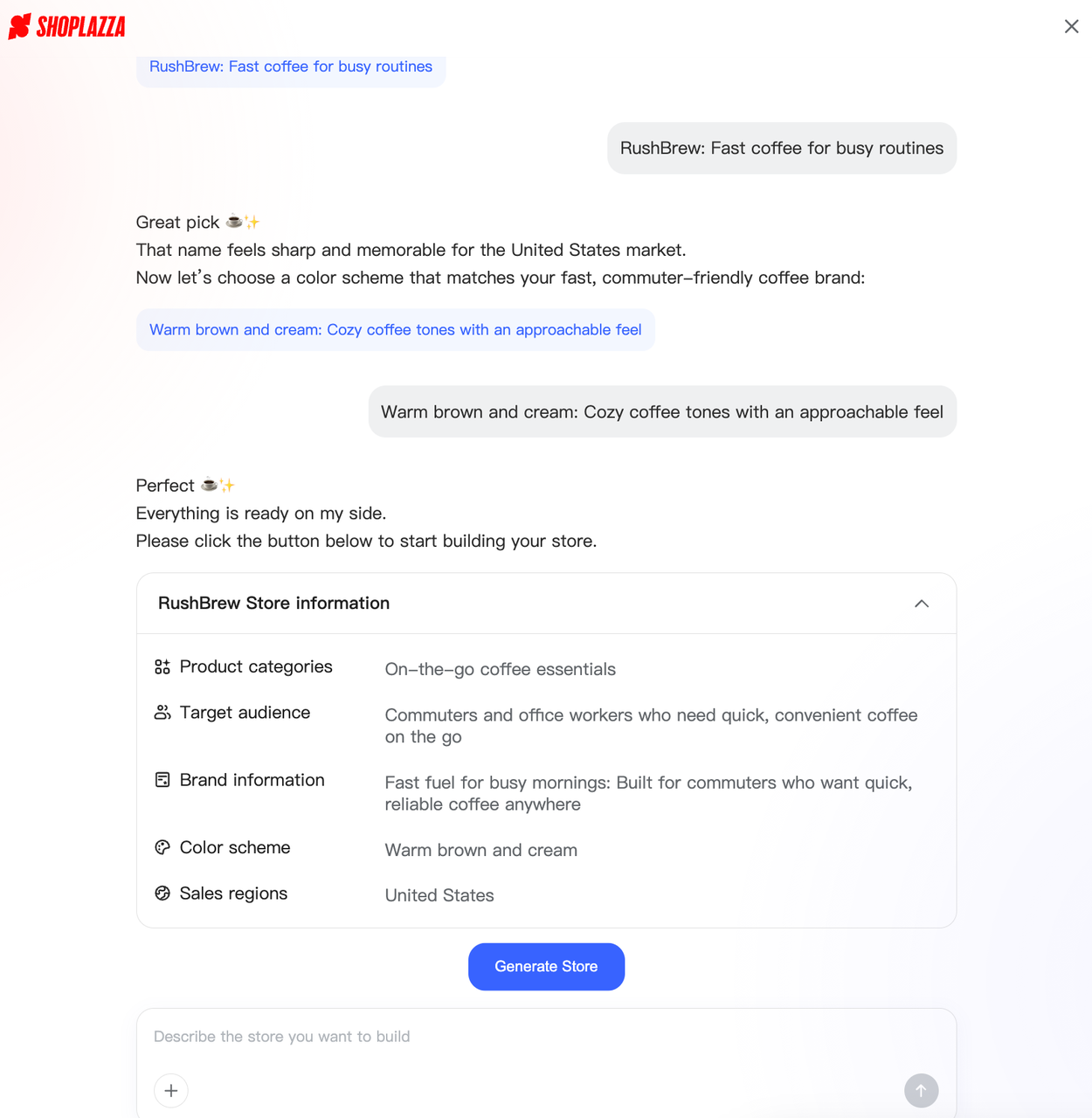
If you do not know where to start, Shoplazza AI Store Builder handles this through a guided conversation rather than a blank prompt box. It asks you questions about who you are selling to, what your brand direction should feel like, and what store style fits your vision. It suggests brand names and style options you can click rather than type. If the first generated output is not right, you can adjust the inputs and regenerate — you are not starting from scratch every time.
Review and pick your store design
Once you submit your prompt, the AI generates three complete store options for you to review. These are not wireframes or mood boards.
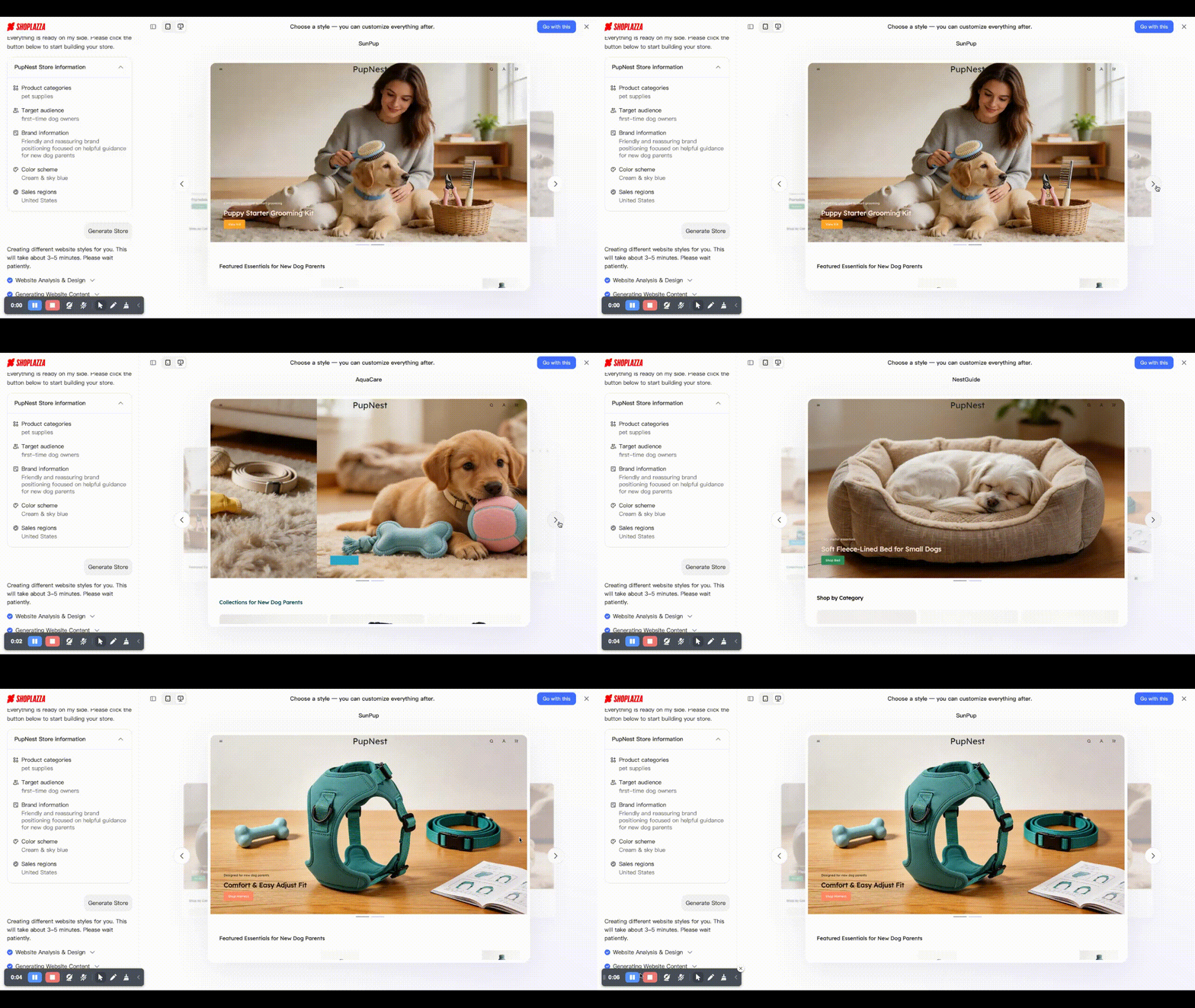
Once you choose, AI will continue to generate a complete store with all the core pages already in place:
- A homepage with a hero section, product highlights, and a call-to-action
- Collection pages and poduct pages with auto-generated titles, descriptions, and product photos based on your product theme
- Pages like About Us, My Account, FAQ, Shipping, Return & Refunds
- A working checkout flow
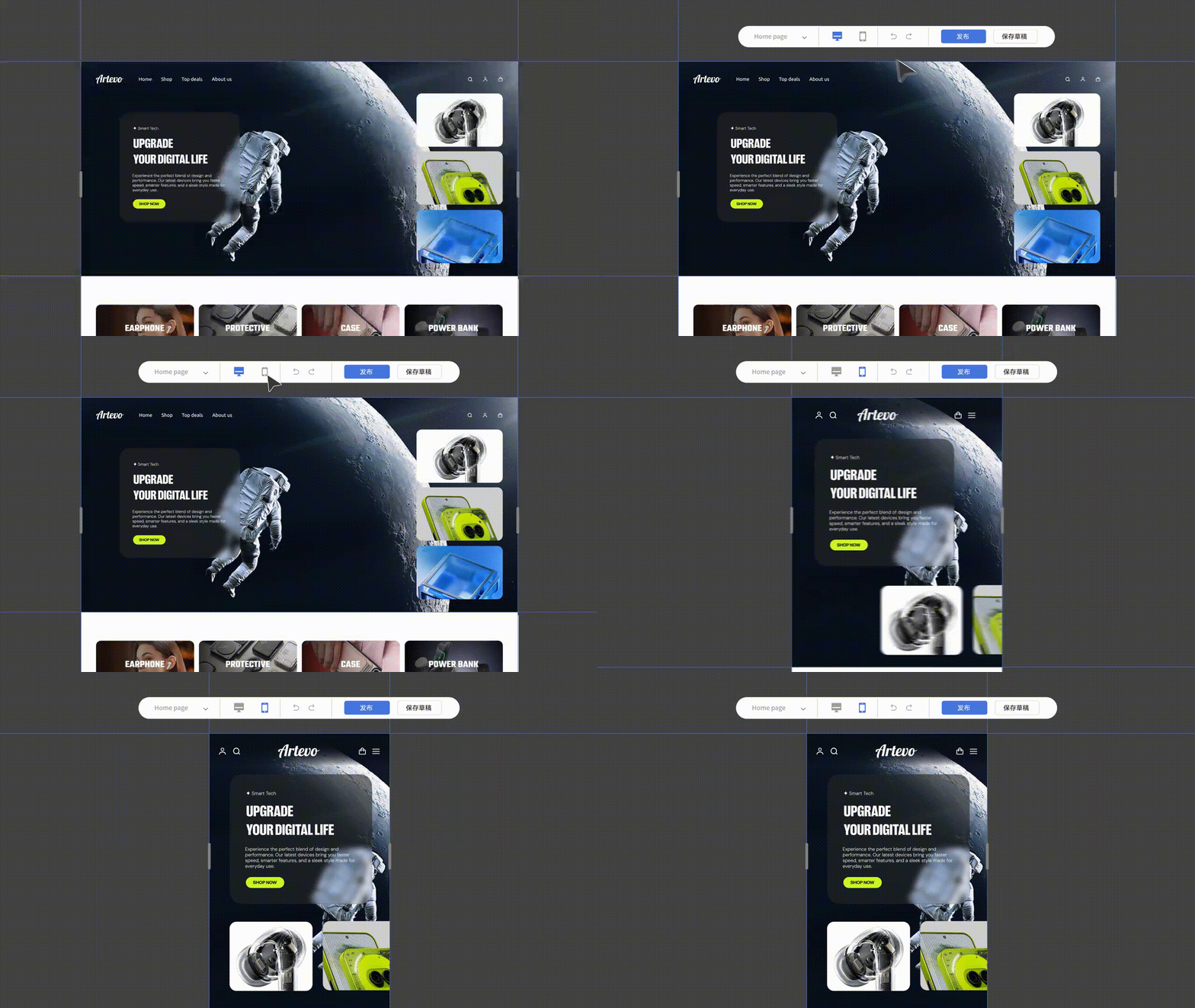
- A responsive layout that adapts to mobile, tablet, and desktop automatically
- Pre-filled meta titles and meta descriptions on every page (this part will finish after publication)
You can preview the design before creating an account. No credit card is required and no sign-up is needed at this stage. The preview-first approach lets you evaluate whether the output matches what you actually need before committing to anything.
Once you choose it and upgrade to a full account, you can refine the store further using the built-in Store Builder — adjusting layouts, colors, fonts, and content sections with a drag-and-drop editor, no code required.
Add products and optimize descriptions
There are various ways to get products into your store. The right method depends on your catalog size and how you source your products.
If you are a DTC brand
You have two main options for getting products into your store.
- The first is a bulk import in Excel format (.xlsx). Export your product data from a spreadsheet, format it to the platform's import template, and upload the file. This is the most efficient method for large catalogs. It handles titles, descriptions, images, variants, pricing, and stock levels in one batch rather than page by page.
- The second is adding products one by one through the admin. This takes longer but gives you more control over each listing as you build it. It works well for small catalogs or when you want to review each product page carefully before it goes live.
If you are a dropshipping seller
In addition to bulk import, there are also two practical methods, depending on how you operate.
- Third-party ERP tools. If you are doing high-volume product sourcing or want to manage product selection, listing, and order processing in one system, an ERP tool is the right approach. Tools like Mabang ERP and Dianxiaomi are commonly used by cross-border sellers. Under the product sourcing module, you can collect products by URL, keyword, similar-item search, or AI product selection. The system automatically pulls the product title, main images, detail images, specifications, price range, and stock quantity into your ERP product library, then syncs to your Shoplazza store.
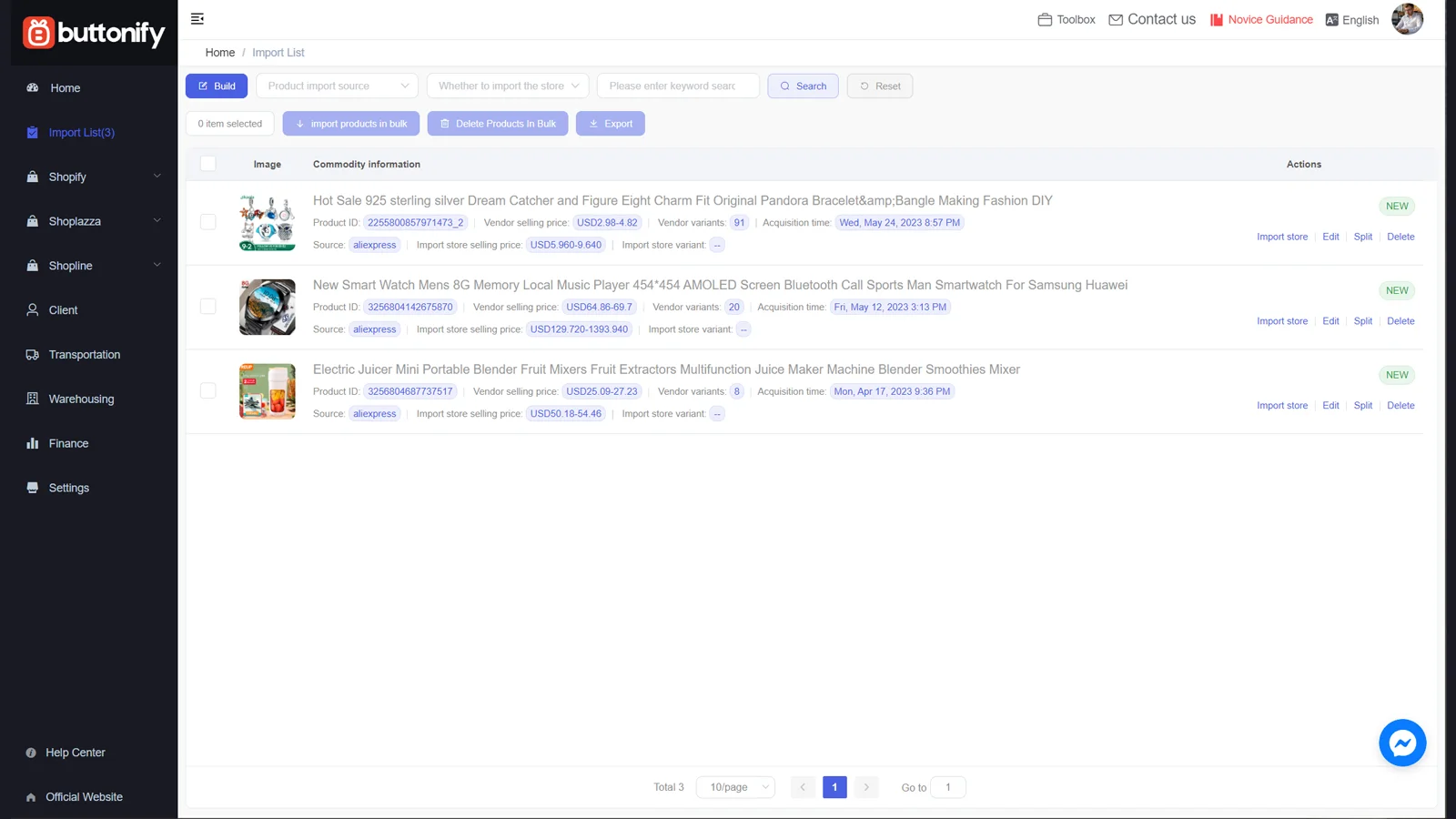
- Browser plugins such as Buttonify. This is the fastest method for individual products. You click the plugin button on a supplier's product page, and the product data syncs directly to your Shoplazza store backend. No file export, no ERP account, no manual data entry — one click and the product is in your store inventory.
Writing product descriptions with AI
Many people overlook how much a product description affects conversion. According to Salsify's 2025 Consumer Research report, 54% of shoppers have abandoned a purchase because product content was inconsistent or inaccurate across channels — and 71% have returned an item because the product did not match its online listing. Weak descriptions do not just fail to sell. They actively cost you money in returns and lost trust.
Shoplazza's AI product description tool generates benefit-led, SEO-structured copy directly from your store admin. You input the product's key functions and features as keywords, and the AI produces a complete, naturally flowing description.
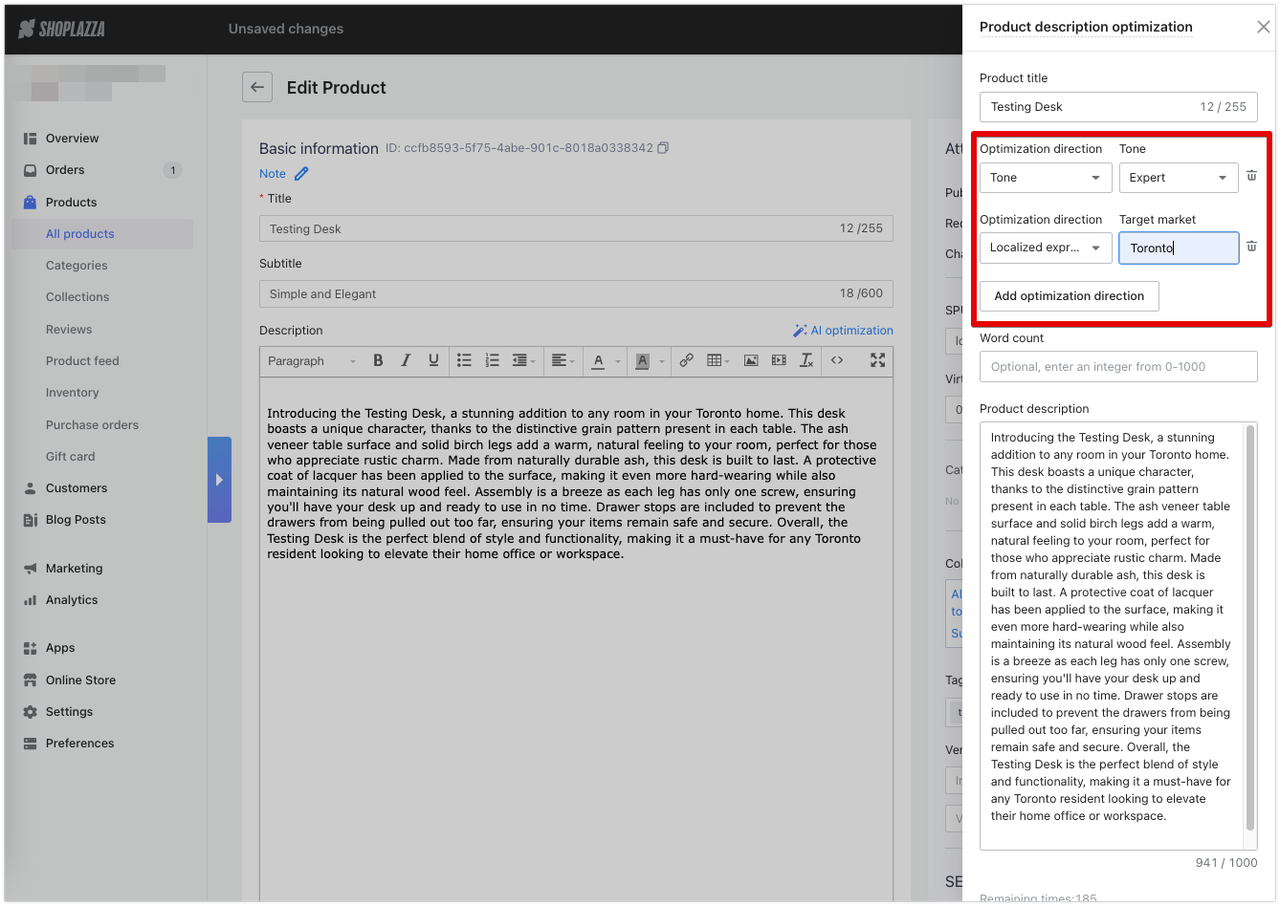
It offers two modes: AI generation for creating descriptions from scratch on new products, and AI optimization for refining or improving descriptions that already exist. Multi-language translation is built in, which is particularly useful for cross-border sellers targeting multiple markets at once.
Importantly, you may always review AI-generated copy before publishing. The AI gets the structure right — keyword placement, benefit framing, heading hierarchy. You get the accuracy and brand voice right. Those two roles work well together; neither alone is enough.
Set up payments and checkout
Getting payment setup right matters more for cross-border sellers than it does for domestic stores. Payment preferences, currencies, and trust signals vary significantly by market, and the wrong setup can quietly cost you conversions before you even realize it.
Shoplazza supports various global payment options, including credit and debit cards, digital wallets, buy-now-pay-later options, and local payment methods specific to different regions. Everything is manageable from a single backend dashboard, which removes the need to juggle separate accounts for each provider.
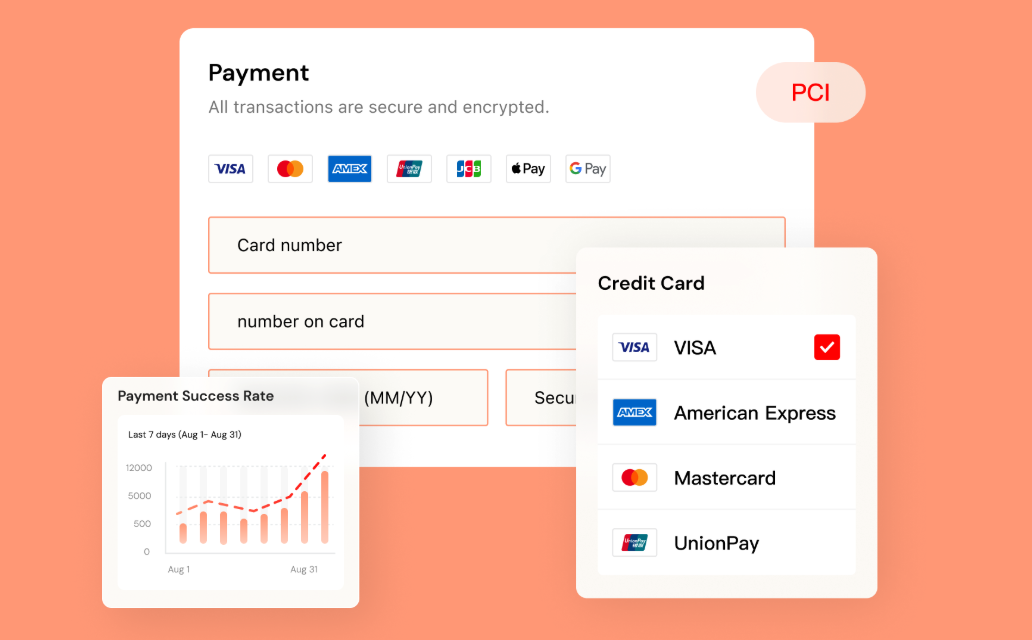
If you plan to sell across multiple markets, Shoplazza Payments is worth considering. It is the platform's native payment solution built for cross-border commerce. You might notice features like AI-powered fraud detection, smart dispute prevention that connects to Visa and Mastercard's chargeback systems, and intelligent payment retry that automatically reroutes failed transactions to recover orders that would otherwise be lost.
Before going live, activate your payment gateway, configure shipping zones for your target markets, and review tax settings for each region you plan to sell in.
Sort out your product visuals
Many people overlook this step, and it is one of the more common reasons stores underperform. You can have a well-structured store with strong copy and still convert poorly if the images look like unedited catalog photos from a supplier. You have three practical options to consider.
- Your own photography gives you full control over how the product looks, the context it appears in, and the visual identity you project. The trade-off is time and cost. If you are still validating whether a product sells, a full photoshoot may be premature.
- AI-generated visuals are worth exploring if you want to move faster. AI visual creation tool LazzaStudio generates product imagery and marketing creatives from your product information and brand preferences without requiring a photoshoot. For sellers targeting different regional markets, it also lets you adapt imagery to different cultural contexts without separate production runs.
- Enhanced supplier images are a practical middle ground. LazzaStudio also can upscale resolution, remove watermarks, and clean up backgrounds to bring supplier photos to a standard that works for advertising and storefront use.

A useful sequence for new sellers is to launch with AI-generated visuals first to validate demand. Once the product resonates, invest in professional photography. This way you avoid spending production budget on something the market may not want.
Run a quick SEO check before publishing
The AI pre-fills the foundational SEO layer of your store. Meta titles and meta descriptions are generated for every page, and headings are included for search engine crawling. You can publish a store, and it may be indexable. What still needs a quick human review before you go live:
- One H1 per page. Confirm each key page has exactly one H1 heading that clearly describes what the page is about.
- Meta titles and descriptions. The AI generates these based on your product and brand inputs. Read them for each core page — homepage, product pages, About — and adjust anything that feels generic or inaccurate.
- Internal links. Your homepage should link to product pages or collections. If that path is not clear for a first-time visitor, add it.
- Image alt text. Add descriptive alt text to your key product images. This helps both accessibility and search visibility.
- Mobile display. View every page on your phone before publishing. What looks correct on desktop does not always translate cleanly to smaller screens.
What to leave for after launch: keyword research, blog content, and link building. These are ongoing activities, not launch blockers. Getting traffic to the store first gives you actual data to inform your SEO strategy.
Publish and connect your domain
Once the store passes the SEO check and you have tested the full checkout flow end to end, you are ready to publish. All you need is to connect your custom domain to the Shoplazza admin.
To make it clear, also run through a final checklist:
- Complete a test purchase using a real payment method and confirm the order confirmation email arrives correctly
- View every page on both desktop and mobile to catch any layout issues
- Check that all policy pages are complete and accurate, including return policy, privacy policy, terms of service
- Verify that the contact form works and routes to the right email address
On day one after publishing, connect your analytics (Google Analytics 4 or equivalent) and set up your social channel integrations. Shoplazza supports one-click integrations with Google, Facebook, TikTok, and Pinterest, which allows you to manage traffic, ads, and social commerce from one central dashboard.
The most common mistake at this stage is spending another week refining the store instead of getting real traffic to it. A live store with visitors produces data. A perfect store with no traffic produces nothing. Launch, then iterate.
How much does it cost to build an store with AI?
Free to preview. You can generate a complete store and review every page, including checkout, before creating an account. No credit card required, no sign-up needed. This lets you evaluate the actual AI output before making any financial decision.
Paid plans when you publish:
- Basic: $39 per month (annual plan: $29.25 per month) — 2% transaction fee, 3 staff accounts. Suited to new sellers and small businesses getting started.
- Advanced: $105 per month (annual plan: $78.75 per month) — 1% transaction fee, 5 staff accounts. Suited to growing brands that need more automation and scalability.
- Pro: $399 per month (annual plan: $299.25 per month) — 0.5% transaction fee, 15 staff accounts, B2B wholesale, and Avalara automated tax calculation. Zero transaction fee when using Shoplazza Payments.
What affects your total cost beyond the platform fee:
- Transaction fees on lower plans, which reduce as you move up
- App add-ons from the marketplace for specific features you need, but roughly 90% plugins in Shoplazza' App Store are free
- Domain registration (typically $10 to $20 per year)
- Product imagery (AI-generated visuals reduce this cost, professional photography increases it)
- Supplier fees if you are dropshipping
- Paid traffic: a store with no marketing budget needs an organic strategy. A store with a budget needs to account for ad spend from the start.
Who this works for?
AI-powered store building works well for three types of sellers:
- New sellers testing a product idea. If you want to validate whether a product sells in a specific market before committing significant budget to inventory or marketing, getting a functional store live in hours rather than months changes the economics of that test. You can find out if there is real demand before spending heavily.
- Cross-border sellers entering new markets. Setting up multi-currency support, connecting 180-plus global payment methods, and generating localized product content for a new target market are all built into the process. Most of the market-entry overhead that used to require separate configuration is already handled.
- Existing sellers launching quickly. If you want to spin up a second store for a new product line, a seasonal campaign, or a separate brand, AI turns what used to be a month-long project into a day or two.
Build your store with AI
When you use AI to build an online store, the setup barrier disappears. A functional storefront with checkout, global payments, and responsive design no longer takes months. What still takes time is understanding your customer, choosing the right product, and building trust that turns visitors into buyers.Start with the free preview on Shoplazza AI Store Builder. No sign-up, no credit card required. Generate complete store designs and evaluate before you commit. The scaffolding is handled. The brand-building is still yours to do.
Frequently asked questions about AI store builder
Q1: Can I build an online store with AI for free?
You can generate and preview a complete store for free, with no account creation and no credit card required if use Shoplazza. The free stage lets you see the full output — all pages, the checkout flow, and the store design — before making any financial decision. You only need to upgrade when you are ready to publish and sell. Paid plans start at $39 per month.
Q2: How long does it take to build a store with AI?
The initial store generation takes a few minutes. Adding products, configuring payments, and completing the SEO check typically takes a few hours, depending on your catalog size. For a small dropshipping store with a handful of products, going from prompt to published store in a single afternoon is realistic. Larger catalogs or stores requiring significant customization take longer.
Q3: Do I need any technical skills?
No. AI store builders are built for non-technical users. The prompt interface replaces code. Payment integration happens through a guided connection flow rather than API configuration. Page customization uses drag-and-drop editing. The main skill you need is the ability to describe your business and products clearly — everything else the platform handles.
Q4: Can I use AI to run a dropshipping store?
Yes, and this is one of the strongest use cases. You can import products via Excel, through ERP tools like Mabang that automate product collection and listing, or via browser plugins like Buttonify that sync individual products to your store with a single click. Supplier integrations with platforms like CJdropshipping and EPROLO handle order fulfillment automatically. When a customer places an order, it routes directly to the supplier, who ships to the customer. You manage the store and marketing; the logistics run in the background.
Q5: What is the difference between an AI store builder and a regular website builder?
A regular website builder creates pages and layouts. A dedicated AI store builder creates complete selling stores and supports payment infrastructure, inventory management on a unified backend. The distinction matters because a store without working checkout and payment integration is not actually a store, regardless of how it looks. A general website builder often requires you to add commerce functionality separately after the site is built. An AI store builder designed for e-commerce builds the commerce layer in from the start.