AI website builders have made it remarkably fast to get a store online. Enter your brand details, answer a few prompts, and you've got a full storefront in under 10 minutes. But there's a real gap between a store that looks ready and one that actually works.Broken payment flows, AI-generated product specs that don't match reality, mobile layouts that fall apart on a real phone, missing tracking codes. These are the things you want to catch before customers do. The cost of finding them after launch is always higher than checking them before. Here are 10 areas that ecommerce sellers most commonly overlook before going live.
What do you need to check before launching an AI-built store?
AI builders give you a starting point, not a finished store. The content, brand details, payment setup, legal pages, and performance all need a human pass before you hit publish. These 10 checks cover the issues that tend to trip up new stores early on:
- Content accuracy (remove AI-generated misinformation)
- Brand consistency (logo, colors, placeholder text)
- End-to-end payment testing
- Mobile responsiveness
- SEO fundamentals
- Legal and compliance pages
- Broken links and navigation
- Image quality and copyright
- Page load speed
- Analytics setup
Verify content accuracy
AI writes with confidence, even when it's wrong. The industry term for this is hallucination — and in an ecommerce context, it usually shows up as fabricated product specs, features that don't exist, fake user reviews, or certifications the product has never received (CE, FDA, and similar). The problem is that nothing flags it for you. The copy reads smoothly and sounds authoritative, so it's easy to miss unless you check it line by line.
The FTC made its position clear in September 2024 with Operation AI Comply, stating that "using AI tools to trick, mislead, or defraud people is illegal — there is no AI exemption from the laws on the books." EU consumer protection law reinforces this: if a product doesn't match its description, buyers are entitled to a refund or replacement. For sellers targeting US and European markets, fabricated specs and fake certifications aren't just a customer service problem. They're a compliance risk that can get your ad accounts flagged or suspended.
Before publishing, run through these:
- Cross-check every product page spec against your supplier's sheet or the physical product
- Search the entire site for "Lorem Ipsum" or any other placeholder text that was never replaced
- Remove any claims you can't verify, including generic lines like "trusted by X million customers worldwide"
- For products in categories like children's goods, food, or electronics, confirm that any certifications listed are real and current
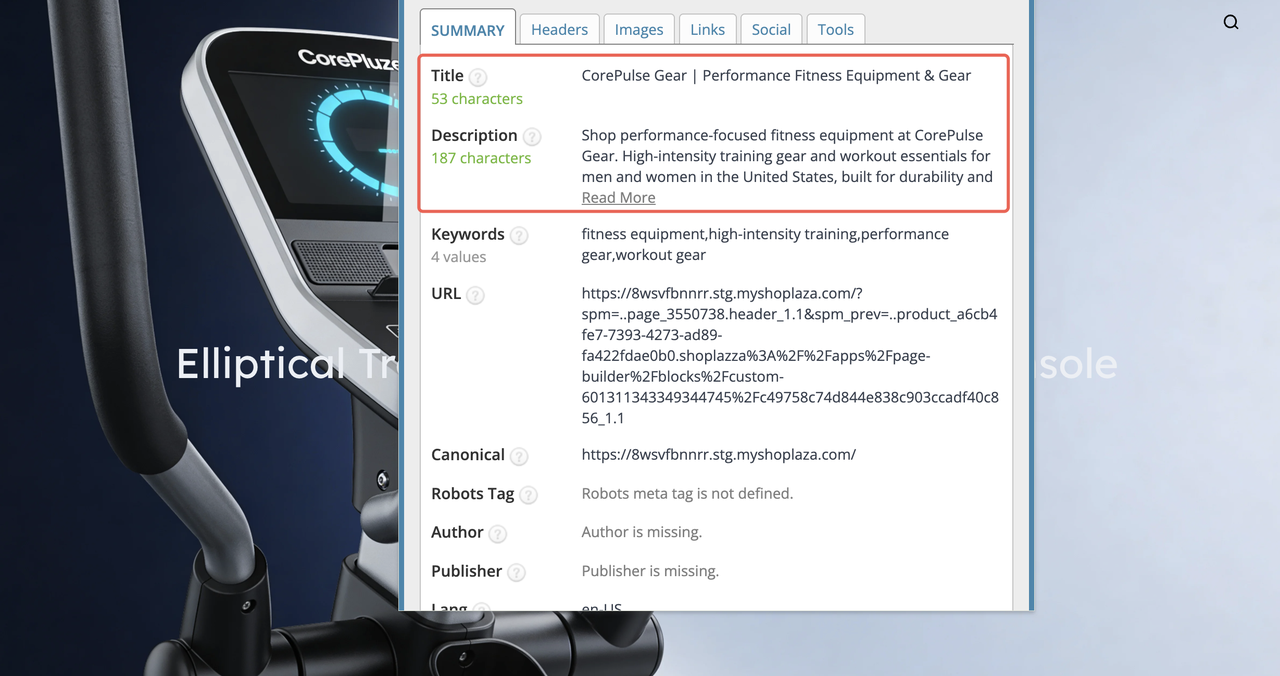
Many AI builders, including Shoplazza's AI Store Builder, auto-generate meta titles and descriptions. These need a manual review too. AI-generated meta content sometimes includes unverifiable claims or keyword stuffing that reads well at a glance but won't perform in search. Go through each page, fill in the right keywords, and make sure the description actually reflects what's on the page.
Brand consistency and personalization
AI-generated stores tend to look generic out of the box. The first version is built on templates and placeholder content. And if you don't customize it, the store ends up looking like a dozen others using the same tool.
- You might find that you updated the homepage but forgot the footer. Or swapped the main logo but left the browser tab favicon unchanged. Or wrote a new About Us section, but the contact email still points to an AI-filled placeholder address.
The About Us page is worth calling out specifically. AI tends to fill it with something like "We are committed to delivering quality products to customers worldwide," which tells a visitor absolutely nothing about who you are or why they should trust you. People visit that page because they want to know the real story.
| Location | What to check |
| Website logo | Replaced with your brand asset |
| Favicon | Shows your icon in the browser tab |
| About Us | Real brand story, not a generic template |
| Footer copyright | Correct company name and year |
| Contact email | Points to a real, monitored inbox |
| Social media icons | Linked to your actual accounts |
| Brand colors | Applied to navigation, buttons, and accents |
Brand identity isn't just visual. The specific scenarios you describe on product pages, the genuine founding story in About Us, the real contact details — these details combined are often what nudges someone from browsing to buying.
End-to-end payment testing
Connecting a payment gateway and actually being able to receive money are two different things. A lot of sellers check that the account is "connected" in the dashboard and move on, only to find out after launch that something in the chain isn't working.
Common issues worth checking:
- Stripe or PayPal is linked but KYC verification hasn't been completed, so payouts are blocked
- The gateway is still in Test Mode and was never switched to live
- The checkout page errors out in certain regions due to local restrictions
- The displayed currency doesn't match the actual settlement currency, so customers pay more or less than expected
- Certain payment methods aren't available in the buyer's country, but there's no error message — just a blank screen
Payment infrastructure is one of the most direct drivers of conversion. Many sellers spend heavily on ads during launch and don't realize the checkout is broken until a customer reports it.
Things to verify before going live:
- Complete a real transaction with a real card on a low-value product and confirm the funds arrive
- Check your payment gateway dashboard to confirm KYC is approved
- Test the checkout flow from an overseas IP, or ask someone in your target market to walk through it
- Confirm the currency shown at checkout matches what actually gets charged
- Review which payment methods are available in each of your target markets
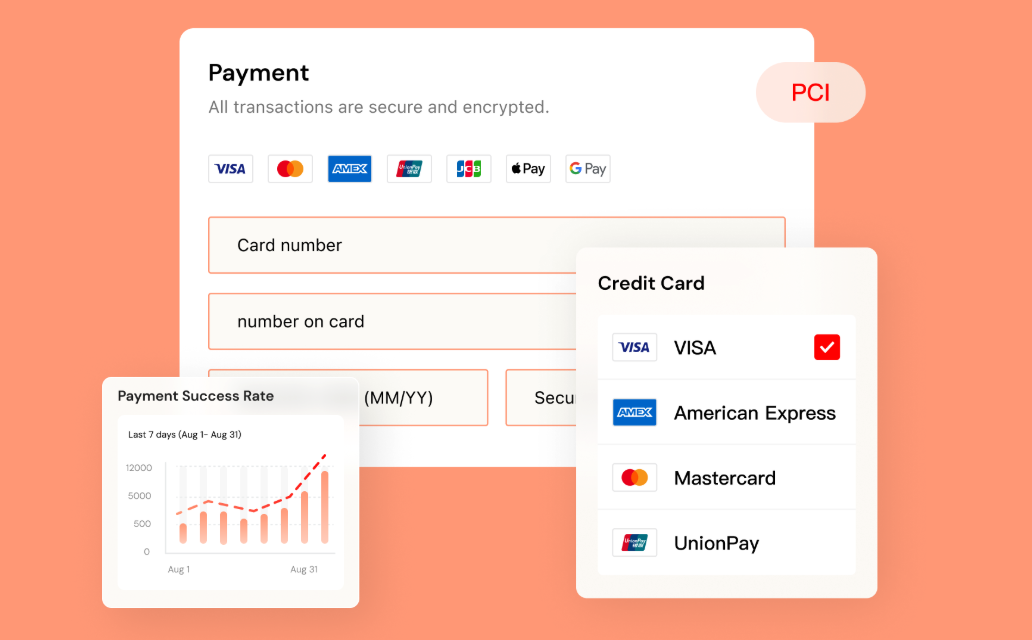
If you're selling across multiple regions, payment method preferences vary significantly. Credit and debit cards dominate in North America and Europe, but e-wallets are far more common in Southeast Asia, and installment payment options matter in markets like Brazil and Mexico. Shoplazza Payments covers 180+ countries and regions, supports credit and debit cards, digital wallets, buy-now-pay-later, and local payment methods across major export markets, with a unified dashboard for multi-store fund management. Before going live, use Bogus Gateway to simulate test transactions and catch any issues before switching to live payment processing.
Mobile responsiveness
More than 80% of ecommerce traffic in the US comes from mobile devices. A layout that looks clean on desktop can completely fall apart on a real phone, like small fonts, buttons too close together to tap accurately, images cropped in the wrong place, popups with close buttons that sit off-screen.
The "mobile preview" in your browser's developer tools is useful but not reliable. You need to test on an actual device. You might notice that on desktop everything lines up fine, but on mobile a text-heavy section turns into a wall of copy that users scroll past. Or a product image that shows the full item on desktop gets cropped to a corner on a narrow screen.
Run through these on real devices:
- Open the site on both iOS and Android, don't rely only on browser simulation
- Tap through the main hero button, add-to-cart button, and navigation menu
- Scroll through a product page and check that images display at the right ratio and text doesn't overflow
- If you have any popups (subscription prompts, promotional banners), confirm the close button is actually tappable on mobile
- Open the site on a 4G or 5G connection, not just WiFi, to get a realistic sense of load performance
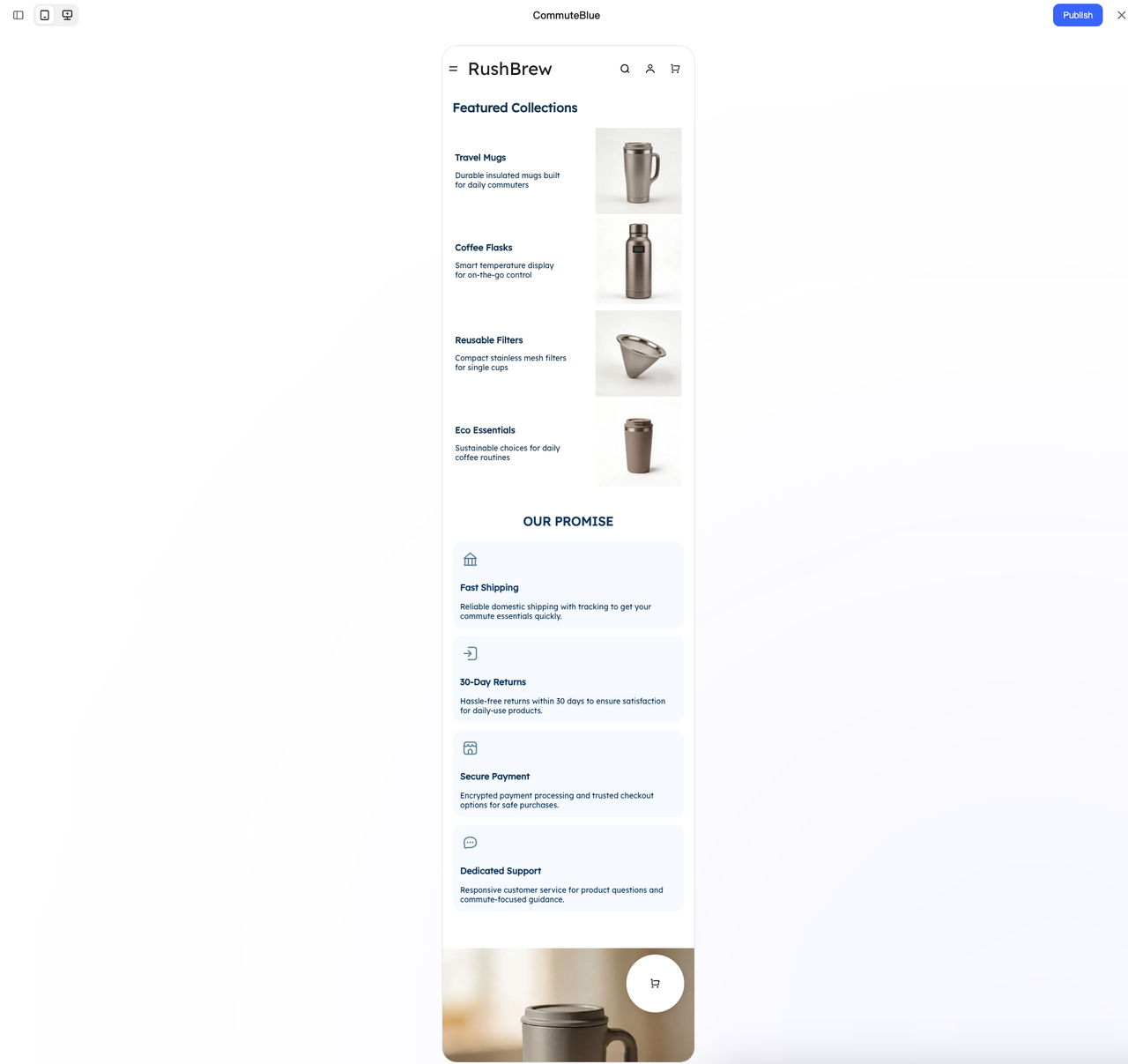
Stores built with Shoplazza's AI Store Builder automatically adapt layouts for both desktop and mobile. After generation, you can switch to the mobile view within the same editor and make targeted adjustments — font sizes, image ratios, button spacing — all visually, without touching any code. Changes made in mobile view don't affect the desktop layout.
SEO fundamentals
Beyond meta titles and descriptions, SEO basics include H1 tags, image alt text, robots.txt, and your sitemap. None of these is complicated on its own, but a misconfiguration can quietly block search engines from understanding or indexing your site. A robots.txt file that accidentally blocks crawlers means your entire store won't appear in search results. Duplicate or missing H1 tags leave Google guessing about what a page is actually about. A sitemap that was never submitted slows down indexing of new pages.
Check these before launch:
- Title tags on the homepage, product pages, and category pages include core keywords and stay between 50 and 60 characters
- Each page has a unique, descriptive meta description between 150 and 160 characters
- Every page has exactly one H1 tag
- Image alt text is filled in and describes what's in the image — don't leave it blank
- robots.txt isn't blocking search engine crawlers
- Sitemap has been submitted to Google Search Console
New stores typically take 4 to 6 weeks before Google starts indexing them properly. Getting the basics right before launch means that window starts in good shape rather than needing to be corrected later.
Traditional SEO aside, more users are now finding products through AI tools like ChatGPT, Gemini, and Perplexity. These platforms rely heavily on structured data when generating recommendations. Adding JSON-LD Schema markup to product pages, covering brand, price, stock status, and ratings, makes it significantly easier for AI tools to understand and cite your content. Most ecommerce tutorials don't mention this step yet, but for stores aiming to capture AI-driven search traffic, it's worth doing at setup.
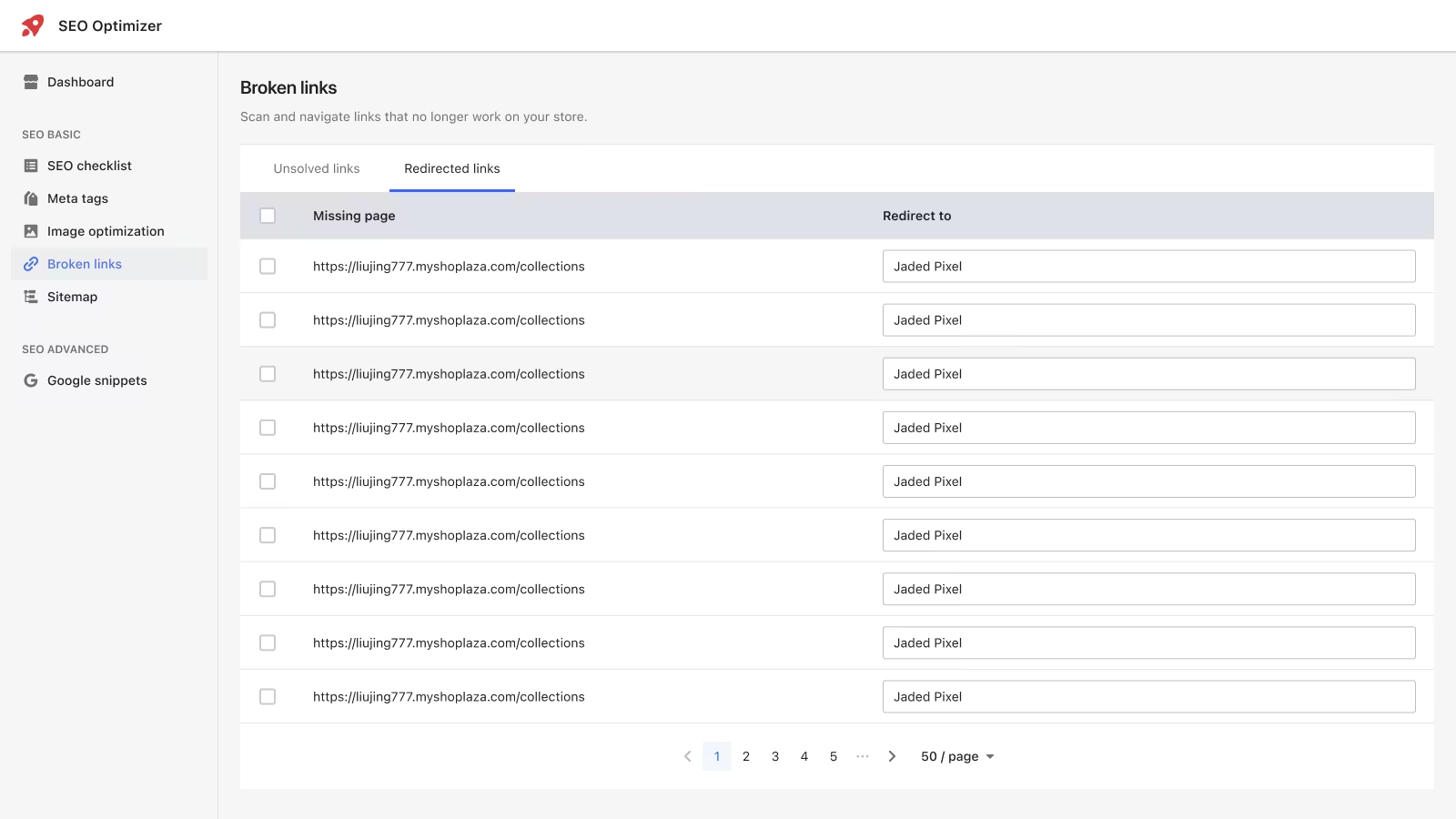
Shoplazza's SEO Optimizer handle automatic image alt text generation, meta tag maintenance, real-time sitemap updates, and JSON-LD structured data. Confirm these are turned on before launch and most of the configuration happens automatically.
Legal and compliance pages
AI-generated privacy policies and refund policies are generic templates. They may not reflect your actual business, and in many markets they won't meet local legal requirements.
- Privacy policy: If you're selling to customers in Europe, your policy needs to comply with GDPR — clearly stating what data you collect, how long you keep it, and what rights users have. For California, CCPA applies. Either way, the policy needs to include your actual company name and contact information, not a placeholder.
- Refund policy: Spell out the return window (for example, 30 days), the refund method (original payment method or store credit), and which products can't be returned (hygiene items, custom orders, and so on). If customers need to mail returns, the address needs to be real and functional — not a placeholder.
- Terms of service: Include your real company entity, the jurisdiction the terms operate under, and how disputes are handled. A surprisingly common issue: AI-generated terms still have "[Your Company Name]" sitting in the text. Shoppers notice.
- Cookie consent: If you've installed GA4, Meta Pixel, or TikTok Pixel, you're collecting user data. For European visitors, you're required to show a cookie consent banner before activating any tracking code. Many sellers skip this entirely and only discover it's a problem when an ad account gets flagged. Tools like Cookiebot and OneTrust handle this, and some platforms include a native consent manager.
A few more compliance details worth checking:
- In the EU, if you show a discounted price, you're required to display the lowest price from the past 30 days, not just a crossed-out "original price"
- Selling into Germany, France, or other major European markets? Certain product categories (electronics, packaged goods) have specific local labeling requirements
- Your checkout confirmation button must make it unambiguous that clicking it creates a payment obligation — this is a direct requirement under the EU Consumer Rights Directive
Links and navigation
AI builders occasionally leave behind buttons pointing to "#" (empty anchors) or pages that were deleted during editing. When a user clicks and lands on a 404 or blank page, trust drops immediately. Dead links also affect how Google evaluates your site's quality.
The most common places to find broken links:
- The main CTA button in the homepage hero section
- Navigation dropdown menus, especially multi-level ones
- Footer links — About, Contact, Help Center
- Social media icons
- "Learn more" or "View details" buttons on product pages
- Internal links within blog posts
Check these before going live:
- Click every visible button on the site and confirm it leads somewhere real
- Use Screaming Frog (free version) or Ahrefs Webmaster Tools to scan for broken links across the entire site
- Make sure your 404 page has a link back to the homepage, a blank error screen isn't good enough
- If you've moved or renamed any pages, set up 301 redirects so the old URLs don't become dead ends
- Review all page URLs and make sure they're readable, and something like /products/blue-cotton-tshirt is always better for SEO and user trust than /products/12849302
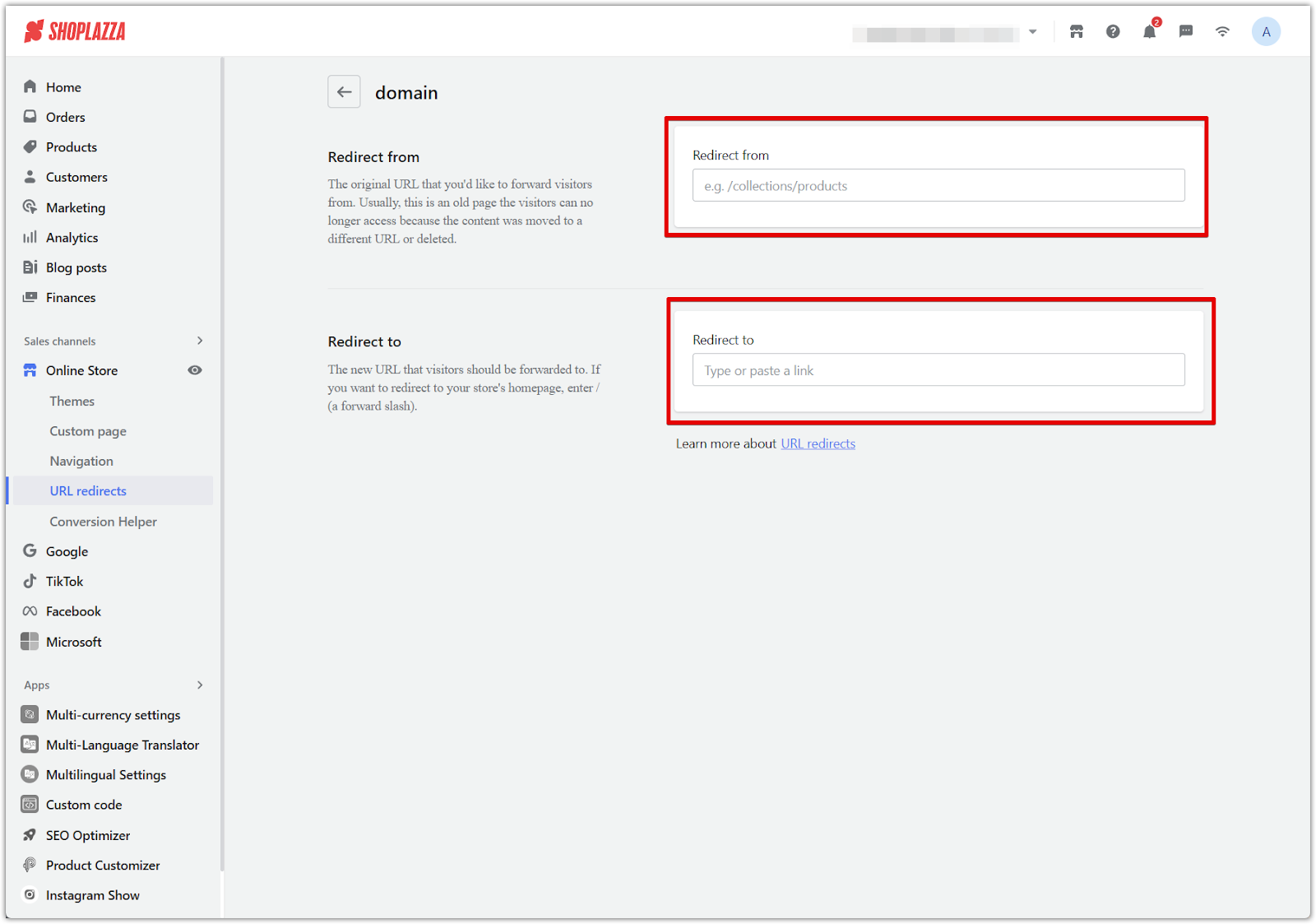
Image quality and copyright
AI image generation has come a long way, but it still makes mistakes: extra fingers, garbled text in the background, shadows that don't follow any light source, objects that don't quite make sense. These details are easy to miss in a small thumbnail, but users often zoom into product images before buying, and they'll notice.
Copyright is a separate issue worth understanding. According to the US Copyright Office's January 2025 report on AI and copyrightability, images generated entirely by AI are not eligible for copyright protection. That means you can't claim exclusive rights to them. If a competitor uses the same AI-generated image, you have no legal basis to ask them to take it down.
There's also a newer compliance consideration for advertising. On December 11, 2025, New York Governor Kathy Hochul signed S.8420-A/A.8887-B into law, the first US state law requiring advertisers to disclose when AI-generated synthetic performers appear in ads clearly. It takes effect June 9, 2026, with penalties of $1,000 for a first violation and $5,000 for each subsequent one. Other states are already looking at similar legislation. If you're running ads targeting US audiences with AI-generated human imagery, it's worth understanding what the disclosure requirements will mean for your creative assets.
Before publishing images:
- Zoom into every product image at 100% and check for visual errors, especially hands, faces, and background text
- Look for any unintended text in the image — AI-generated text usually appears as illegible characters
- For any stock images or third-party assets, confirm the license covers commercial use
- For hero and product images, real photography is the safer default — use AI-generated images for scene-setting and backgrounds
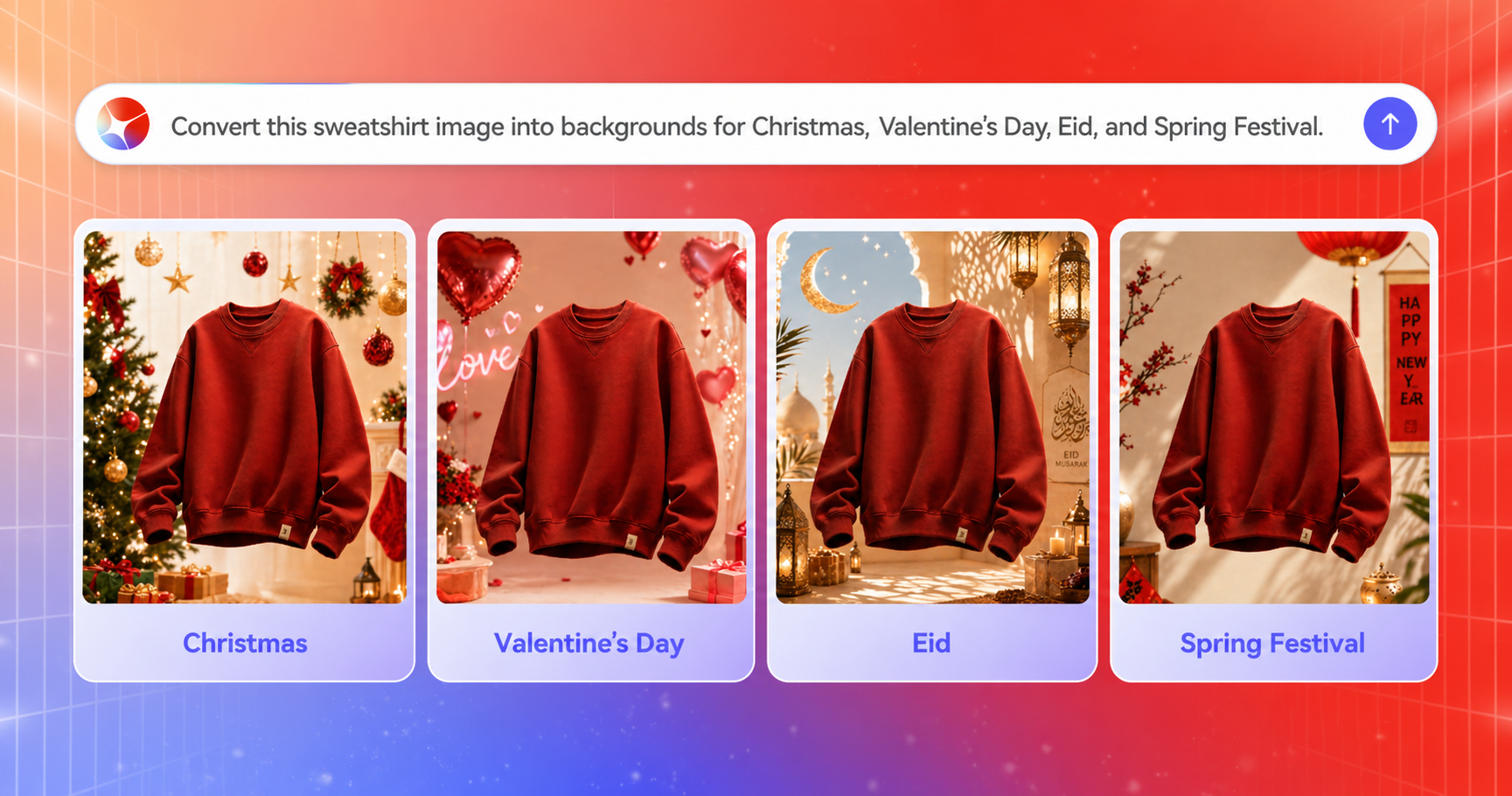
If you'd rather avoid the human-likeness compliance question altogether, product-focused AI image generation is a practical alternative. Shoplazza's LazzaStudio, powered by GPT Image 2, generates commercially usable product images. You can upload a brand visual guide and LazzaStudio will follow your color palette, lighting style, and tonal direction — producing consistent scene images that keep the product as the focus, with no human performers involved.
Page load speed
AI builders generate images and page components quickly, but they don't automatically optimize them. Google's data shows that when load time increases from 1 second to 3 seconds, bounce rate rises by 32%. At 5 seconds, it's 90%. For any store running paid traffic, slow pages aren't just a bad experience — they're a direct hit to your ad spend efficiency.
Google Core Web Vitals benchmarks:
| Metric | What it measures | Target |
| LCP (Largest Contentful Paint) | How fast the main content loads | Under 2.5s |
| CLS (Cumulative Layout Shift) | Whether elements jump around while loading | Under 0.1 |
| INP (Interaction to Next Paint) | How quickly the page responds to user input | Under 200ms |
Check these before launch:
- Run both desktop and mobile through Google PageSpeed Insights
- A mobile score below 50 needs attention before you go live — 70 or above is a reasonable baseline
- Check that above-the-fold images are compressed; WebP format and under 200KB per image is a good target
- Confirm that CDN (content delivery network) is enabled to serve assets faster to international visitors
Analytics and tracking setup
Without tracking in place, you're flying blind. You won't know where your traffic is coming from, which pages people leave from, or which products get views but no purchases. Every optimization decision — page layout, ad targeting, pricing — becomes a guess.
Tools to install before launch:
- Google Analytics 4 (GA4): GA4 tracks traffic sources (organic, social, paid), time on page, bounce rate, and conversion events. The key thing many people miss: event tracking isn't automatic just because you installed the tag. You need to configure key events (add to cart, begin checkout, purchase) separately before launch.
- Meta Pixel: Required if you're running Facebook or Instagram ads. Meta Pixel tracks conversions, feeds data back into the ad algorithm for optimization, and enables retargeting. Installing the code isn't enough. Verify it's actually firing by checking the Events Manager test event tool.
- TikTok Pixel: Same logic as Meta Pixel. Get your Pixel ID from TikTok Ads Manager, install it, and confirm events are triggering correctly in the backend. If you don't have a TikTok ad account yet, go to Sales Channels in Shoplazza's store dashboard, select TikTok, click Set Up in TikTok Marketing, choose "I'm a new advertiser," submit your details, and your accounts are typically approved within 3 business days.
Verify your setup:
- Install the Google Tag Assistant browser extension and confirm GA4 is firing on your store
- Use Meta Events Manager's test event feature to check that page view, add to cart, and purchase events are reporting correctly
- Complete a test purchase and confirm the purchase event is recorded
- If your checkout redirects to a third-party payment gateway (like PayPal), add the payment domain to GA4's referral exclusion list. Otherwise, GA4 will misattribute returning sessions from the payment page as new traffic sources, which skews your data
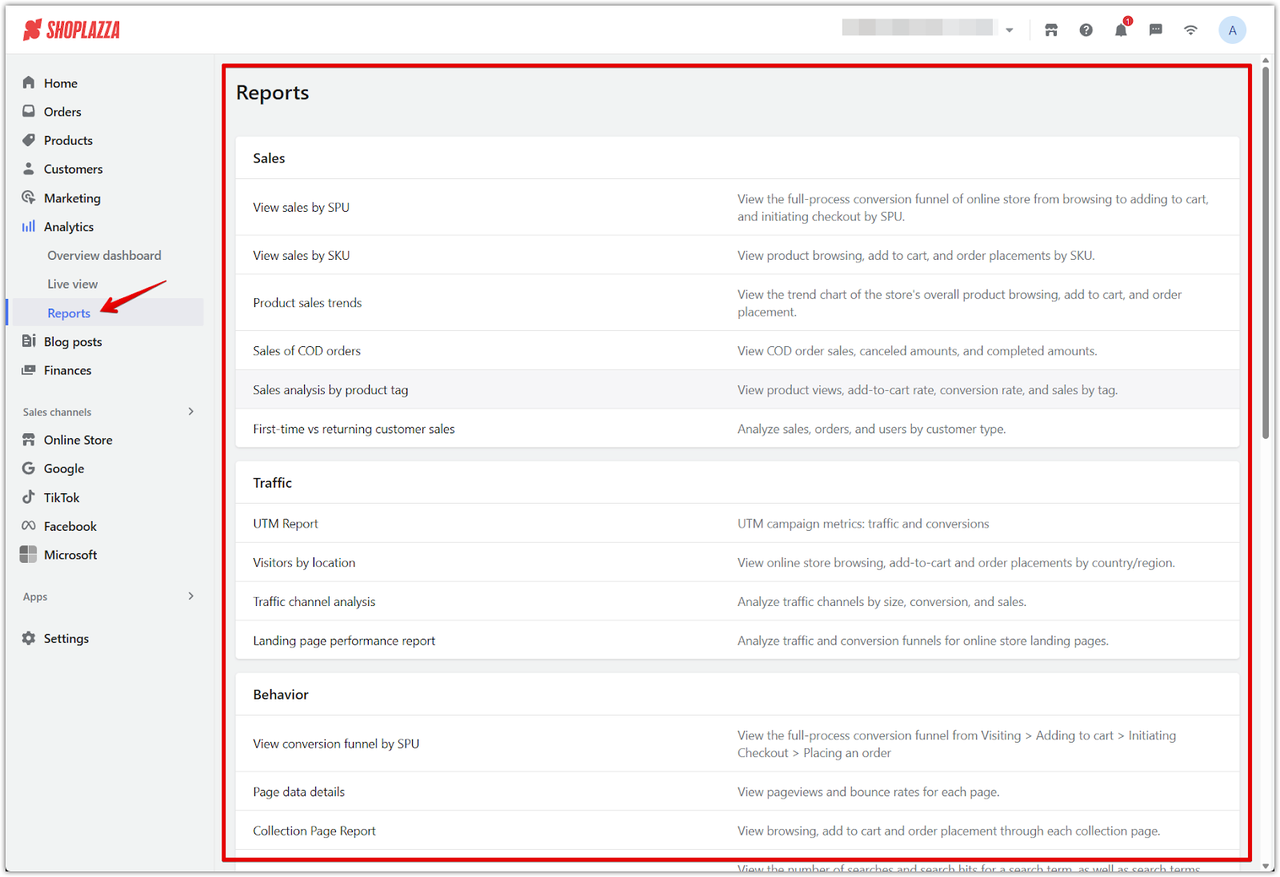
Shoplazza supports ad integrations with Google, Facebook, Pinterest, and TikTok. The OnePixel tool lets you manage all platform pixels from one place, which cuts down on the manual installation and maintenance overhead. The Shoplazza dashboard also includes a native analytics panel, like site visits, device breakdown, top pages, traffic sources, so you can monitor store-level performance without always switching to GA4.
Pre-launch checklist for your AI-generated websites
Before you go live, run through these 10 items. A quick check now saves you from chasing down problems after real customers start arriving.
| # | Check | Done |
| 1 | Product content verified, AI inaccuracies removed | ☐ |
| 2 | Brand assets replaced (logo, favicon, About Us, footer) | ☐ |
| 3 | Payment flow tested end-to-end, funds confirmed | ☐ |
| 4 | Mobile tested on real iOS and Android devices | ☐ |
| 5 | Title tags, meta descriptions, H1s, and alt text reviewed | ☐ |
| 6 | Privacy policy, refund policy, and terms updated with real info | ☐ |
| 7 | All links clicked, dead links fixed | ☐ |
| 8 | Images checked for visual errors and licensing | ☐ |
| 9 | PageSpeed tested, mobile score acceptable | ☐ |
| 10 | GA4, Meta Pixel, TikTok Pixel installed and verified | ☐ |
Check your store now
AI builders compress the time it takes to get a store built, not the time it takes to get one ready. A store that can actually take orders, show up in search, and track performance still needs a human pass before it goes live. Work through these 10 checks before you publish, and you'll catch most of the issues that quietly hurt new stores in the early weeks. If you're still evaluating platforms, Shoplazza's AI Store Builder lets you generate and preview a full store before committing.
Frequently asked questions about pre-launch checks
Q: How long does it take to run through pre-launch checks for an AI-built store?
For most stores, a thorough pass through all 10 checks takes 2 to 4 hours, depending on how many products and pages you have. Payment testing and analytics verification tend to take longer than people expect, worth blocking out dedicated time for both.
Q: Which pre-launch check do sellers most often skip?
Payment testing. Many sellers confirm the gateway is connected and assume everything works. In reality, account verification (KYC), test mode settings, regional availability, and currency mismatches are all things that can silently break the checkout. Run a real transaction with a real card before launch — don't assume.
Q: Can you use AI-generated legal pages without editing them?
Generally not. AI-generated policies are templates. They won't include your real business details, and they may not meet the requirements of your target markets. GDPR applies to European customers; CCPA applies to California. Cookie consent banners, discounted price disclosures, and checkout button wording also fall under compliance requirements in various markets — worth reviewing each one against the rules in the regions you're selling into.
Q: Do AI-generated images have copyright issues?
According to the US Copyright Office's January 2025 report, images generated entirely by AI are not protected by copyright. You can use them, but you can't claim exclusive ownership. If a competitor uses the same image, you have no legal recourse. For key product images, real photography is the more defensible option. AI-generated images work well as supporting visuals, backgrounds, and scene-setting assets.
Q: How do you know if your tracking tools are actually working?
Don't just check that the code is installed. For GA4, use the Google Tag Assistant extension to confirm the tag is firing. For Meta Pixel, go to Events Manager and use the Test Events tool to verify that page views, add-to-cart events, and purchases are being reported. Complete a test purchase and confirm the purchase event shows up. If your checkout redirects through a third-party payment page, remember to add that domain to GA4's referral exclusion list to keep your attribution data clean.