A lot of new sellers spend weeks perfecting their store design and payment setup, assuming shipping can wait until they actually start getting orders. Then a few months in, organic traffic and AI-driven recommendations start sending real orders their way, and shipping suddenly becomes the thing standing between a sale and a shipped package.
- Do you need your own fulfillment process if you're dropshipping?
- How do you price shipping when you're holding your own inventory?
- At what point should you bring in a bigger logistics partner?
- And how do customers actually track where their order is?
These questions rarely come up until you're already shipping, and then they all show up at once. This guide walks through the setup from the ground up, so you have a clear path before your first order ships.
How to set up your shipping zones?
Before a store goes live, most platform backends already let you define shipping rules. With Shoplazza, this lives under Settings, in the Shipping section, and it controls which countries you can ship to and how rates are calculated for each one.
Shipping profiles and rate settings are two different things. A shipping plan is the set of rules tied to specific products and delivery locations. Rate settings determine what those rules actually charge. Most stores can rely on a general shipping plan that applies to every product. Stores with special items, fragile goods like glassware, or products that ship from a separate warehouse, can create a custom profile just for those.
- General shipping profile, the default choice for most stores. If your products are similar in weight, size, and shipping method (everyday apparel, home goods, small pet toys, and the like), one set of rules covers everything, no extra configuration needed.
- Custom shipping profile, suited to stores with special products. If you carry fragile items like glassware or ceramics, they often need tighter rate configuration, so you can create a separate profile just for those and charge different rates than the rest of your catalog. If you ship from multiple warehouses and a given profile only covers products from one location, a custom profile also handles that case well.
Setting this up is straightforward. Log into your admin, go to Settings, then Shipping. General profiles can be edited directly. Custom profiles require adding the relevant products first, then creating a zone. Each zone needs its covered countries selected, a cash-on-delivery option if needed, and rate rules based on order price, item count, or weight.
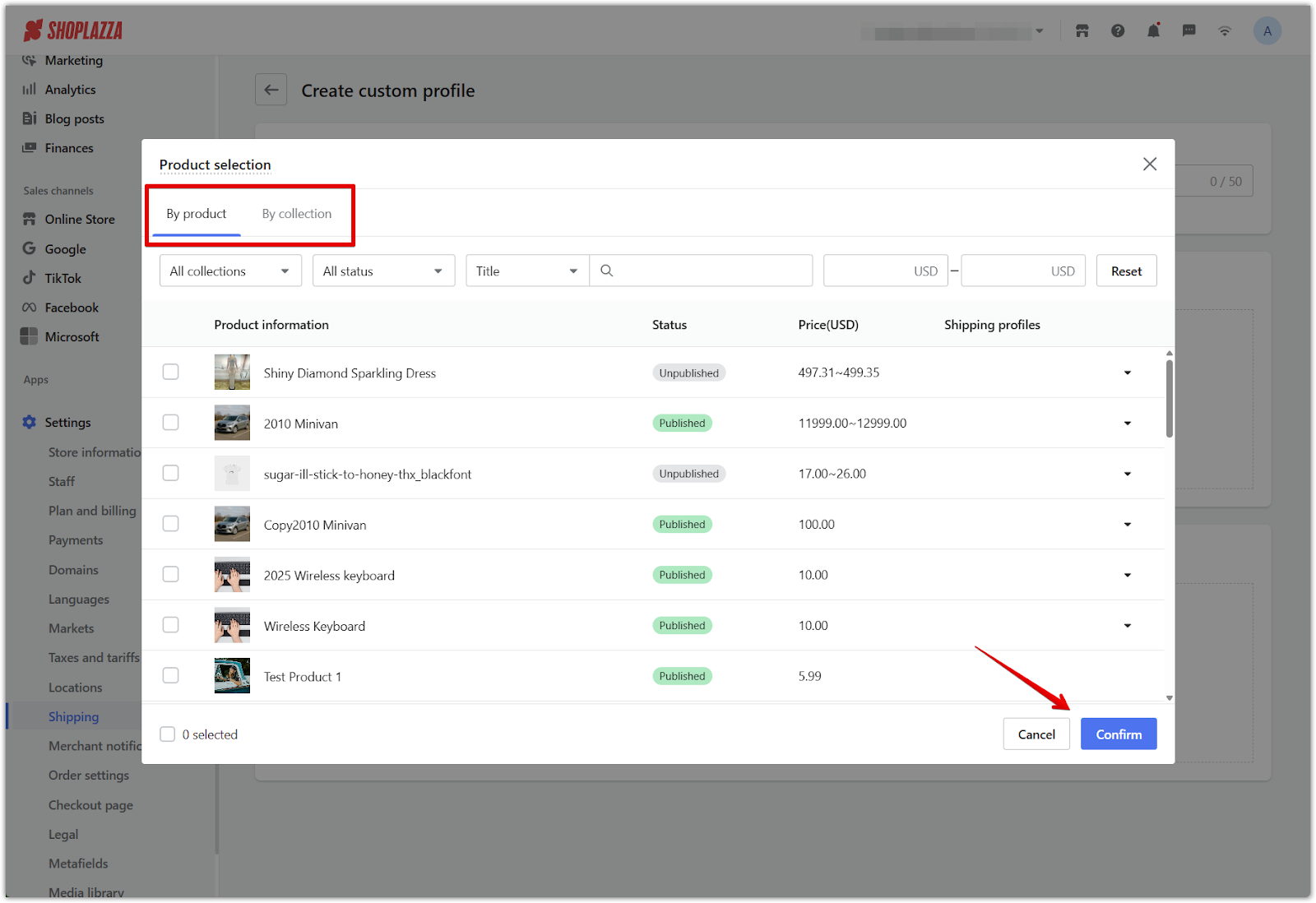
The most common mistake here is creating a custom profile and forgetting to add the products to it, or setting up a zone and missing a country. The result is a shopper reaching checkout and finding out their country isn't covered, and you usually only find out after a customer complains.
How to price your shipping rates?
How you price shipping affects both your conversion rate and your margin. There are five common approaches, weight-based, price-based, flat rate, free shipping thresholds, and rules for specific products or conditions.
| Pricing method | Best for |
| Weight or dimension based | Product lines with big weight differences |
| Price-based percentage | Wide range in order value |
| Flat rate | Products with similar weight and size |
| Free shipping threshold | Encouraging larger cart sizes |
| Product or condition-specific rates | Tariff changes, clearance items, or promotions |
Free shipping thresholds work well as a conversion tool. Something like "Free shipping on orders over $49" paired with a cart message like "You're $15 away from free shipping" tends to convert better than simply listing a flat fee. That threshold effect is a real psychological nudge, and a lot of sellers lean on it to push customers toward adding one more item.
Product or condition-specific rates come in handy beyond just tariff changes too. Clearance items or promotional products often warrant their own free shipping rule without touching your standard rates.
Estimated shipping costs
Cross-border shipping rates vary quite a bit between carriers, and the same package can come out priced very differently depending on who you go with. If you're new to this, the fastest way to get a sense of your cost range is to use the rate calculators carriers offer on their own sites. Tools like UPS's shipping calculator, Easyship's rate calculator, or FedEx's rate quote tool let you enter origin, destination, weight, and dimensions, and give you a rough quote in a few minutes.
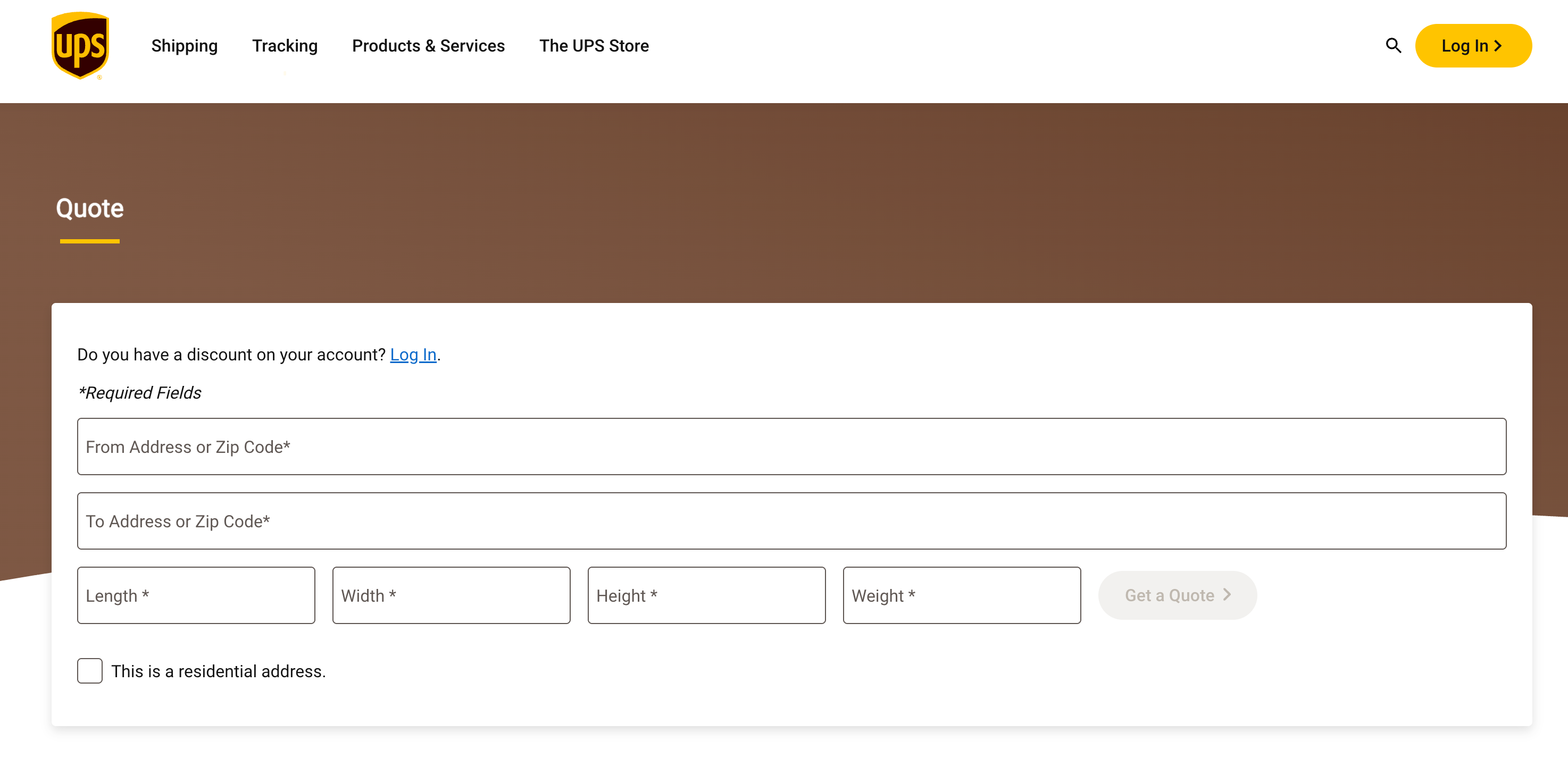
Early on, it's worth running the numbers through 2 to 3 of these tools and taking the middle estimate, which helps avoid getting thrown off by a quote that skews high or low. Once you've actually shipped 2 to 5 orders, you'll have a much better sense of your real shipping range than any calculator alone can give you.
It's also worth keeping in mind that these tools only give you an estimate, not the final charge. The actual rate is based on what the carrier measures when your package arrives at their facility. Once it's scanned in, the system captures the real weight and dimensions and bills based on that, and that's what actually gets charged. It's worth logging your estimated and actual shipping costs side by side for a few shipments, so you can see how much your numbers tend to drift from the calculator's estimate, and price with more confidence going forward.
This step isn't just about getting the math right, it's about setting realistic expectations early. A lot of new sellers price their products first and figure out shipping later, only to find their margin taking a hit once the real shipping cost comes in. Working the other way, starting with a shipping cost estimate and pricing around it, tends to hold up better.
Which fulfillment tools make sense at each stage?
Choosing a logistics tool isn't just about picking a carrier, it depends on what stage of fulfillment you're actually in. Whether you're holding physical inventory, and how much order volume you're handling, are the two variables that determine whether automatic syncing, manual entry, or a full logistics platform makes sense, and when it's time to move from one to the next.
Automatic syncing through your supplier for dropshipping
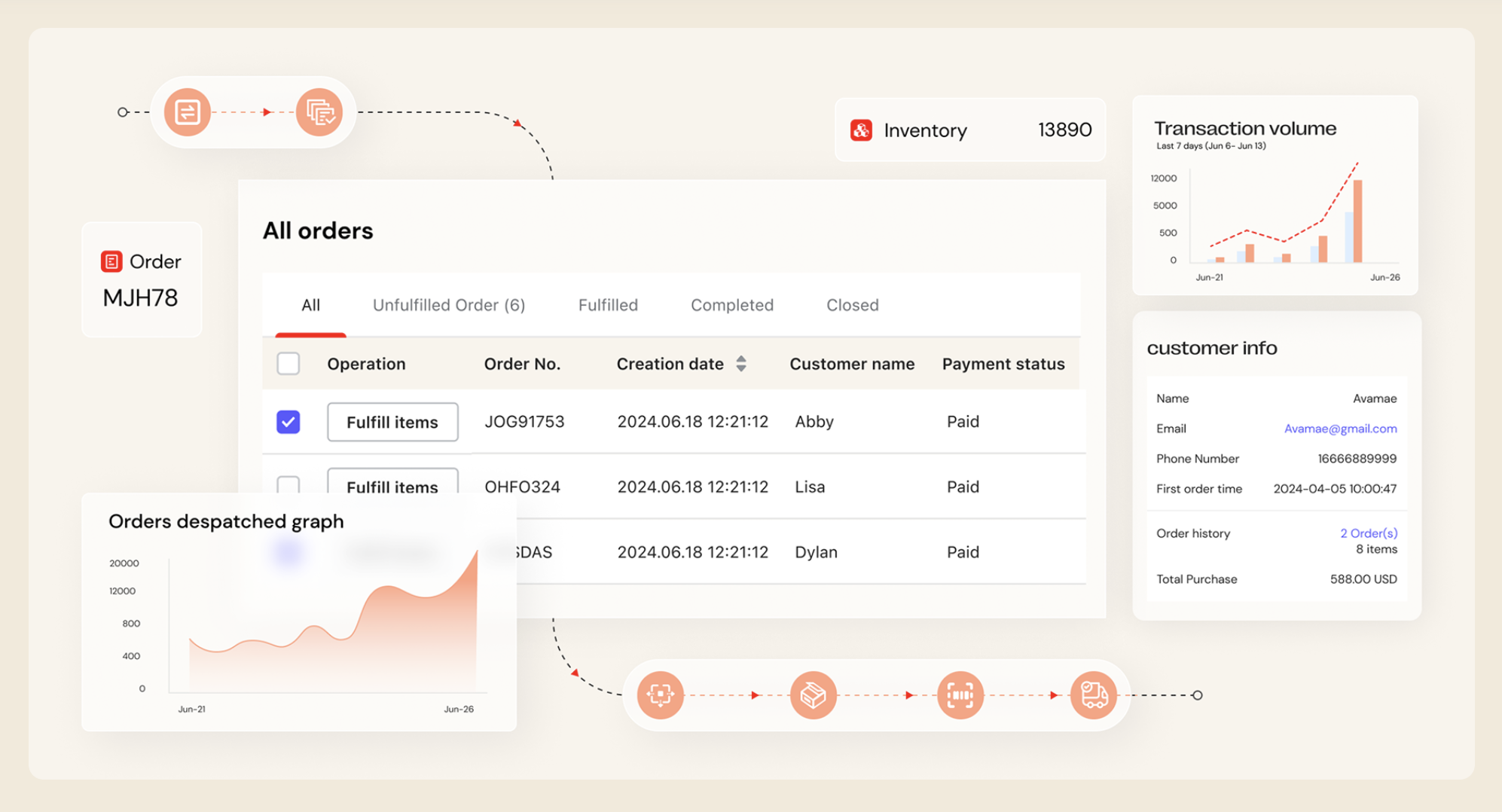
If you're running a dropshipping model, working with suppliers like CJdropshipping or EPROLO, fulfillment is barely something you need to think about. Once an order comes in, the supplier handles shipping directly, and tracking status syncs back to your admin automatically. For sellers just starting out or still validating a product, this is a clear advantage, since it comes with almost no extra operational overhead.
Manual tracking number entry for lower order volumes
If you're holding your own inventory and fulfilling orders yourself, this part is on you. At lower volumes, the simplest approach is entering tracking numbers manually in your admin, letting the system handle status updates automatically. Sellers at this stage often work with carriers directly, and larger carrier partnerships can plug directly into the backend rather than requiring manual entry for every shipment.
Carrier pricing advantages come from volume. Large carriers negotiate bulk rates with major networks, which usually beats what an individual seller could get on their own. That's part of why most sellers work through a carrier partner instead of contacting international shipping networks directly.
It's worth keeping in mind that handing off packages isn't free either. Whether you're dropping off at a partner location or scheduling a pickup, there's usually a cost, and it varies by provider and region. Confirm the actual fee structure before committing, rather than assuming pickup is included.
Partner with larger logistics once volume picks up
Once order volume climbs, manual tracking starts breaking down fast. The clearest signal is entry errors creeping in, or the time spent on fulfillment growing noticeably. That's usually the point to bring in a platform built for scale.
The efficiency gap here shows up in real numbers. One logistics platform published a case study of an Amazon self-fulfillment seller processing 200 orders a day, where order processing time dropped from 4 hours to 30 minutes after switching, shipping costs fell 15%, and complaints dropped 40%. Results like that won't be identical for every seller, but the pattern holds, manual processing looks fine at low volume and becomes a real bottleneck once volume climbs.
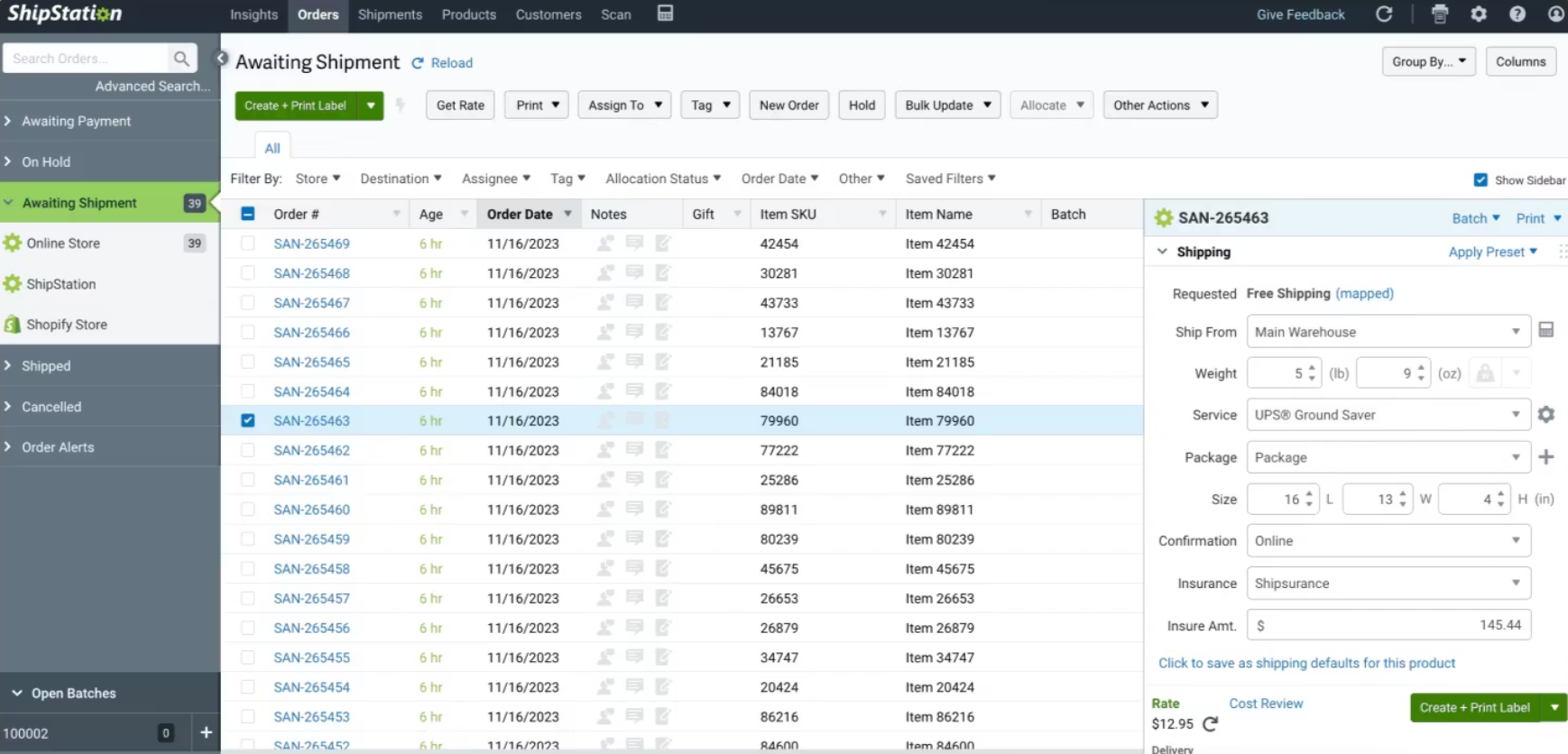
ShipStation is a common choice here. It centralizes orders across multiple carriers and sales channels, and its bulk carrier discounts can genuinely offset the subscription cost for sellers shipping a meaningful volume. Sellers on G2 have also pointed out some tradeoffs worth knowing upfront, like a separate monthly charge to connect your own existing carrier account, and a fee for scheduling carrier pickups through the platform. Worth checking these details before signing up, since they affect the real cost of running through the platform.
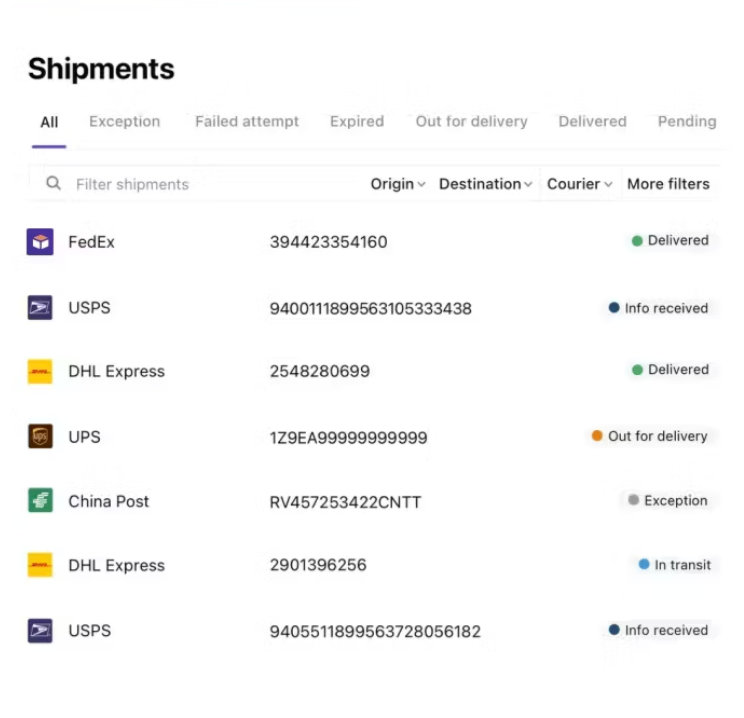
Beyond the shipping platform itself, AfterShip is worth knowing about at this stage too. It goes beyond tracking, covering returns management and order management as part of one automated system, and it supports over 100 carriers. It also offers AI-powered delivery date predictions, giving customers a more accurate estimate of when their order will arrive. Shoplazza has an official partnership with AfterShip, which means this tracking capability can plug into the backend without a complicated separate integration.
How to send products to your customers overseas?
Once your pricing is set, the actual shipping method still depends heavily on what you're selling and who you're selling to.
- International mail and economy parcel services are the most common option, usually through postal networks or partnered carriers. They're affordable but slower, typically 10 to 20 days, and work well for lower-priced items where speed isn't critical.
- Commercial couriers like UPS, DHL, and FedEx run their own networks. Delivery is fast, usually 3 to 7 days, but costs noticeably more. This makes sense for higher-priced items or products where customers expect quick delivery, like electronics or personalized gifts.
- Overseas warehousing is a different approach entirely. Inventory sits in a warehouse closer to your customers, so orders ship locally once they come in, often arriving in 1 to 3 days. This gets you closer to a domestic shopping experience, but it means committing capital and storage costs upfront, and it only makes sense once you've validated a product well enough to justify holding stock.
Customs clearance matters no matter which path you choose. Shipping into markets like the US or EU means product declarations need to be accurate, and an incorrect tariff code can hold up clearance or get a package flagged entirely. This is where a tool like an HS code lookup becomes genuinely useful. Regulations around product labeling are also tightening in some markets, so it's worth checking current requirements before you ship rather than after a package gets stuck.Which path makes sense usually comes down to the product and what your customers expect:
- Lower-priced items do fine with economy shipping.
- Higher-priced or time-sensitive products justify the extra cost of a commercial courier.
- Once order volume is steady, overseas warehousing is worth considering to push the delivery experience further.
How customers track their orders?
Once fulfillment is running smoothly on your end, the customer-facing experience matters just as much. A common setup is a self-service tracking page through 17Track, where customers enter their tracking number and see the package status without contacting support. AfterShip covers this too, and can send automated email or SMS updates, which cuts down on repetitive "where's my order" support tickets.
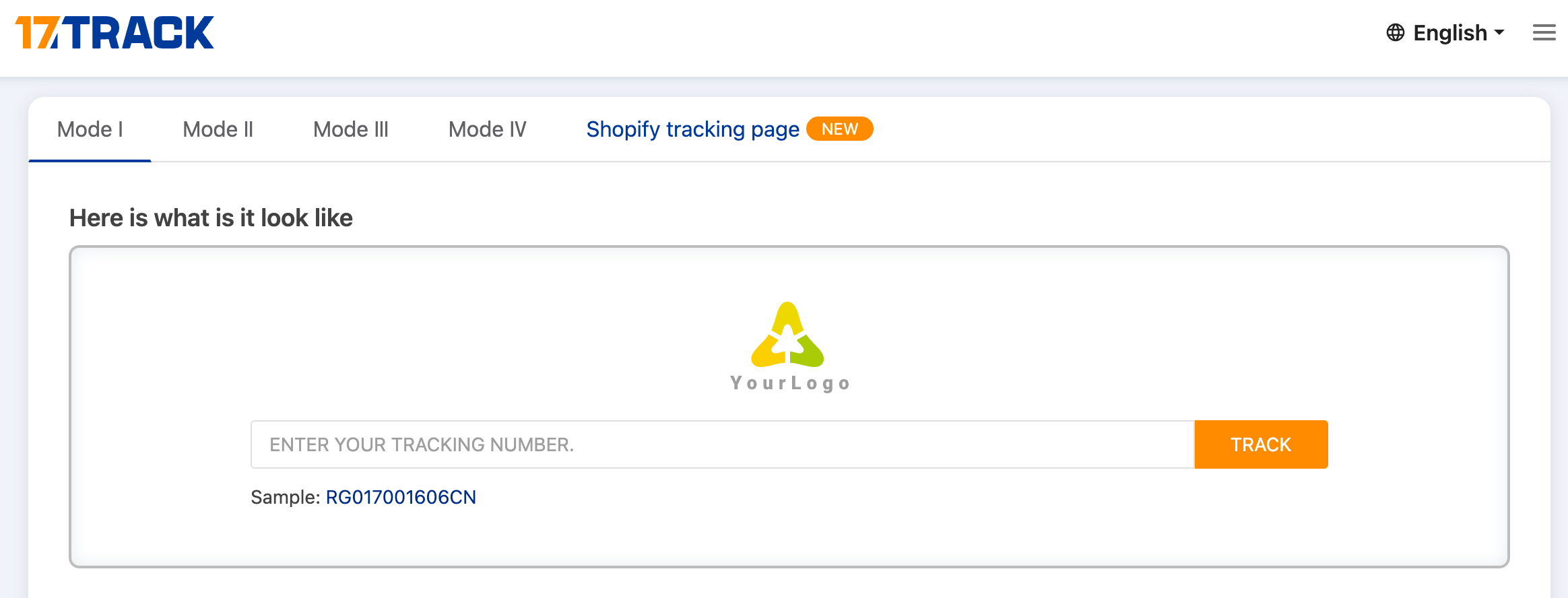
Tracking capability actually has a real effect on whether people buy in the first place. Research on cross-border shopping has found that nearly half of shoppers worry their order won't arrive on time, and most online shoppers say order tracking makes them more likely to buy. In other words, a self-service tracking page isn't just a post-purchase nicety, it can affect conversion too.
When to move from manual tracking to a logistics platform?
There's no single number that answers this, but two signals are worth watching.
Order volume is the most obvious one. In the case mentioned earlier, a seller processing 200 orders a day was clearly past the point where manual tracking made sense, but the real threshold is much lower than that. Once daily orders climb into the dozens, manual entry starts becoming a real drag.
Labor cost is the second signal, and it's easier to miss. If entry errors are creeping up, or the time spent on fulfillment already costs more than a logistics platform would, the math has already worked itself out. Sticking with manual processing at that point just gets more expensive, even if that cost isn't obvious day to day.
Auto your order and fulfimment
Shipping isn't something you configure once and forget. It's a process that scales with your order volume, moving from zero-touch dropshipping, to manual tracking, to a full logistics platform. Each transition comes down to measurable signals, order volume and labor cost, not a gut feeling. Knowing which stage you're actually in matters more than jumping straight to the most complex setup. Shoplazza supports shipping profiles, bulk fulfillment, and third-party platform integrations at each of these stages, so you can add tools as you scale instead of building everything from day one.
Frequently asked questions about shipping and rate setting
Q: Is carrier pickup free?
It depends on the carrier. Some offer free pickup as part of their service. In many other cases, whether you're dropping off at a partner location or scheduling a pickup, there's a fee involved, and it varies by provider and region. Confirm this before signing up rather than assuming it's included.
Q: Why is my final shipping charge different from what I calculated?
Shipping calculations happen in two stages. The weight and dimensions you enter before shipping are an estimate, meant to help you plan costs. The carrier's own measurement at intake, done by machine when the package arrives, determines the actual final charge. Small discrepancies between your estimate and the real charge are common, so it's worth logging both over time.
Q: How does tracking differ between dropshipping and self-fulfillment?
With dropshipping, your supplier handles fulfillment directly and tracking syncs to your backend automatically, so there's little for you to manage. Self-fulfillment requires manually entering tracking numbers or using a logistics platform for bulk processing, and you can add a self-service tracking page through 17Track or AfterShip for customers.
Q: Do I need a logistics platform once my order volume grows?
Not necessarily, but once entry errors start increasing or the labor cost of manual fulfillment exceeds what a platform would cost, switching usually makes more financial sense. Order volume and labor cost are the two signals worth tracking.
Q: What happens if my shipping rates are set up incorrectly?
The most common issue is creating a custom rate profile and forgetting to add the relevant products, or setting up a shipping zone and missing a country. Customers then reach checkout and discover their country isn't covered, which usually means a lost sale you never find out about until it's too late.