Most people who want to sell online start with the same idea. They say they need a website. That sounds like the obvious first step. You put an idea online, show off your product, and wait for customers to show up. But here is the problem most beginners run into first. What they actually need is not a website. It is their first sale.
A website can exist and never sell a single thing. Selling requires a different kind of foundation, one that works technically, structurally, and psychologically. If that foundation is not built for commerce, even strong traffic will not turn into paying customers. This guide breaks down what actually separates a website from a store, what a store needs to be ready to sell, and how to build one without spending months on setup.
TL;DR: the difference between a website and an online store in one look
Before going through every difference in detail, here is the short version you can use right away, with the full explanation following below.
A website shares information. An online store is built to complete a sale. If your goal is to inform visitors, a website works. If your goal is to sell products directly, you need an online store with product pages, a cart, and a payment gateway.
| Comparison | Website | Online store |
| Main job | Share information | Complete a sale |
| Typical pages | Home, about, blog | Product pages, cart, checkout |
| Success looks like | A visitor understands your brand | A visitor becomes a customer |
Most businesses start with one and grow into needing both. The rest of this guide breaks down why, and what that means for how you build.
Website vs online store what the difference actually means
That quick summary covers the basics, but the word website gets used differently depending on who is asking, so it helps to unpack it fully.
In everyday use, the word gets narrower:
- When someone searches for information, like how to fix a leaky faucet or what a company does, the website they land on exists to inform. It answers a question and moves on.
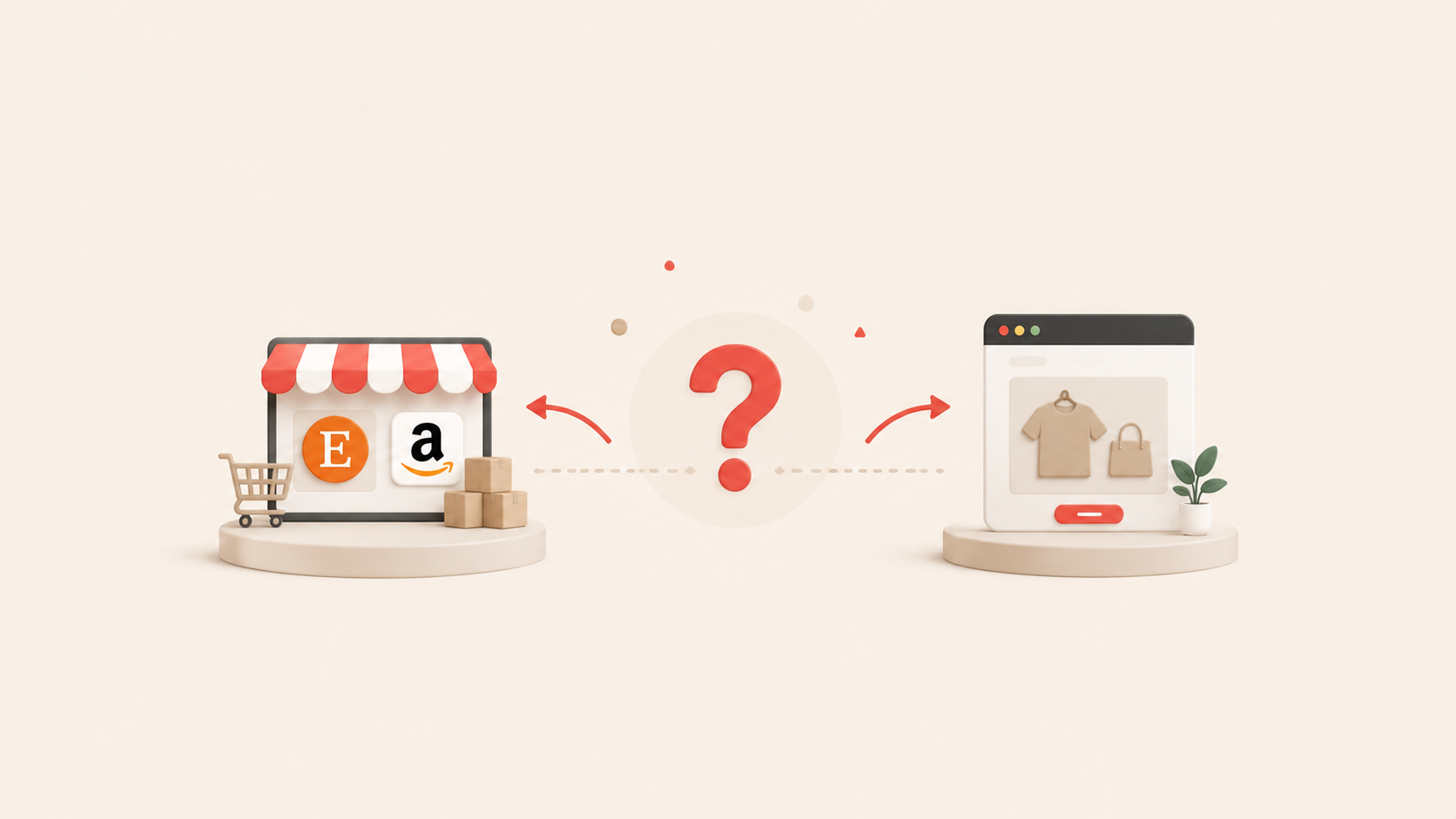
- When someone says they are shopping on a website, they often mean something different. A large share of online shopping happens on marketplaces such as Amazon or Etsy. These are websites, but the seller does not own the storefront. The marketplace owns the traffic, the checkout, and the relationship with the buyer.
- An online store means something more specific again. It is an ecommerce site with its own domain, built to sell whatever legal products or services you choose, on infrastructure you control from the homepage to the final payment.
To see how these three ideas actually differ in practice, here is how they break down across the areas that matter most to a seller.
Purpose and uses
A website's job is to inform. It might share a brand's story, explain a service, or host a blog. News sites, government sites, and even B2B company sites fall into this category too, since they are all built to inform rather than to sell directly. A B2B site is still a business, but it usually asks a visitor to leave contact details or submit an inquiry. It stops short of taking a payment on the spot.
An online store's job is to sell. It also tells a brand story and explains its services, much like a website does, but the end goal is always to complete a transaction. This is the B2C purpose behind ecommerce. Real Silk Life, an apparel and homeware store with its own domain built on Shoplazza, is a clear example. Its homepage leads straight into product collections and a cart, not just a mission statement, because every page is built to end in a completed sale.
Setup complexity
A website is usually simple to set up. You need a domain, hosting, and some content. An online store needs more moving parts. You have to configure a shopping cart, connect a payment gateway, and settle on a shipping or fulfillment approach before you can take a single order.
User experience
Website design is built around engagement. It wants visitors to stay longer and read more. A news site is a good example. Stories are stacked one after another, headline, article body, related reads, and a visitor is free to scroll, click into other stories, or leave without ever needing to take an action beyond reading.
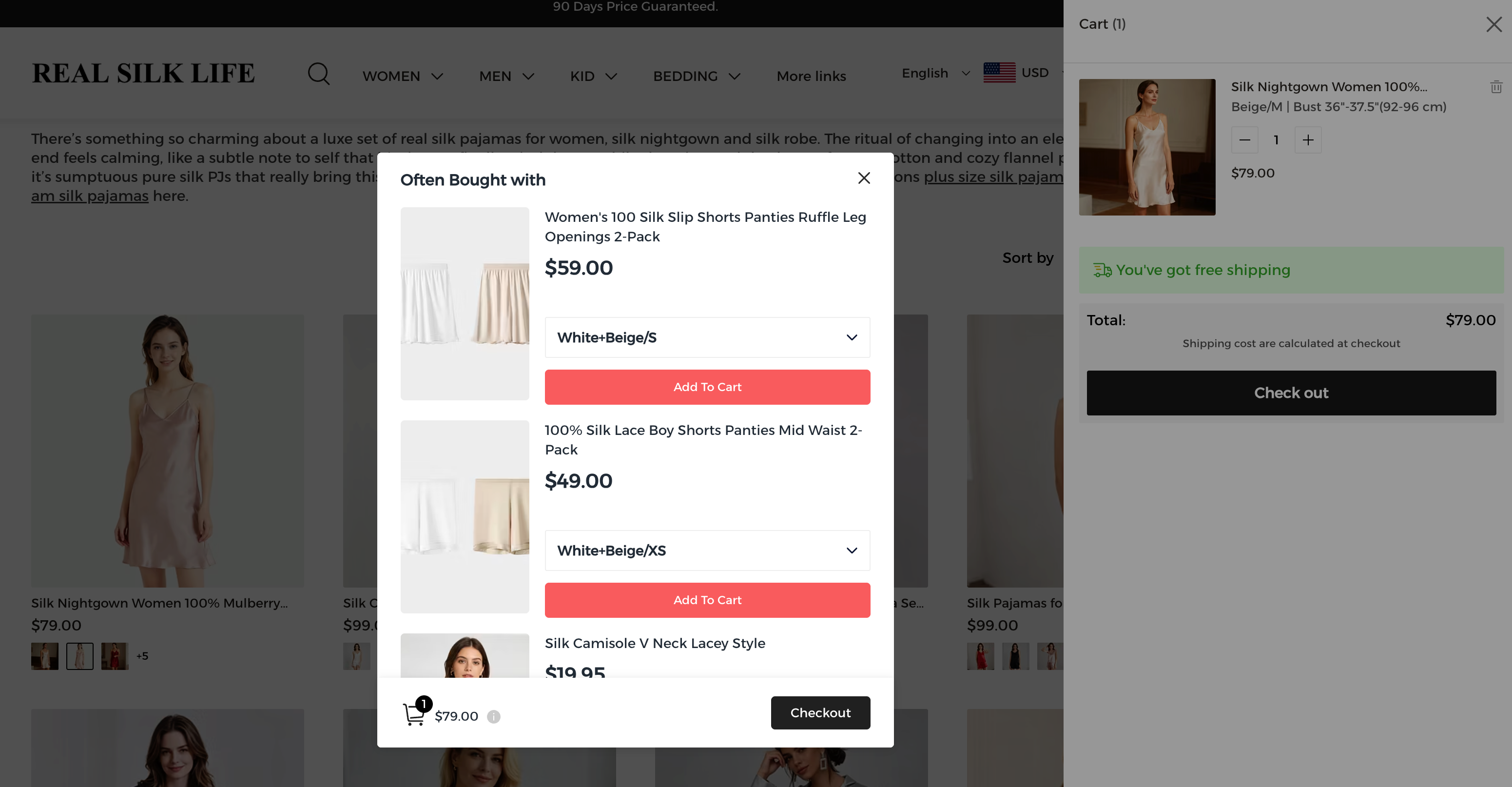
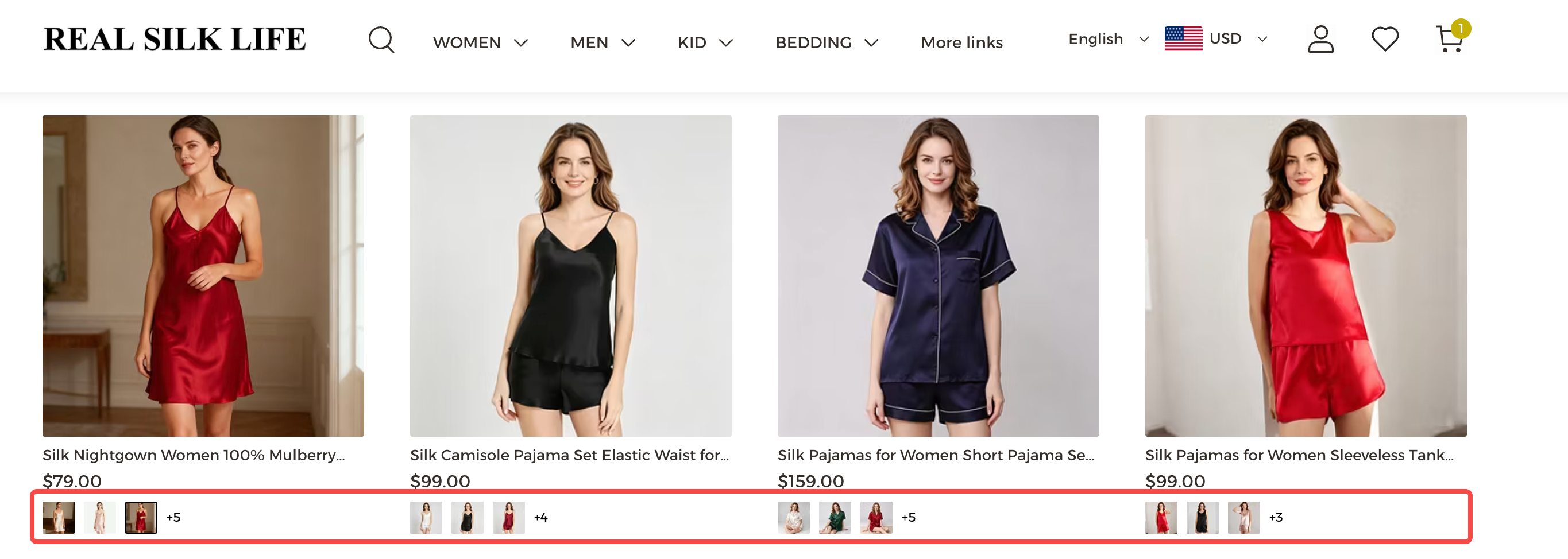
Online store design is built around conversion. Every product photo, button, and checkout step is there to make the path from browsing to buying as short as possible. Real Silk Life shows this clearly. Hovering over a product photo swaps in a second shot before a shopper even adds it to cart. Clicking add to cart on any item opens a cart panel on the right side of the page, with checkout built right in, so nothing reloads. That same panel also surfaces a few matching products in the middle of the flow, without pulling shoppers away from what they were browsing, a quiet nudge toward buying across more than one category. This kind of checkout-first design is the same idea behind Shoplazza's Reformia ecommerce theme.
Functions and features
A typical website includes a content management system, a contact form, and maybe a blog. A typical online store adds a shopping cart, a payment gateway, customer accounts, and order tracking.
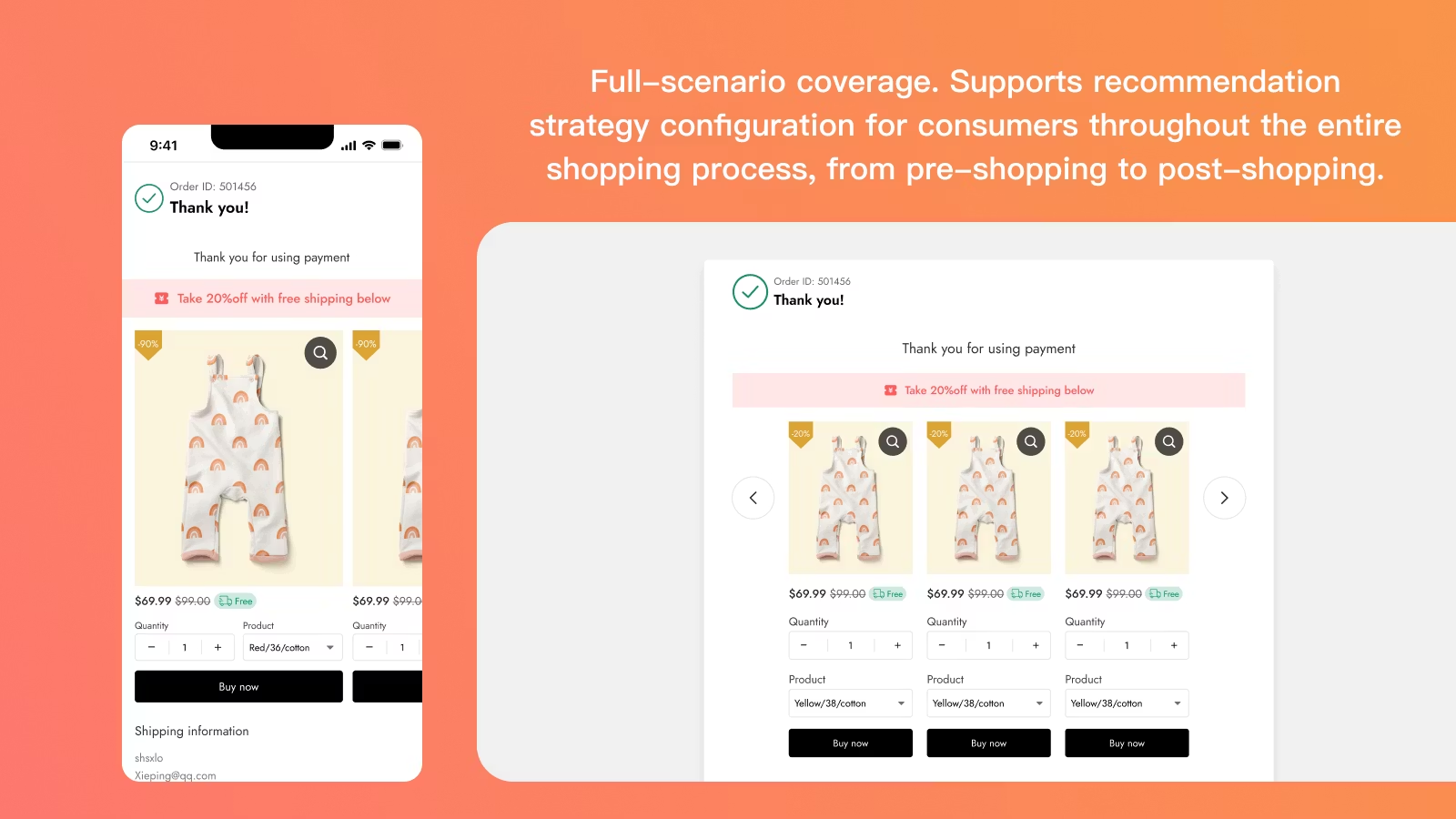
There is a newer wrinkle worth noting here. AI shopping tools, like ChatGPT's shopping features or Google's AI Mode, now pull product details directly from a store's data instead of a person browsing page by page. An online store that wants to show up in those results needs product information that is structured and easy for AI to read, not just easy for a person to scroll past. The same structured data also feeds a store's own Intelligent product recommendation tool, which uses it to suggest the right items to the right shoppers.
Cost and fees
Websites usually cost a flat hosting fee. Online stores add payment processing fees and sometimes a percentage of every sale. Marketplaces charge listing fees on top of a cut from every transaction.
There is a cost here that is easy to miss too. Every week a store stays unbuilt is a week of lost sales, not just unpaid hosting. A traditional build can take weeks of back and forth with a developer. An AI store builder can generate a working store in minutes, which shifts the real comparison from which platform charges less to how much revenue the delay actually costs you.
The importance of security and certification
A basic website needs a few core safeguards in place.
- An SSL certificate to encrypt data between the visitor and the site
- Regular software and plugin updates to close known vulnerabilities
- Reliable hosting with consistent uptime and backups
An online store needs all of that, plus a layer built specifically for handling money and personal data.
- PCI DSS compliance for processing card payments safely
- Two factor authentication to protect customer and admin accounts
- Fraud detection to flag suspicious orders before they ship
The importance of marketing
Website SEO focuses on content quality, matching search intent, and building backlinks. Online store SEO adds product description optimization, image alt tags, and customer reviews, since shoppers and search engines both look for that extra layer of detail.
Questions to answer before you build either one
Once you understand what each option is built to do, the next step is figuring out which questions actually apply to your situation before you commit. Before building a website, it helps to answer a few questions first.
- What is the main goal, sharing information, building credibility, or something else?
- Who is the audience, and what are they looking for?
- What kind of content will you need to keep updating?
Before launching an online store, the questions shift toward operations.
- What will you sell, and how will you source or produce it?
- What payment and shipping setup fits your budget?
- What legal requirements, like a privacy policy or terms of service, apply to your business?
What a sell-ready online store actually includes?
A sell-ready store closes what you could call the transaction loop. That loop covers more ground than most people expect.
- Structured product management, letting you organize categories and collections, manage customer reviews, and sync product feeds across channels.
- Order sync and fulfillment, covering inventory tracking, abandoned checkout recovery, after-sale service, and dispute handling.
- Customer relationship management, keeping a record of who bought what and when, so you can follow up instead of losing that contact after a single sale.
- Store data analytics, turning traffic and sales numbers into decisions you can act on, the kind of task Shoplazza's Athena AI operations agent can handle directly in the backend. Ask it about a sales dip or a traffic spike, and it pulls the relevant numbers, builds a chart, and adds a suggestion for what to do next. It also runs around the clock, so it can flag something like a stock issue as soon as it happens, not just when someone logs in to check.
- A brand domain, with purchase and connection both handled in the same backend instead of a separate registrar.
Compare that to selling on a marketplace. Marketplaces charge commissions on every sale and enforce rules sellers cannot change. They also make it hard to build a customer list of your own, because most marketplaces cut off direct communication between you and the people who buy from you. Owning these pieces yourself is what turns a store into a business asset instead of rented shelf space.
Is it the same as online shop or marketplaces?
Not quite. Online shop usually points to a smaller, boutique style operation with a curated product range. Online store usually points to a larger, more complete ecommerce setup.
A marketplace storefront is different again. You can list products on Amazon or Etsy and technically be selling online, but you do not own the domain, the checkout, or the customer data behind it. There is a useful way to think about this. However you sell, through your own domain or a marketplace listing, you are still operating some version of an online store. What changes is ownership. On your own site, you hold the whole thing. On a marketplace, you are one of many sellers sharing the same storefront.
So how do you actually build an online store that's ready to sell
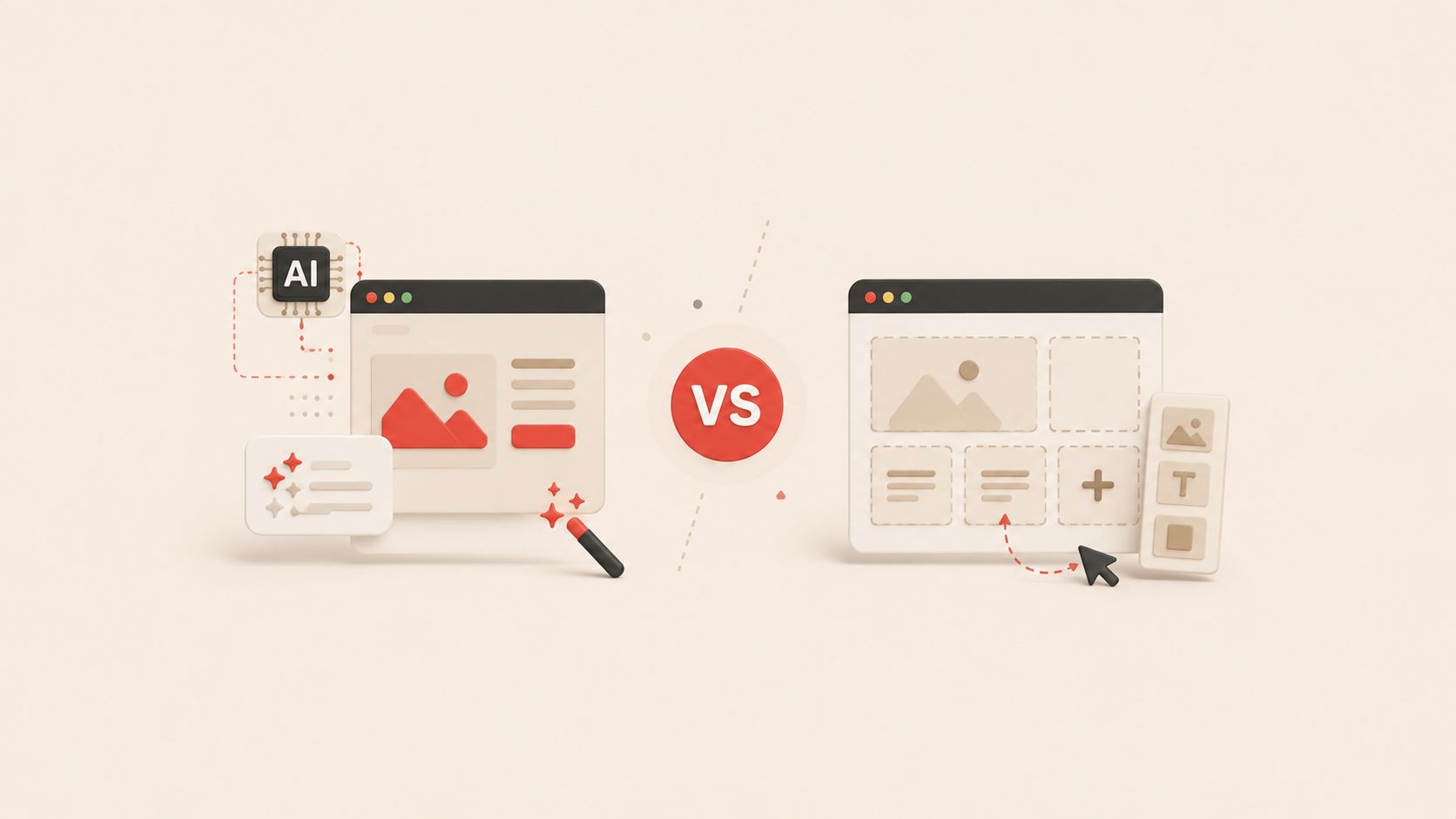
AI store builders have changed what this setup actually takes. Shoplazza's AI Store Builder, for example, gives you three ways to start.
- Describe your store idea in a sentence, including what you sell, who you sell to, and the style you want. If you are not sure where to start, the AI walks you through a short back-and-forth first. It asks who you are selling to and what direction your brand should take, then suggests names and styles you can pick instead of typing from scratch.
- Upload a product image, and the AI reads it to generate a matching product listing, complete with a title, description, variants, and price, along with a store built around it.
- Paste a link to an existing product, from a marketplace like Amazon, AliExpress, eBay, or Etsy, and the AI pulls the title, images, and price straight from that listing to build a checkout-ready storefront around it.
Whichever path you start from, the AI generates three complete store designs to compare, not just one. Pick a direction, and the AI fills in the rest, homepage, product pages, navigation, and a working checkout. Everything comes tailored with the right language, currency, and layout for the market you are targeting.
All three paths generate a preview you can look at before creating an account or entering any payment details. You get seven days to try the full setup for free, and you can sign in with a single click through Google. If you want to keep editing after the initial generation, a page builder lets you adjust layouts, text, and images without touching code.
Once you are ready to sell real products instead of placeholders, you have two ways to fill the store. Connect a dropshipping supplier and swap AI placeholders in automatically, or describe what you already have in stock to an AI agent and let it handle the bulk upload.
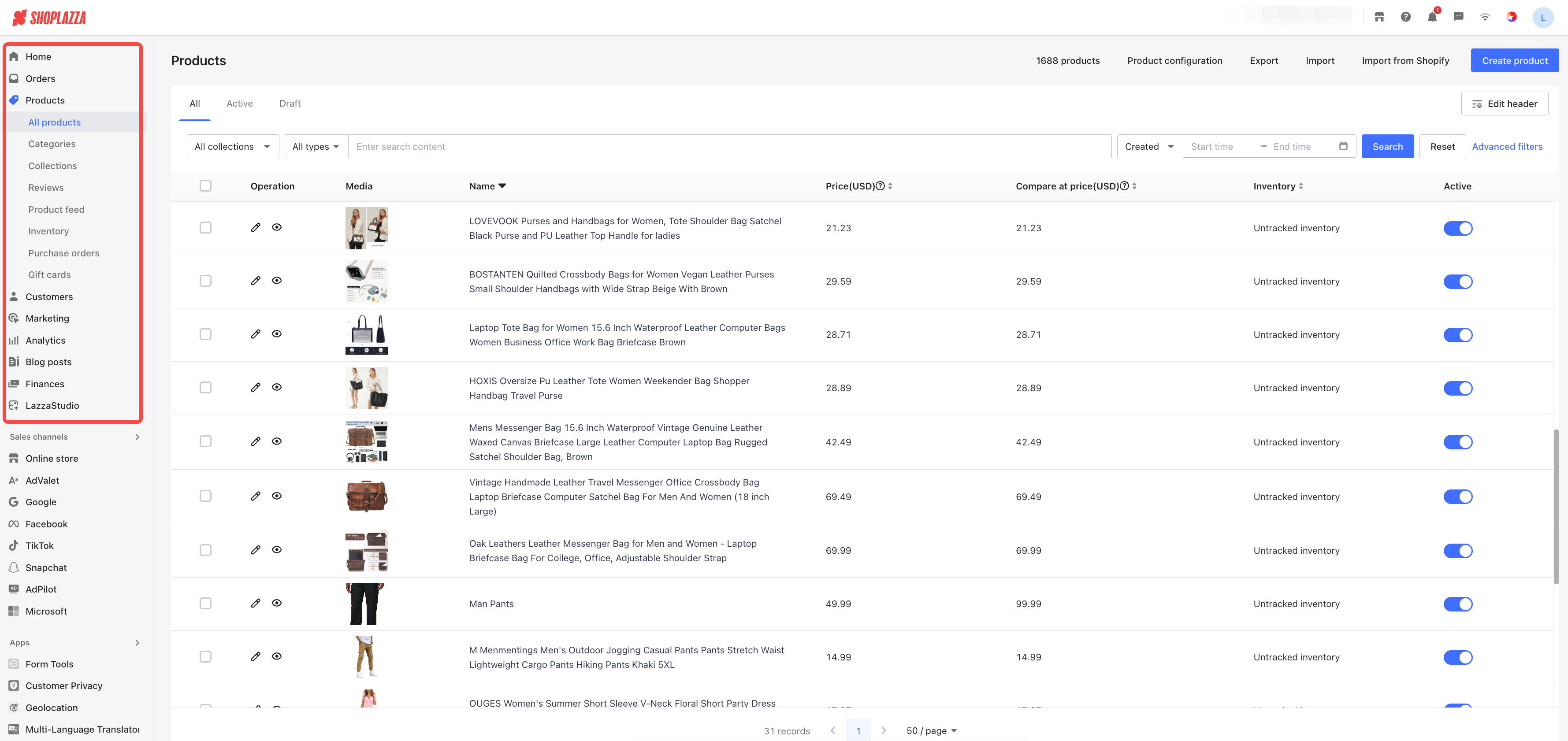
Building the storefront is only the first layer. Shoplazza combines that store builder with the rest of the ecommerce backend in the same place, not as a separate tool. Products, orders, customers, marketing, analytics, blog posts, and finances all live in the same admin sidebar. Sales channels for Google, Facebook, TikTok, and more sit right alongside them, so a store built in minutes already has somewhere to grow into.
What makes a store feel safe enough to buy from?
A store can have every technical piece in place and still lose a sale if the visitor does not trust what they are looking at.
Trust breaks down across four areas, identity, catalog, transaction, and what happens after the purchase. Missing any one of them makes a visitor hesitate.
- Does the store show legal footers, a real contact page, and an about section, proving it belongs to a real business?
- Are products organized with clear variants and accurate stock levels?
- Does checkout feel native and secure, instead of redirecting to an unfamiliar page?
- Does the customer get a confirmation email and tracking information right away?
Real sellers on Reddit back this up. One commenter pushed back on the common idea that Amazon is a cheap way to acquire customers. They argued it is actually one of the pricier channels, and pointed out that sellers there cannot follow up directly with buyers to drive repeat sales. Another commenter put it more directly, saying "marketplaces will never be a way to build a brand."
One seller described leaving Amazon after a short stint and building a brand that grew past 125,000 Instagram followers and reached eight-figure annual revenue, entirely through direct sales from their own site. Another seller running Facebook Marketplace based shops reported daily profits between 500 and 1,600 dollars without spending anything on ads.
There is a newer version of this same problem worth watching. AI shopping assistants that summarize or compare products tend to cite the marketplace, not the individual seller, when a product is listed there. A seller building on their own domain is the one who gets named and remembered, both by people and by the AI tools now doing some of the recommending.
Which path fits your goal right now?
With the technical picture and the trust picture both covered, here is a simple way to match your actual goal to the right starting point.
| Your goal | Recommended | Why |
| Sharing ideas, a portfolio, or a blog | Website | Focuses on content and brand story |
| Selling a product, whether you are testing an idea or ready to launch | Online store | Prioritizes the transaction loop and payment security, and an AI Store Builder can get one running in minutes if speed matters |
Start with the end in mind
Whichever path fits your situation, the goal from day one should stay the same. Give every visitor a clear and safe path to becoming a customer. Building a website is easy. Building a system that actually sells takes more thought. Choosing a store-ready foundation from the start means every visitor who arrives has a straightforward way to buy.
If you want to test this without any commitment, Shoplazza's AI Store Builder lets you generate and preview a complete store for free, with no sign-up and no credit card required. You get a seven-day trial to explore the full setup, and you can sign in with one click through Google if you decide to move forward.
Common questions from first-time sellers
Q: Can I turn a website into an online store later?
Yes, but it usually means reworking your navigation, security, and backend structure from the ground up. Starting with a store-ready foundation tends to cost less time and money than retrofitting selling logic later.
Q: Do I need coding skills to start selling online?
No. AI store builders on modern ecommerce platforms remove that requirement. You can describe what you want to sell in plain language and get a working store structure in return.
Q: What is the fastest way to build an online store?
Right now, an AI store builder tends to be the quickest option. It handles the heavy lifting, like generating policy pages, setting up checkout, and organizing product layouts, so you can go from an idea to a live preview in minutes rather than weeks.
Q: Should I start selling on my own site or on a marketplace like Amazon?
There is no universal answer, and experienced sellers disagree on this point. Many early-stage sellers use a marketplace first to test demand without much setup, then move toward their own store once they have proof a product sells. Others argue that starting on your own site from day one protects your margins and your customer data from the beginning. The right call depends on how much you value speed to your first sale versus long-term ownership of your brand and customer list.
You also do not have to pick one and lock yourself into it. Shoplazza lets you connect your store to Amazon, TikTok, Instagram, Facebook, and other channels, so you can sell in more than one place while keeping your own site as the base that owns your customer data and brand.
Q: Do I need to choose one platform type forever?
No. Many sellers use both. A marketplace can bring in early traffic and test demand, while an online store builds the brand and customer relationships that a marketplace does not let you keep.