Starting an online store can be exciting, but picking the right platform is crucial. Shopify is well-known, yet it’s not the only choice for small businesses. Many sellers want something simpler, more affordable, or easier to manage without extra apps or coding. The right platform can save time, reduce costs, and help grow sales faster. In this guide, we’ll explore the 7 best Shopify alternatives that help small stores start, sell, and grow without stress.
Quick comparison of 7 Shopify alternatives
To help you narrow down your search, here is a breakdown of how the top contenders compare in terms of their ideal user, pricing, and standout features.
| Platform | Best for | Price starting at (plan with selling tools) |
Key strength |
| Shoplazza | Ecommerce sellers | $39/mo | All-in-one global dropshipping & DTC tools. AI store builder and AI marketing tools. |
| WooCommerce | Custom stores | $0 (plus hosting) | Open-source ownership and superior SEO. |
| Wix | Creative businesses | $29/mo | Total drag-and-drop design freedom with AI. |
| Squarespace | Visual brands | $36/mo | Award-winning, sophisticated visual templates. |
| BigCommerce | Scaling stores | $39/mo | Most built-in features and no transaction fees. |
| Square Online | Physical stores | $0 (pay per sale) | Perfect sync between in-person and online sales. |
| Ecwid | Existing websites | $35/mo | Easy "plug-and-play" store widget for any site. |
7 Best Shopify alternatives for small and medium businesses
Finding the right e-commerce platform can significantly reduce your overhead and simplify your workflow. Here are seven top-tier alternatives that offer better flexibility, design, or value.
Shoplazza: Good for ecommerce beginners
Shoplazza is an AI-native commerce platform built for sellers who want to launch a global online store fast — without coding, without piecing together separate tools, and without a steep learning curve. It is especially well-suited for dropshipping, print-on-demand (POD), and DTC brands targeting markets like North America, Europe, Japan, and the Middle East.
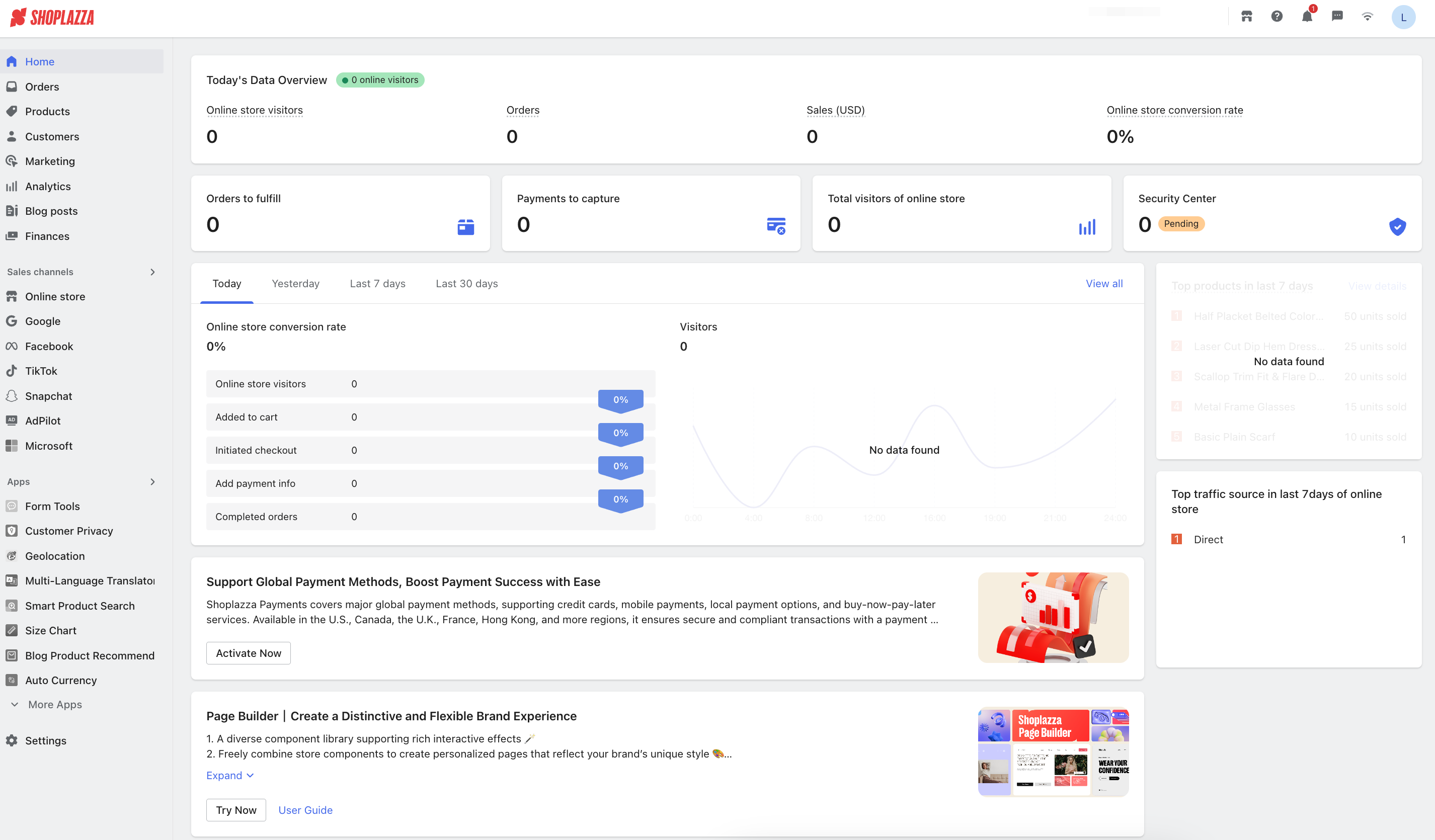
The platform offers a Shopify-like interface and professional customer support, which lowers the learning curve for new sellers. It includes tools for store building, payments, logistics, inventory, and staff management, so merchants can manage everything in one place.
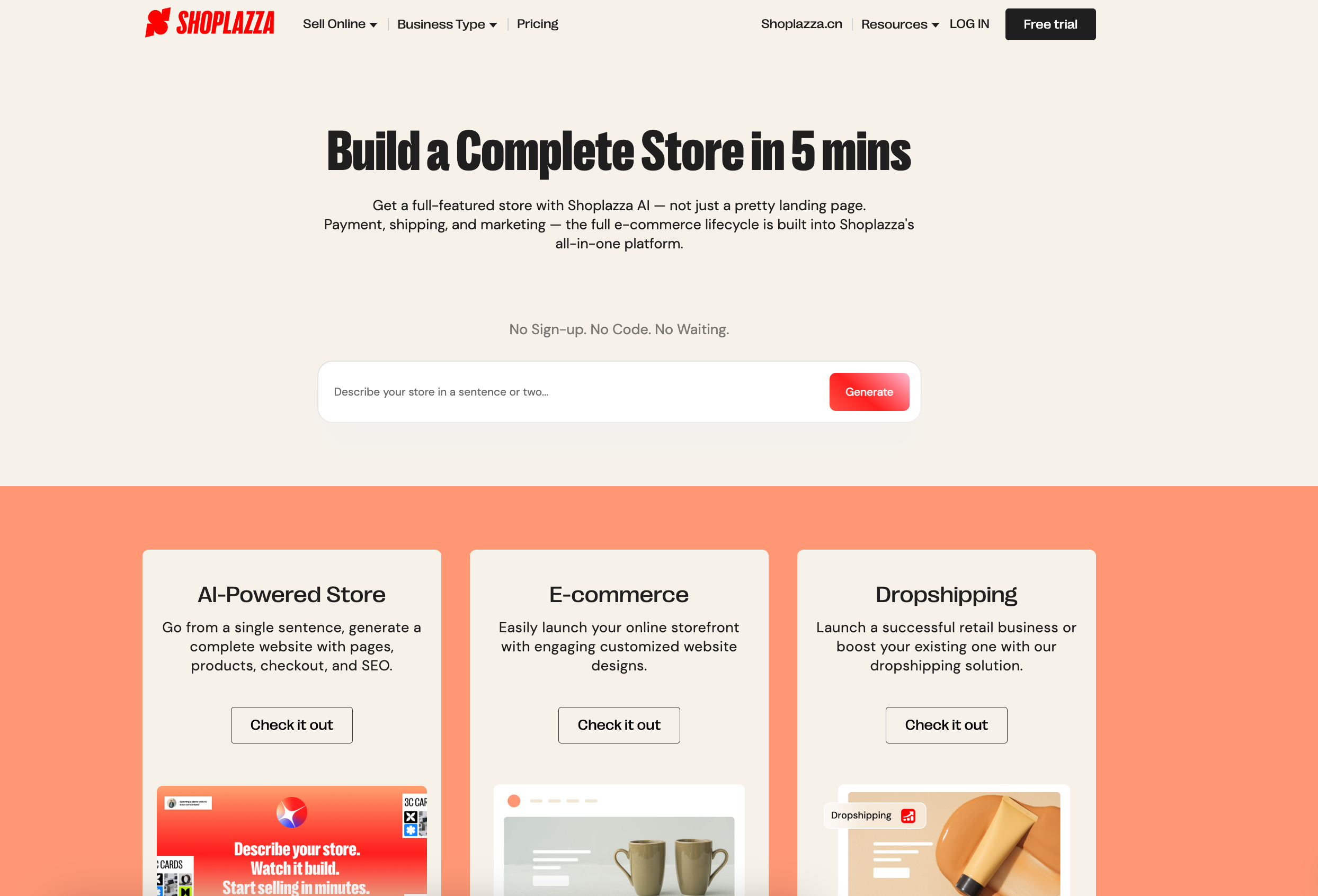
Besides, the fastest way to get started on Shoplazza is the AI Store Builder. After a short guided chat, Shoplazza's AI presents 3 store style designs in a carousel. You pick one, and the AI then generates your full store — homepage, product pages, About page, Contact page, policy pages, and a working checkout — ready to preview before you sign up. No credit card required.
AI tools can generate and optimize product descriptions. When combined with Loyalty & Push, the platform’s automation tool, sellers can run checkout discounts, email marketing campaigns, and membership programs to improve conversions and repeat sales.
What Shoplazza offers?
- AI Store Builder: Generate a complete, sell-ready storefront from a single text prompt. The AI builds your homepage, product pages, checkout, and policies automatically — no coding required. Preview for free before signing up.
- LazzaStudio: An AI visual tool that generates commercial-grade product images from a text prompt. Removes the need for professional photography when launching new products or testing creatives.
- Shoplazza Payments: Its built-in payment solution, Shoplazza Payments, covers 180+ countries and regions and supports Apple Pay, Google Pay, Klarna, Affirm, and Afterpay — all activated from one dashboard. Settlements arrive as fast as T+2. An AI-powered risk control system monitors every transaction in real time to flag fraudulent orders before they become chargebacks, helping merchants reduce dispute rates by an average of 16%.
- Responsive design and no-code store building: Free high-conversion templates such as Reformia adapt to both mobile and desktop screens automatically. A drag-and-drop editor lets merchants customize page layouts without coding.
- One-click migration: Import products and orders from platforms like Shopify, Shopline, Shopyy, and Amazon quickly without losing data.
- Multi-currency and global payments: Supports payments through PayPal, Stripe, and major credit cards, making international sales simple to set up.
- Unified order management: Manage all orders in one dashboard. Logistics and fulfillment information sync automatically to improve efficiency.
- Sales and social channel integration: Connect with platforms like Google, Facebook, Pinterest, and TikTok to manage traffic, advertising, and social commerce in one place.
Why do small businesses choose it?
- Controlled costs: Many marketing tools are built in with no extra charge. Around 90% of apps are free, covering product management, marketing, logistics, and operations.
- Fast infrastructure: Optimized for mobile conversion rates and global page loading speed.
- Quick setup: Industry templates and a simplified setup process help merchants launch a store faster.
- AI-powered from day one: From store generation to product image creation and fraud detection, Shoplazza's AI tools reduce the manual workload that typically slows new sellers down — so you can focus on marketing and growth instead of operational setup.
How much does it cost?
- Basic plan: $39/month (billed annually at $29.25/month). It includes 3 staff accounts and a 2% transaction fee. Best for new businesses and small shops starting their journey.
- Advanced plan: $105/month (billed annually at $78.75/month). It includes 5 staff accounts and a lower 1% transaction fee. Best for growing brands that need more automation and scalability.
- Pro plan: $399/month (billed annually at $299.25/month). It includes 15 staff accounts and the lowest 0.5% transaction fee. It features B2B wholesale tools and automated tax calculation for high-volume merchants. If you use Shoplazza Payments, the platform transaction fees 0.5% are waived entirely.
WooCommerce: Good for flexibility
WooCommerce is an open-source ecommerce plugin built for WordPress. It is the most popular choice for sellers who want total control over their online store without being locked into a monthly subscription platform. It works for almost any business model, from physical products and digital downloads to memberships and subscriptions.
Because it is built on WordPress, WooCommerce offers unmatched flexibility. Merchants can customize every part of their site, from the checkout experience to the backend code. It is ideal for those who prioritize SEO and want to own their data and platform entirely rather than "renting" a space on a SaaS provider.
The platform relies on a massive ecosystem of plugins and themes. Whether you need advanced inventory management or a specific design layout, there is likely already a tool built for it. While it requires more setup than Shoplazza, it allows a business to scale and evolve without hitting the technical "walls" found on other platforms.
What WooCommerce offers?
- Complete creative freedom: Since the software is open-source, you can modify any part of your store. You have thousands of themes to choose from to make your site look exactly how you want.
- Content-driven commerce: Because it sits on top of WordPress, it is the best platform for businesses that use blogging, guides, and articles to drive traffic and sales.
- No monthly platform fees: Unlike SaaS competitors, WooCommerce doesn't charge a recurring monthly subscription to use the software.
- Massive plugin library: Access over 50,000 WordPress plugins to add features like live chat, advanced SEO tools, or custom product builders.
- Flexible payment gateways: Supports hundreds of payment providers worldwide, including Stripe, PayPal, and Square, often with more competitive rates.
- Global scalability: Easily create multi-language and multi-currency stores using dedicated plugins, making it a strong choice for international brands.
Why do small businesses choose it?
- Total ownership: You own your website, your files, and your customer database. You aren't at risk of a platform suddenly changing its terms or shutting down your account.
- Superior SEO: WordPress is widely considered the best platform for search engine optimization, helping small businesses rank higher on Google for free.
- Cost-effective growth: You only pay for the specific features and hosting you need, which can be significantly cheaper than high-tier Shopify or Shoplazza plans as you grow.
How much does it cost?
- Software — $0: The WooCommerce plugin itself is free to download and install.
- Domain & hosting — ~$5 to $25/month: You must pay for your own web hosting and domain name. Costs vary depending on your site's speed and security needs.
- Transaction fees — 0%: WooCommerce never charges a per-transaction fee. You only pay the standard processing fees charged by your payment gateway.
- Extensions — Variable: While many features are free, some advanced tools (like smart coupons or subscription management) may require a one-time or annual license fee.
Wix: Good for creative businesses
Wix is a leading website builder known for its extreme design flexibility and powerful AI tools. It is the best choice for artists, photographers, and boutique brands who want total control over how their site looks without needing to write code. With its "pixel-perfect" editor, you can place any image, text, or button exactly where you want it.
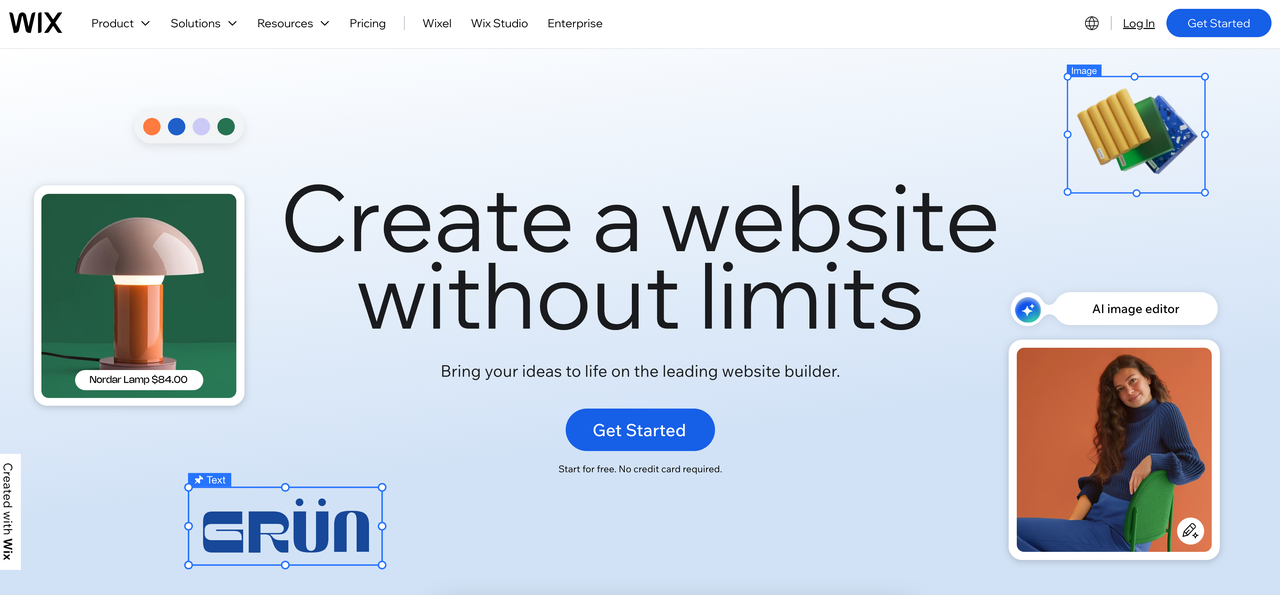
Now, Wix has moved beyond simple templates by introducing a conversational AI interface. Instead of starting from scratch, you can simply chat with the AI to describe your brand's "vibe" and goals. The system then generates a custom layout, writes initial SEO-friendly text, and even suggests the right business apps—like booking calendars or restaurant menus—to get you started instantly.
What Wix offers?
- Conversational AI builder: Build your entire website by chatting with an AI. It interprets your intent and creates layouts and color schemes that match your brand’s personality.
- AI content tools: Use built-in AI to generate high-quality images and write product descriptions or blog posts that are optimized to rank on Google.
- True drag-and-drop editor: Unlike other builders that lock you into a rigid grid, Wix allows you to move elements anywhere on the page for a truly unique design.
- AI SEO Wiz: Get a personalized step-by-step plan that tells you exactly which keywords to use in your titles and descriptions to improve your search ranking.
- Massive template library: Choose from over 900 professionally designed templates covering almost every niche, from creative portfolios to online boutiques.
- Robust app market: Easily add features like live chat, loyalty programs, or dropshipping tools from a library of over 250 integrations.
Why do small businesses choose it?
- Total creative freedom: It is the only major builder that doesn't force you to follow a strict structure, making it ideal for brands that want a "designer" look on a budget.
- All-in-one marketing: Tools for email marketing, social media ads, and customer management (CRM) are already built-in, so you don't have to manage multiple accounts.
How much does it cost?
- Light: $17/month. Best for personal portfolios or blogs. It removes Wix ads and includes a custom domain but does not support online payments.
- Core: $29/month. The entry-level plan for small shops. Includes 50 GB of storage and basic ecommerce features to start selling products.
- Business: $39/month. Best for growing brands. Includes 100 GB of storage, advanced SEO tools, and full ecommerce capabilities like automated sales tax.
- Business Elite: $159/month. Designed for high-volume stores that need unlimited storage, priority support, and advanced developer tools.
Note: Wix does not charge its own transaction fees, but standard payment processing fees (like Stripe or PayPal) still apply.
Squarespace: Good for design-driven brands
Squarespace is widely considered the gold standard for aesthetics. It is built for businesses that rely on high-quality visuals, such as interior designers, high-end boutiques, and creative agencies. If you want a website that looks like it was created by a professional design firm without the high price tag, Squarespace is the top choice.

Squarespace has combined its world-class design with "Design Intelligence," a suite of AI tools that help you launch faster. Its new interactive builder, Blueprint AI, asks about your brand personality and goals, then generates a custom layout with tailored colors, fonts, and images. Unlike competitors, Squarespace ensures that even AI-generated sites maintain a sophisticated, curated look.
What Squarespace offers?
- Blueprint AI builder: Skip the "blank page" problem. Answer a few questions, and the AI assembles a unique, high-quality website draft in minutes.
- Fluid Engine editor: A next-generation drag-and-drop system that gives you total control over layouts while ensuring everything stays mobile-optimized.
- Squarespace Payments: A native, secure payment solution that allows you to manage transactions, payouts, and refunds directly within the platform.
- Built-in marketing & SEO: Includes professional email campaign tools, AI-powered SEO assistants, and social media integrations that keep your branding consistent.
- Client management tools: Features built-in invoicing, project proposals, and professional contracts—perfect for service-based creative businesses.
- Acuity Scheduling: A powerful, integrated booking system that lets clients book appointments or classes directly on your site.
Why do small businesses choose it?
- Polished professional look: Even with zero design skills, it is very difficult to make a Squarespace site look "cheap." The platform enforces good design principles.
- All-in-one simplicity: You don't have to worry about buying separate hosting, security (SSL), or SEO plugins. Everything is managed and updated by Squarespace.
- Seamless ecommerce: The platform handles physical products, digital downloads, and subscriptions with a backend that is clean and easy to navigate.
How much does it cost?
- Basic plan: $25/month (billed annually at $16/month). It includes a free domain for the first year but carries a 2% transaction fee on sales and a 7% digital product fee. Best for portfolios and simple websites.
- Core plan: $36/month (billed annually at $23/month). No transaction fees and a 5% digital product fee. Best for small businesses needing more contributors.
- Plus plan: $56/month (billed annually at $39/month). No transaction fees and a 1% digital product fee. Designed for growing stores. It features lower credit card processing rates and more advanced e-commerce tools like abandoned cart recovery.
- Advanced plan: $139/month (billed annually at $99/month). No transaction fees and 0% digital product fees. Designed for high-volume stores and enterprise-level sellers.
BigCommerce: Good for scaling stores
BigCommerce is a SaaS platform with greater flexibility designed for businesses that want to grow without the technical limitations of simpler builders. It is famous for having more out-of-the-box features than any other platform. It means you won't need to pay for dozens of extra apps to get professional tools like advanced reporting, multi-currency support, or B2B pricing.
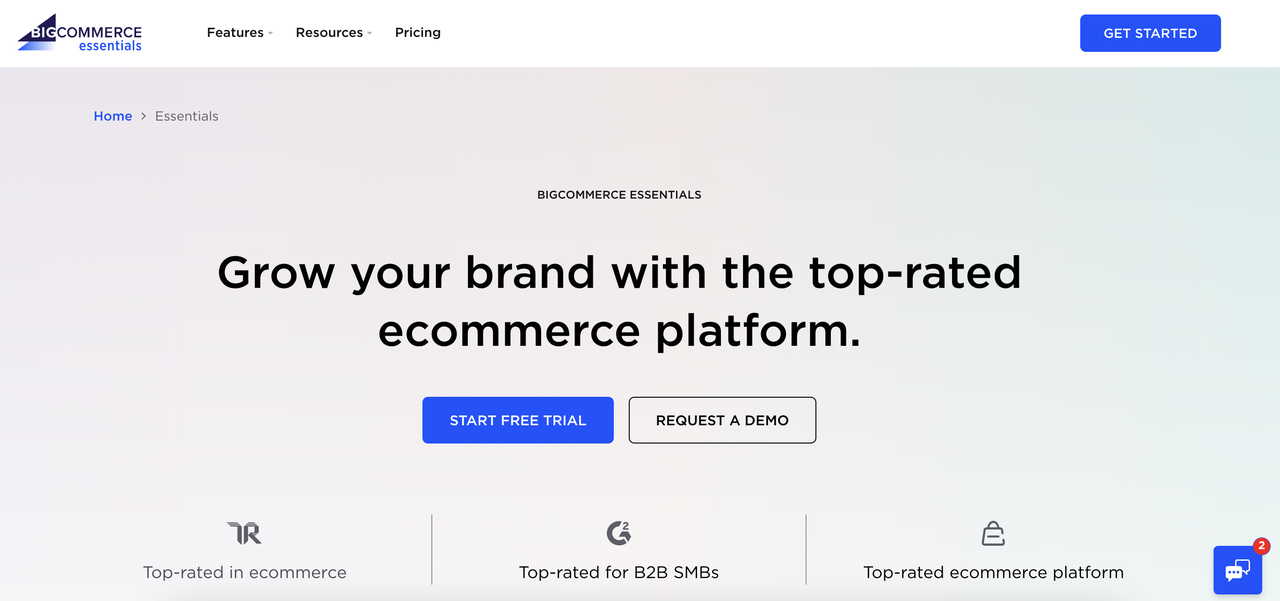
It allows you to sell across multiple channels (Amazon, eBay, TikTok) from one dashboard and offers "Open Checkout," giving developers the freedom to customize the payment experience. It also features BigAI, which helps automate product descriptions and provides predictive analytics to tell you which items will be your next bestsellers.
What BigCommerce offers?
- No transaction fees: Unlike Shopify, BigCommerce doesn't charges a fee for using third-party payment gateways. You only pay your credit card processor's standard rates.
- BigAI Copywriter: Generate SEO-optimized product descriptions and marketing copy in seconds, keeping your brand voice consistent across thousands of SKUs.
- Advanced product options: Supports up to 600 variants (like size, color, and material) per product, which is significantly higher than most competitors.
- B2B-ready features: Includes native tools for wholesale pricing, bulk discounts, and purchase orders, making it ideal for hybrid B2B/B2C businesses.
- Predictive analytics: Built-in reporting that uses AI to forecast customer lifetime value (LTV) and inventory demand patterns.
Why do small businesses choose it?
- Built-in value: Because so many features are "native," your total cost of ownership is often lower than Shopify, where those same features would require monthly app fees.
- Scalability without "re-platforming": It is designed to handle high traffic and massive catalogs from day one, so you won't have to switch platforms as your revenue hits the millions.
- SEO-friendly: Offers more granular control over URL structures and metadata than most SaaS platforms, helping you rank higher on search engines.
How much does it cost?
- Standard plan: $39/month (billed annually at $29/month). Supports up to $50k in annual sales. Includes unlimited staff accounts and most core features. Best for new but ambitious shops.
- Plus plan: $105/month (billed annually at $79/month). Supports up to $180k in annual sales. Adds advanced tools like abandoned cart recovery and customer segmentation.
- Pro plan: $399/month (billed annually at $299/month). Supports up to $400k in annual sales. Adds Google Customer Reviews, product filtering, and custom SSL support.
- Enterprise plan: Custom pricing. For businesses doing over $1M in annual sales. Offers the lowest credit card rates, multi-storefront management, and priority support.
Square Online: Good for physical stores going online
Square Online is the top choice for brick-and-mortar businesses—like boutiques, cafes, and restaurants—that want to sync their physical shop with an online store. It is built to work seamlessly with Square POS hardware, meaning your inventory, sales, and customer data are always updated in real-time across both your counter and your website.
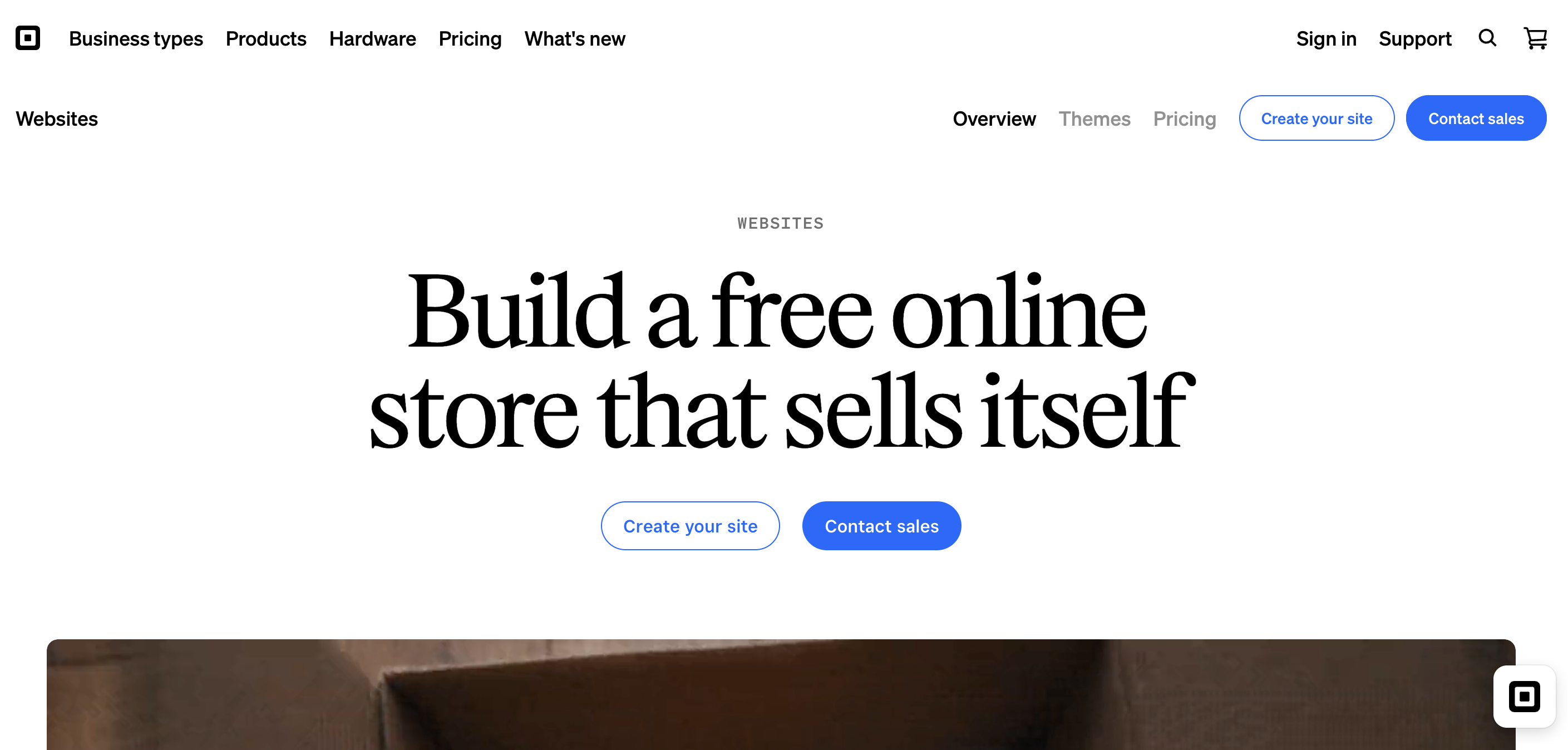
Square has simplified its platform by focusing on "Smart Sync." If you add a new product to your physical register, it can automatically appear on your website with AI-generated descriptions. It is also a leader in local fulfillment, offering built-in tools for curbside pickup, local delivery, and even QR-code ordering for in-store customers.
What Square Online offers?
- Seamless POS integration: Your online and offline worlds stay perfectly synced. If you sell the last item in your store, it’s instantly marked as "sold out" on your website.
- Local fulfillment tools: Easily set up "Buy Online, Pick Up In-Store" (BOPIS), curbside pickup, or local delivery through your own staff or third-party couriers.
- AI Menu and Catalog builder: For restaurants and retailers, Square’s AI can take a photo of your physical menu or product list and instantly turn it into a functional online store.
- Social commerce: Connect your inventory to Instagram and Facebook, allowing customers to shop directly from your posts and stories.
- Square Payments: A built-in payment system that accepts everything from credit cards and Apple Pay to Afterpay (Buy Now, Pay Later) with no complex setup.
- Self-serve ordering: Use QR codes to let customers at your physical location scan, browse, and pay from their own phones, reducing wait times.
- Appointment booking: If you offer services, Square Online integrates directly with Square Appointments so clients can book and pay for time slots online.
Why do small businesses choose it?
- Lowest barrier to entry: It offers one of the most functional "free-forever" plans in the industry, making it perfect for testing an online shop without any upfront cost.
- Operational efficiency: Because it’s an all-in-one system, you don't have to manually move data between your website and your cash register.
- Built for mobile: The editor is designed "mobile-first," ensuring that your customers have a smooth shopping experience on their phones.
How much does it cost?
- Square Free: $0/month. It includes website builder, SEO tools, and social selling. It carries a 3.3% + 30¢ online transaction fee and includes Square branding.
- Square Plus: $49/month. No Square branding and includes a free domain for a year. It features a lower 2.9% + 30¢ online transaction fee and QR code ordering and subscriptions.
- Square Premium: $149/month. Includes everything in Plus and 2.9% + 30¢ transaction fees, and adds real-time shipping rates and 24/7 priority support.
Ecwid: Good for adding stores to existing sites
Ecwid (short for "Ecommerce Widget") is designed for people who already have a website—whether on WordPress, Wix, or even a personal blog—and want to add a shopping cart without starting over. Instead of building a new site from scratch, you simply embed a piece of code, and your products appear instantly.
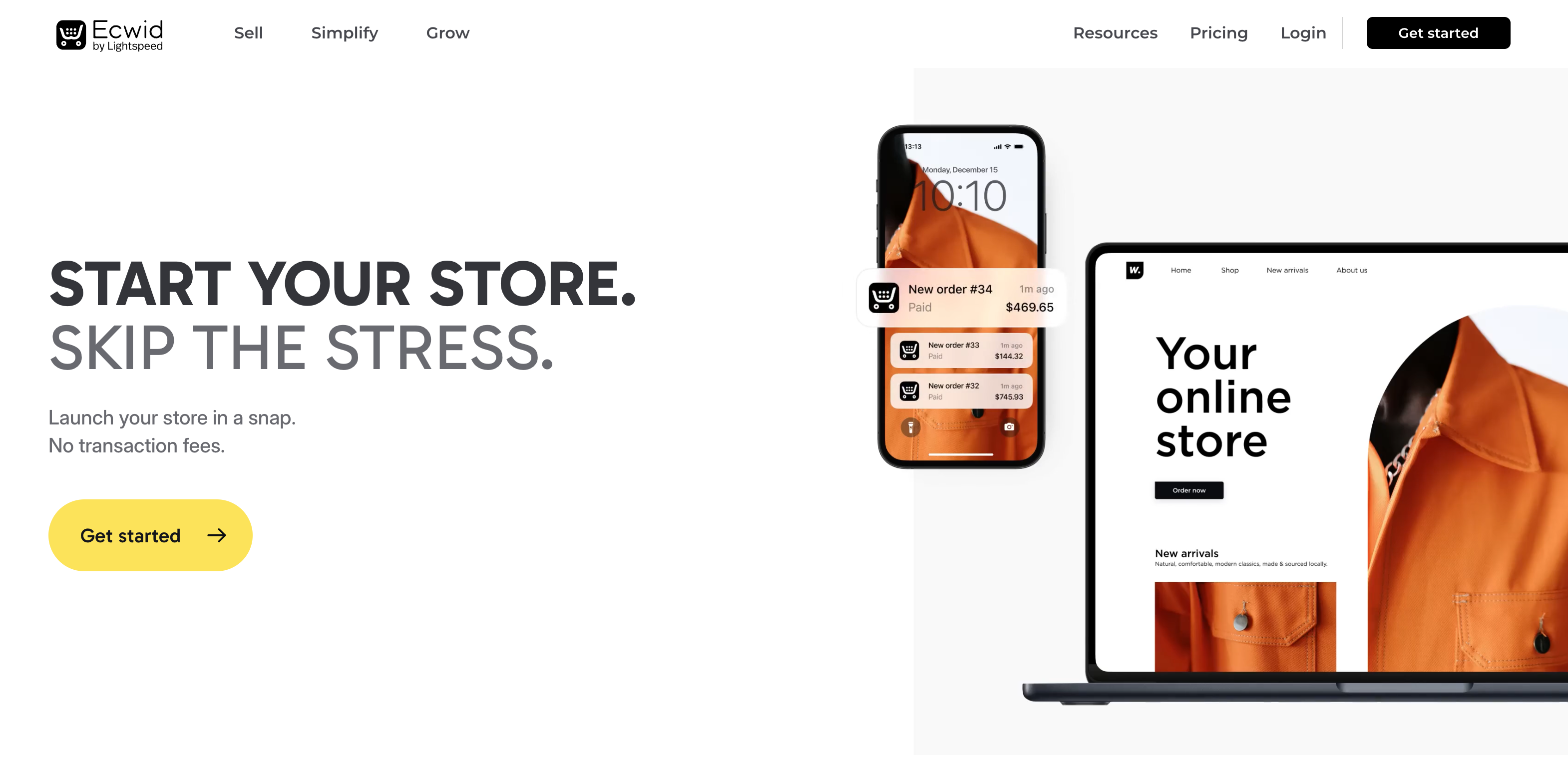
As part of the Lightspeed family, Ecwid has evolved into a multichannel powerhouse. It allows you to sync your inventory across your existing site, social media (TikTok, Instagram), and global marketplaces like Amazon and eBay. It also features an AI Copilot that can instantly remove backgrounds from product photos and generate marketing emails based on customer behavior.
What Ecwid offers?
- Instant Site builder: If you don't have a website yet, Ecwid provides a simple, one-page "Instant Site" with professional templates to get you online fast.
- Zero transaction fees: Unlike many competitors, Ecwid does not take a percentage of your sales on any of its plans. You only pay your payment processor's fee.
- Automated marketing: Use built-in tools for abandoned cart recovery, automated discounts, and smart Google/Meta ad campaigns.
- Local fulfillment: Supports scheduled order pickups and local delivery, making it a strong choice for local businesses.
- Mobile store management: A highly-rated mobile app for iOS and Android that lets you add products, manage orders, and accept in-person payments on the go.
Why do small businesses choose it?
- Preserve your current site: There is no need to migrate your content or learn a new website builder if you are already happy with your current blog or business site.
- Low technical upkeep: Because it is a "plug-and-play" solution, you don't have to worry about security updates or hosting configurations—Ecwid handles the technical side.
- Affordable entry: It is one of the most budget-friendly ways to start selling, offering a free plan for those with a very small product catalog.
How much does it cost?
- Starter plan: $5/month. Supports up to 10 products. Best for hobbyists or businesses selling a very small selection of items on a single site.
- Venture plan: $35/month (billed annually at $29/month). Supports up to 100 products. It includes digital product support, discount coupons, and social media store integration.
- Business plan: $65/month (billed annually at $49/month). Supports up to 2,500 products. It adds abandoned cart recovery, product filters, and advanced eBay/Amazon integrations.
- Unlimited plan: $149/month (billed annually at $119/month). Supports unlimited products. Includes priority support and a custom-branded mobile shopping app for your customers.
Why choose a Shopify alternative?
While Shopify is a powerful industry leader, it is not always the most cost-effective or flexible solution for every business model. Many merchants find that as they scale, the following limitations become significant enough to warrant a move to a more specialized platform:
- High Transaction Fees: Unless you use Shopify Payments, the platform charges an additional 0.2% to 2% fee on every sale. Many alternatives offer lower and even 0% platform fees, allowing you to keep more of your margin.
- The "App Tax": Shopify’s base features are intentionally simple. To add advanced functionality like subscriptions, loyalty programs, or custom product builders, you often need to pay for multiple monthly app subscriptions that can quickly triple your overhead.
- Rigid Product Limits: Shopify has a hard limit of 3 options and 100 variants per product. For brands with complex inventories (like apparel with dozens of color/size combinations), this requires expensive workarounds or third-party apps.
- Limited Design Control: While Shopify's section-based editor is easy to use, it lacks the "pixel-perfect" drag-and-drop freedom found in Wix or the total code-level control offered by WooCommerce.
How to choose the right platforms for your business?
Choosing the right platform is less about finding the "best" software and more about matching a tool to your specific business stage and operational style. To find your perfect fit in 2026, evaluate your business against these four critical pillars:
Identify your "primary need"
Every platform has a core philosophy. Aligning your goals with that strength prevents technical friction later:
- The global seller: If you are focusing on cross-border trade or want to launch fast without technical friction, Shoplazza is designed specifically for that journey. Its AI Store Builder generates a complete storefront from a single prompt, while native integrations with CJdropshipping, EPROLO, and global payment methods mean you can go from idea to live store in a single day — without stitching together separate tools.
- The visual artist: For brands that rely on "pixel-perfect" design control, Wix or Squarespace are the top choices. They allow you to build a designer-grade site without touching code.
- The content-focused seller: If your traffic comes from blogging or deep SEO, WooCommerce (WordPress) offers the most powerful content-commerce synergy.
- The high-growth powerhouse: For merchants scaling toward millions in revenue, BigCommerce provides the industrial-strength infrastructure needed for large catalogs and high traffic.
Calculate the "total cost of ownership" (TCO)
Don't just look at the monthly subscription. The real costs often hide in the transaction fees and "app taxes":
- Transaction Fees: If you sell $10,000/month, a 2% platform fee is an extra $200 gone. Many sellers prefer BigCommerce because they offer ways to waive or eliminate these "penalty" fees, letting you keep more of your margin.
- App Subscriptions: SaaS platforms like Shopify are easy to start, but often require paid monthly apps for basic features like product bundles or currency conversion. Platforms like Shoplazza that include these features natively or free plugins usually offer a lower TCO in the long run.
Assess your technical "appetite"
Be honest about how much time you want to spend "under the hood" of your website:
- "Zero-Code" Ease: Platforms like Shoplazza and Square Online are built for the entrepreneur who wants to focus on marketing, not maintenance. They handle the hosting, security, and updates for you.
- Developer Freedom: If you want total ownership of your code and don't mind managing your own server security, WooCommerce provides an open-source canvas where you can build virtually anything.
Map Your Operational Workflow
Consider how you will actually run the business day-to-day:
- Inventory & Fulfillment: If you sell both in-person and online, Square Online is the most natural fit. If you are doing dropshipping or POD, Shoplazza offers direct integrations that automate the order-to-shipping process.
- Multi-Channel Selling: Ensure your platform can sync your inventory automatically with TikTok, Instagram, and Amazon. Managing these manually as you grow is a recipe for overselling and customer complaints.
Conclusion
The right ecommerce platform shapes how smoothly your business runs. The best Shopify alternatives give small businesses more control, lower costs, and flexibility to grow at their own pace. With the right platform, you can streamline operations, improve customer experience, and focus on expanding your brand without worrying about unnecessary fees or technical hurdles.

.png)