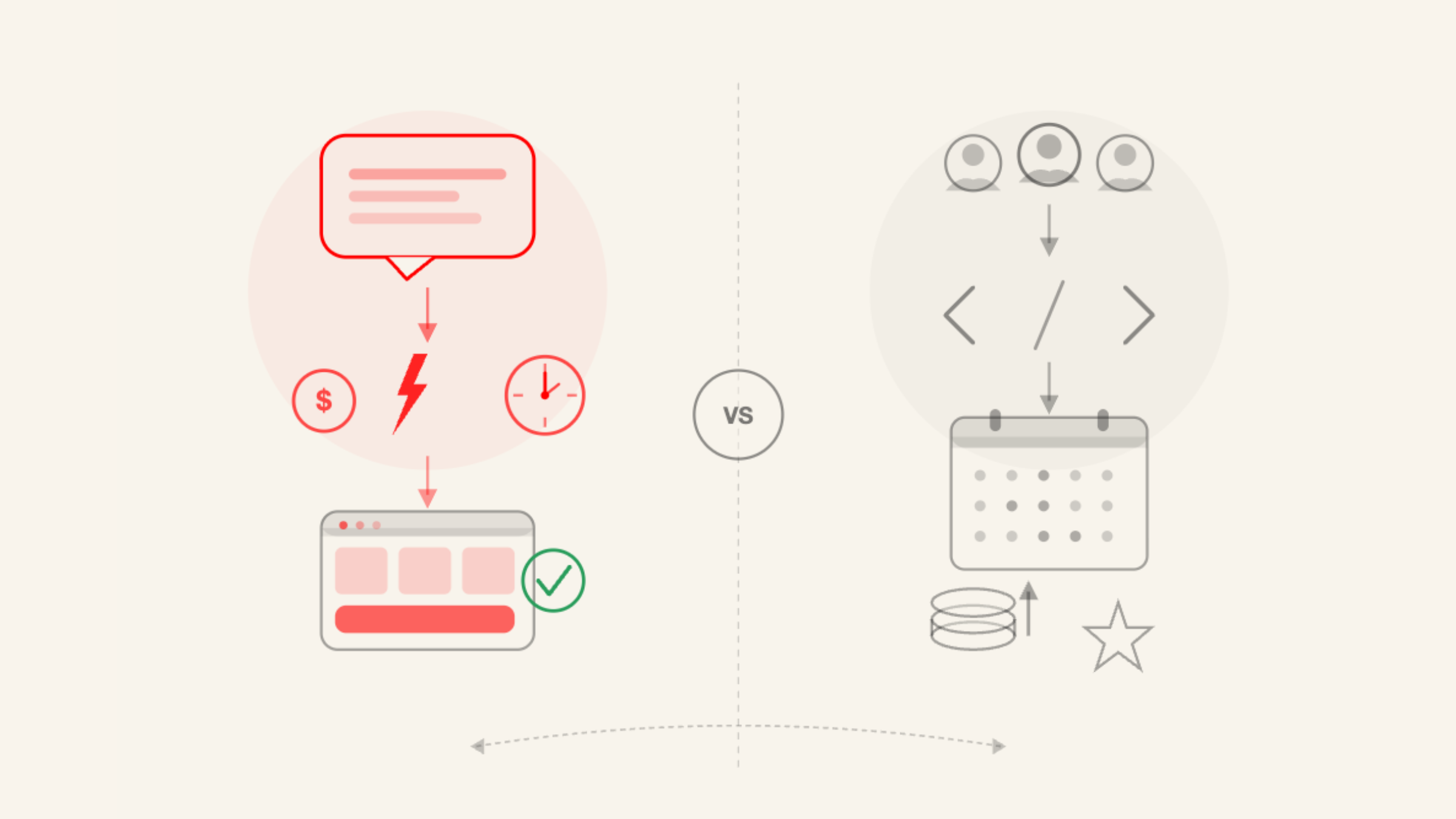
Two AI website builders, very different purposes. Jimdo is one of the most guided and beginner-friendly builders available. It walks you through every decision before generating anything. Shoplazza is built from the ground up for cross-border e-commerce, with AI store generation, global payments, and supplier integrations all native. Choosing between them comes down to one question: what do you actually need the site to do? If the answer is sell products globally, the architecture matters more than the onboarding experience. This article breaks down both platforms honestly so you can make the right call.

Key takeaways
- Jimdo is best for local businesses, solopreneurs, and personal brands who need a clean site fast with minimal setup. It has the detailed guided setup, roughly up to 17 steps before generating anything.
- Shoplazza is built for cross-border e-commerce sellers, especially for DTC brands, dropshippers, and print-on-demand businesses. It generates three store style designs from a prompt, then builds the full store after you choose one.
- Both Shoplazza and Jimdo allow you to preview or try before committing to a paid plan.
- For cross-border selling, Shoplazza's native infrastructure — 180-plus payment methods, multi-currency, hreflang SEO — removes configuration work that Jimdo cannot support.
Shoplazza AI: built for cross-border e-commerce
Most AI website builders treat e-commerce as a feature. Shoplazza treats it as the entire point. It is a cross-border e-commerce SaaS platform built for DTC brands, dropshippers, and print-on-demand sellers who want to reach international markets without months of setup overhead.
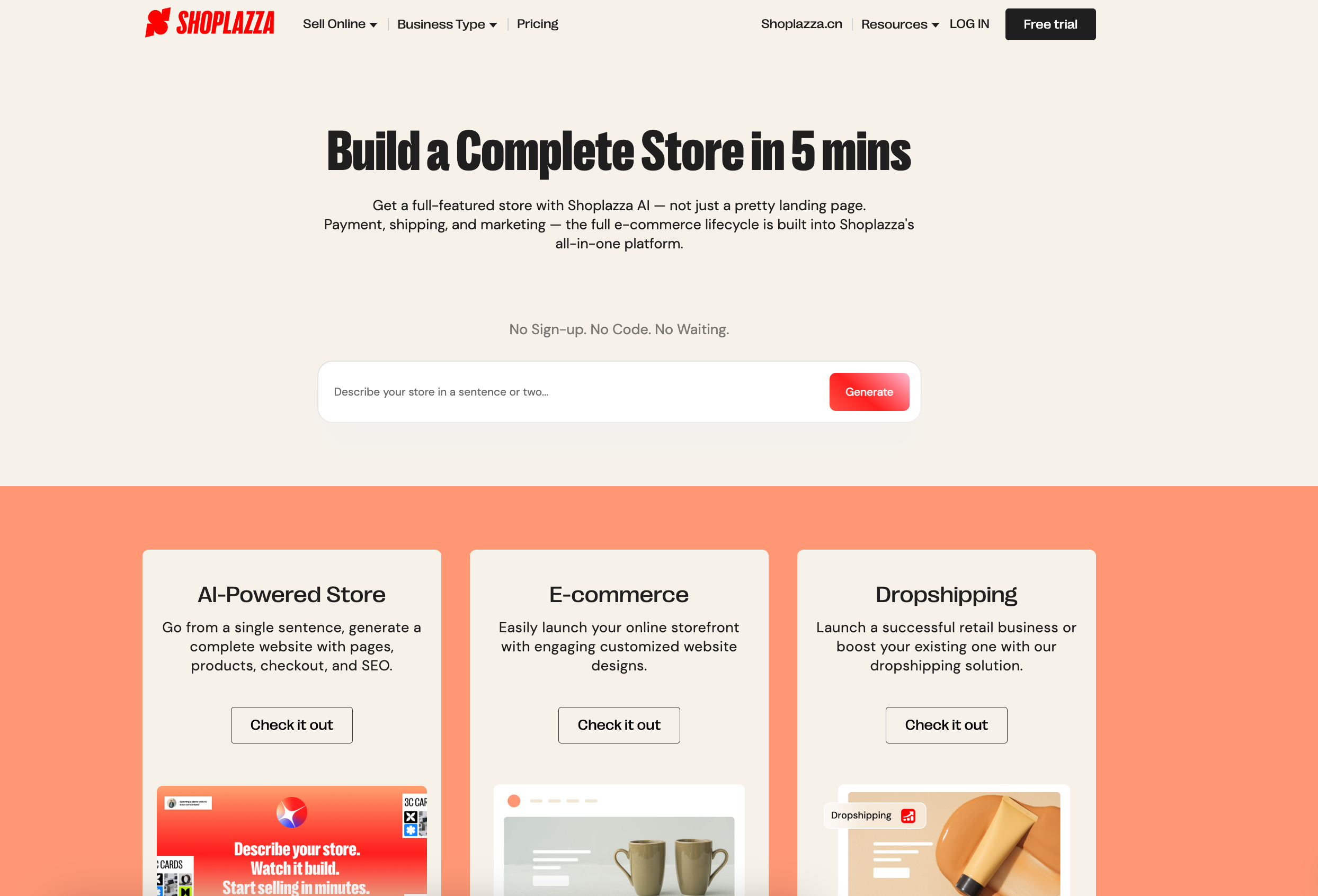
Where Shoplazza differs from general website builders is in how deeply commerce is built into the foundation. Global payments, supplier integrations, auto-switch currency, and SEO for international markets are all supported in a unified backend. Sellers connect with dropshipping suppliers like CJdropshipping and EPROLO directly from the platform, route orders automatically, and sync inventory without a separate tool.
Besides, its direction is moving makes this clearer. The platform is building toward an agentic commerce model — where specialized AI agents handle distinct parts of the selling process autonomously:
- A store-building agent generates a complete storefront from a conversation.
- A marketing agent analyzes intent, writes copy, and executes campaigns.
- A fulfillment agent optimizes logistics routing.
- A retention agent predicts customer lifetime value and reaches out proactively.
Rather than logging into multiple dashboards to coordinate these functions manually, sellers describe the outcome they want in plain language, and the AI handles execution. That shift — from tool-user to outcome-describer — is where the platform is headed.
How to use Shoplazza AI?
- Visit the AI Store Builder and describe what you sell, your target audience, and your brand direction, or answer guided questions and click your preferences.
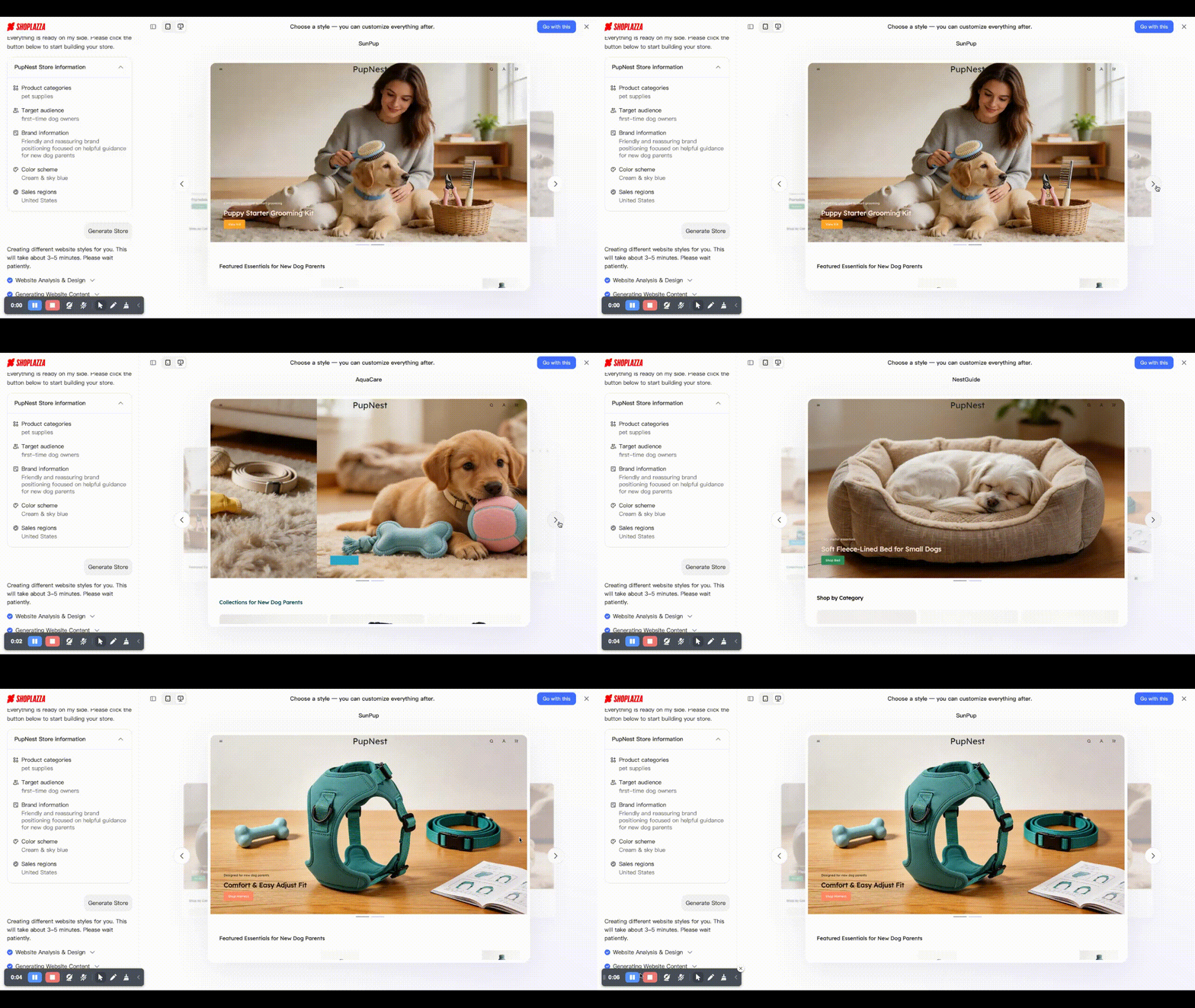
- The AI presents three store style designs in a carousel, then you may review, compare, and choose one.
- Once you choose, AI generates the complete store, including homepage, product pages, About, Contact, policy pages, and checkout, with SEO metadata pre-populated on every page.
- Preview the full store before creating an account. No email, no credit card, no commitment required.
- If you like it and want to adjust and publish it. Register, connect your payment gateway, add or import products, and go live.
👉 Learn more: How to Build an Online Store With AI? Step-by-step Guide
Key features of Shoplazza
- AI Store Builder: generates a complete, sell-ready store from a prompt with a free preview before sign-up.
- LazzaStudio: AI product image and marketing creative generation, no photography required.
- AI product descriptions: generate SEO-structured copy, optimize existing descriptions, and translate across languages directly from the store admin.
- Loyalty and Push: AI member tier segmentation, point redemption automation, and personalized email campaigns for customer retention.
- Shoplazza Payments: 180-plus global payment methods with AI fraud detection, smart dispute prevention via Visa Verifi RDR and Mastercard Ethoca, and intelligent payment retry across channels.
- Social marketing: one-click integrations with Google, Facebook, TikTok, and Pinterest for traffic and ad management from a single dashboard.
- App marketplace: 200-plus tools for marketing, logistics, conversion optimization, and customer service, and around 90% tools are free.
- Open API: full REST API access for custom development, third-party system integrations, and custom app building as the business scales.
Advantages of Shoplazza
- Complete cross-border infrastructure from day one — no extra technical skills needed for payments, multi-currency, or international SEO.
- Free full store preview before any account creation or financial commitment.
- AI tools cover the full funnel: store generation, product visuals, product copy, payments, and customer retention.
- Native dropshipping and print-on-demand support with supplier integrations built in.
- Scales from early-stage validation to enterprise through plan upgrades and Open API.
Limitations of Shoplazza
Shoplazza is purpose-built for product-based commerce, which means it is less suited to businesses with different core models. Sellers focused on subscriptions, gated content, or product design will find the platform does not handle those models well. Similarly, businesses that need a content-heavy site with a highly flexible CMS — a media publication, a portfolio studio, an agency website — are better served by a general-purpose builder. Within its intended use case, the design flexibility is solid; outside of e-commerce contexts, it is not the best tool.
How much does Shoplazza cost?
Annual billing reduces the monthly rate significantly:
- Basic: $39/mo (annual: $29.25/mo) — 2% transaction fee, 3 staff accounts. Suited to new sellers and small businesses getting started.
- Advanced: $105/mo (annual: $78.75/mo) — 1% transaction fee, 5 staff accounts. For growing brands needing more automation and scalability.
- Pro: $399/mo (annual: $299.25/mo) — 0.5% transaction fee, 15 staff accounts, B2B wholesale, and Avalara automated tax calculation. Zero transaction fee on the Pro plan when using Shoplazza Payments.
The free preview is available before any account creation — you generate and evaluate a full store design before making any financial decision.
Jimdo AI: good for solopreneurs and small service businesses
If Shoplazza is built for sellers who know what they want to sell, Jimdo is built for people who are still figuring out what kind of site they need. It is designed for solopreneurs, freelancers, local businesses, and personal brands who need a professional web presence without technical knowledge or a development budget.

What makes Jimdo genuinely useful is not just the AI generation but what surrounds it. The platform includes a basic online store module for small-scale product selling, a Smart Apps ecosystem for embedding third-party tools. And since November 2025, Companion, an AI business chatbot that provides ongoing, personalized recommendations post-launch. Companion analyzes your site performance, benchmarks against competitors in your industry, and surfaces specific actions to improve visibility and convert more visitors.
How to use Jimdo AI?
Rather than asking for a single prompt, Jimdo AI collects real business context across up to 17 steps before generating anything:
- Choose how to build: code or no-code.
- Who is building this site: individual or group.
- Define your purpose: personal project, hobby, growing project, new business, or established business
- Name your site.
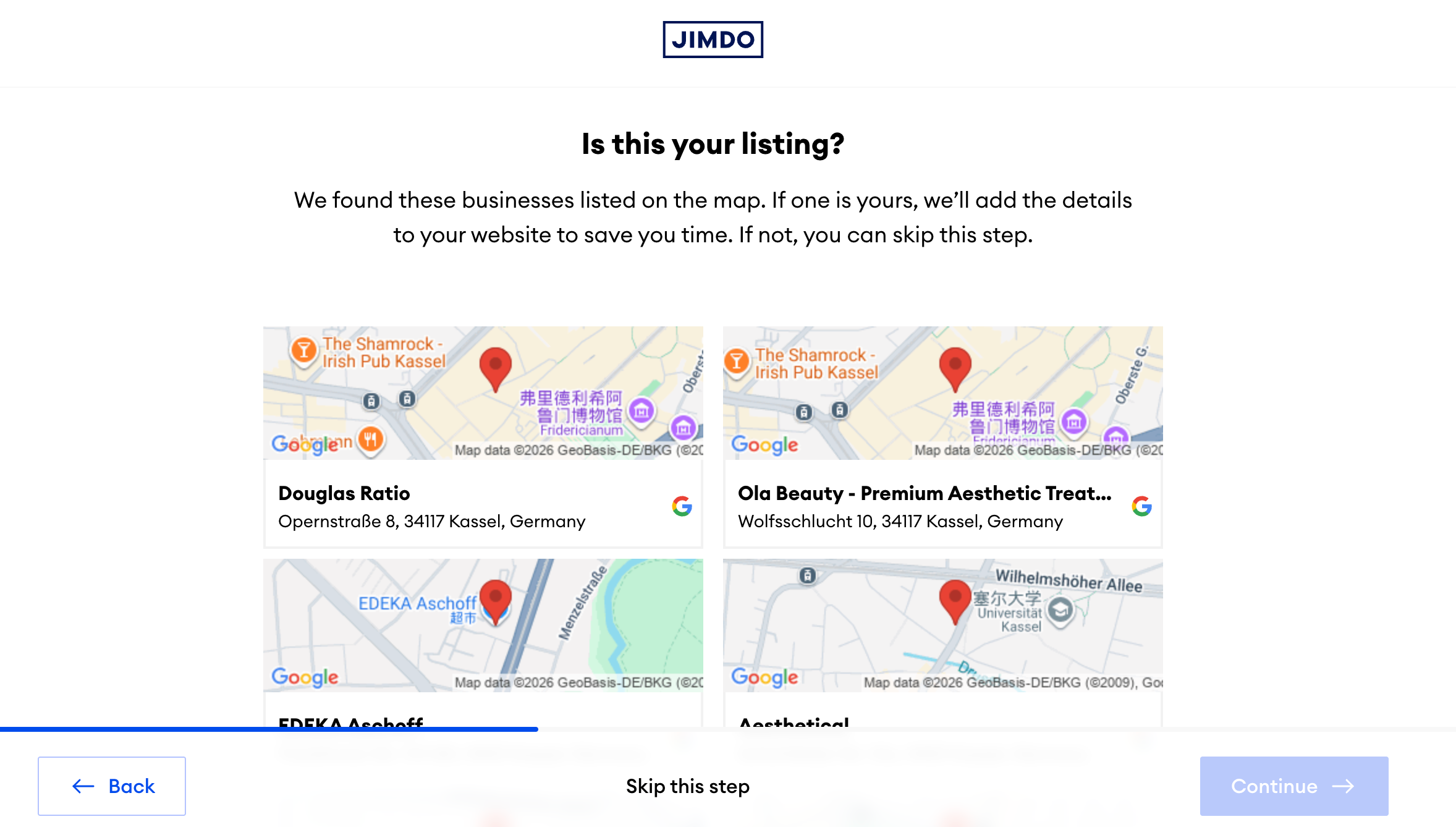
- Business matching: Jimdo searches the map for your listed business — if found, it pulls your address, phone number, and other details automatically to save setup time.
- Choose your categories: product or service type.
- Set your website goals.
- Make or buy: do you produce your own products or source them.
- Where you sell: physical store, social media, online marketplace, or other.
- Where your customers are located: local, national, or EU?
- Optional: import products and photos directly from your Facebook business page.
- Describe what the site is about.
- Choose your color palette and hue. Jimdo shows recommended combinations and related options you might also like.
- Preview two site layout options and choose the one that fits.
- Choose a domain, including free in the first term on all paid plans, then approximately €24 per year on renewal.
- Select a paid plan or start free.
- Edit, optimize, and publish.
If your business already exists on Google Maps, Jimdo can pull your details automatically. In this way , it can save the manual entry of address, opening hours, contact information, and photos. For a local business that is already established offline, this meaningfully reduces setup time.
Key features of Jimdo
- Dolphin AI: 17-step guided site generation that collects real business context, including social import and map matching, before generating a result.
- Online store module: product listings, inventory management, Stripe and PayPal payment processing, order management and export.
- Built-in SEO tools: editable meta titles and descriptions, sitemaps, Google Search Console verification, and visitor statistics on higher plans.
- Smart Apps: embed third-party tools including Google Analytics, booking and appointment systems, social media feeds, and external platforms without code.
- Social import: pull photos, business info, and opening hours from Facebook and Instagram during setup.
- Responsive design: automatic mobile optimization across all devices, with free hosting and email forwarding on paid plans.
Advantages of Jimdo
- Free plan available with no time limit for basic site use.
- Business matching from Google Maps reduces manual setup for existing local businesses.
- Accessible for complete beginners with no design or technical background.
Limitations of Jimdo
Jimdo's architecture is built around websites, not stores. The online store module just covers basic needs, like small product catalogs and order export. Besides, there is no multi-currency support, no hreflang SEO for international markets, no dropshipping integration, and no Google Merchant Center direct connection.
A local bakery selling gift boxes can use Jimdo's store module comfortably. A seller targeting buyers across three countries, running supplier-fulfilled orders, and managing Google Shopping ads cannot.
The free plan is also limited to five pages with a branded subdomain, which restricts how much you can evaluate before committing to a paid plan.
Scalability is the other honest limitation — as commerce needs grow, sellers typically find themselves bumping against what the platform's architecture can support.
How much does Jimdo cost?
Jimdo runs two separate pricing tracks. All prices are for 12-month contract terms and include VAT.Website plans (for general websites, blogs, and service businesses):
- Free: $0/mo — all base features, .jimdosite.com branded subdomain
- Start: $12/mo — custom domain included, ad-free
- Grow: $20/mo (bestseller) — SEO tools, visitor statistics, personalized support within 24 hours
- Unlimited: $50/mo — 500GB storage, professional design analysis, premium support within 12 hours
Online Store plans (for selling products):
- Basic: $20/mo — all basic tools for a small online store, manage and export orders
- Business: $23/mo (bestseller) — product variants, social marketing, social selling
- VIP: $50/mo — 500GB storage, professional design review
Shoplazza vs Jimdo: key differences side by side
Both platforms use AI to build websites, but the similarities largely stop there. Here is how they compare across the dimensions that matter most.
| Dimension | Shoplazza AI | Jimdo AI |
| Store generation | Prompt or guided chat, three style designs provided, then full store | 17-step guided questionnaire, generates complete website |
| AI scope | Store generation, product copy, visuals, payments, retention | Site generation, Companion post-launch business advisor |
| International payments | 180+ methods, native multi-currency | Stripe and PayPal only, single currency |
| Dropshipping | Native (CJdropshipping, EPROLO, and more) | Not supported |
| SEO | Hreflang, local SEO, multi-language | Basic meta tools only |
| Free entry point | Full store preview, no sign-up | Free plan with branded subdomain |
| Pricing | From $39/mo (annual: $29.25/mo) | Website from $0; Online Store from $20/mo |
| Best for | Cross-border sellers, DTC, dropshipping | Local businesses, solopreneurs, personal brands |
Setup experience: two approaches to the same starting line
The first thing you notice when comparing these platforms is how differently they approach getting you started:
- Shoplazza's approach is faster and more product-focused. The guided conversation covers what you sell, who you sell to, and your brand direction. Then three style designs appear in a carousel. You pick one, and the full store — all pages, checkout, SEO metadata — is generated automatically. Less hand-holding, but the output is a functional selling environment rather than a website with a shop module attached.
- Jimdo's 17-step flow is the most thorough guided experience of most of AI builders available. It asks about your business type, your goals, where your customers are, whether you make or buy your products, and what your brand should feel like. It can even pull your business details from Google Maps if you are already listed there, or import product photos from your Facebook page. By the time Jimdo generates your site, it knows a lot about your business. The output reflects that.
The cross-border gap
This is the most consequential difference for any seller with international ambitions, and it is architectural rather than superficial.
- Shoplazza's multi-currency support, 180-plus global payment methods, and Google, TikTok, and Meta integration are all built into the platform. A cross-border seller can go live in a new market without configuring various backends. The infrastructure is there from day one.
- Jimdo's payment infrastructure supports Stripe and PayPal only, in a single currency. There are no multilingual SEO capabilities and no GMC integration. For a local business serving a single market, none of this matters. For a seller who wants to reach buyers in Germany, the US, and Southeast Asia simultaneously, it is a hard ceiling that no plan upgrade resolves.
Post-launch AI: Companion vs the Shoplazza ecosystem
Both platforms offer AI beyond the initial build, and the comparison here is interesting:
- Jimdo's Companion chatbot is a genuinely useful post-launch tool. It analyzes your site performance, benchmarks against competitors, and surfaces specific recommendations for improving visibility and converting more visitors. The GDPR compliance and Google and Meta integrations make it practical for European businesses in particular. For a local business trying to get more inquiries from its website, Companion is a meaningful tool.
- Shoplazza's post-launch AI layer operates at a different scale. Intelligent product recommendations personalize the buyer experience in real time based on browsing behavior. Loyalty and Push automates member tier classification, point redemption, and personalized email campaigns without manual setup. LazzaStudio generates new product visuals and marketing creatives as your catalog grows. The AI product description tool refines and translates copy across markets.
The distinction is scope. Jimdo helps you optimize a website. Shoplazza helps you operate a store and the AI is embedded in the day-to-day operation, not just the setup.
How to choose the right AI tools: five questions before you decide
The right platform depends less on feature lists and more on what your business actually needs to do. Work through these before committing.
Is selling products your primary goal, or is having a web presence?
If transactions are the core function of the site, you need a platform (like Shoplazza) built around commerce from its foundation . General website builders with shop modules create friction at the payment, inventory, and fulfillment layer that compounds as volume grows. If the site is primarily a marketing asset — a portfolio, a service page, a local business listing — a general-purpose builder like Jimdo works well and costs less.
Are your customers in one country or several?
Single-market sellers can work with either platform. If your audience is local, Jimdo's tools are more than adequate. Cross-border sellers who need multi-currency checkout and local payment methods in different regions need a platform where those features are native, not app-dependent. The cost of configuring these capabilities on a general platform often exceeds the price difference between the two options.
Do you plan to use dropshipping or print on demand?
If your business model depends on supplier fulfillment, Jimdo does not support it. Shoplazza's native integrations with CJdropshipping and EPROLO handle product import, inventory sync, and order routing automatically within the platform. For dropshippers, this removes an entire layer of operational overhead.
How important is a guided setup to you?
If you have never built a site before and want the most hand-held experience available, Jimdo's 17-step flow is one of the best in the market. It is thorough, friendly, and produces a result that reflects your actual business. If you know what you want to sell and want to move fast, Shoplazza's prompt-based generation is faster and the output is commerce-ready without additional configuration.
What is the total cost as you scale?
Both platforms look affordable at entry. The real cost question is what you pay as order volume grows — per-transaction fees, required apps to add cross-border functionality, and developer time if you hit platform limits. Jimdo's ceiling is lower and reached faster for e-commerce sellers. Shoplazza's cost is higher upfront but more predictable because the infrastructure is included.
Recommended solutions for different seller types
Different businesses have genuinely different needs. Here is where each platform earns its place.
New sellers validating a product idea
Shoplazza's free preview lets you generate and evaluate a full store design before signing up. No account, no credit card. Once you decide to publish, the Basic plan at $39/mo gives you a complete selling environment with global payments, dropshipping integrations, and SEO tools from day one. The low cost of testing — a preview costs nothing — makes it the practical choice for sellers who are not yet sure whether the product will find a market.
Cross-border DTC brands
For sellers building a brand they intend to grow across multiple international markets, Shoplazza's native infrastructure is the clearest choice. Multi-currency support, 180-plus payment methods, and the App Store ecosystem are all in place without additional configuration. As the business scales, the Open API allows for custom development on top of the platform rather than requiring a full rebuild.
Dropshipping sellers
Native CJdropshipping and EPROLO integrations, combined with AI product descriptions and LazzaStudio for product visuals, make Shoplazza a complete dropshipping workflow — from sourcing and listing through to order routing and delivery tracking. Jimdo does not support this model.
Local small businesses and solopreneurs
If your audience is local, your product range is small, and your goal is to get online quickly with no technical knowledge, Jimdo is a fast and low-cost starting point. The guided setup collects real business context and produces a site that reflects your specific operation. Companion provides ongoing optimization advice once you are live. The free plan covers basic use, and the Grow plan at $20/mo adds SEO tools and visitor statistics for businesses ready to invest a small monthly amount in improving visibility.
Personal brands, freelancers, and service businesses
Jimdo suits anyone who needs a professional web presence rather than a transactional store. A freelance designer, a local restaurant, a therapist, a photographer — these are the users Jimdo was built for. The 17-step setup produces a tailored result, the free plan is a genuine starting point, and Companion adds ongoing value as the site matures.
Conclusion
The Shoplazza vs Jimdo comparison comes down to a single question: what does your site need to do? Jimdo is one of the most beginner-friendly AI website builders available — thorough guided setup, a useful post-launch advisor, and a free plan that costs nothing to try. Shoplazza is built for a different job: selling products globally, with payments, dropshipping, and inventory management ready from day one. Start with what your business actually needs, not what looks easiest on paper.
Frequently asked questions about Shoplazza vs Jimdo
Q1: Does Shoplazza AI store builder really require no sign-up to preview?
Yes. You can describe your store, go through the guided setup, and preview a complete generated store — including all pages and checkout — before creating an account. No email address, no credit card, and no commitment required at that stage. You only register when you decide to publish and take the store live.
Q2: What AI tools does Shoplazza offer beyond store building?
Several. LazzaStudio generates product imagery and marketing creatives without a photoshoot. The AI product description tool writes, optimizes, and translates product copy directly from the store admin. Shoplazza Payments includes AI-powered fraud detection and smart dispute prevention. Loyalty and Push uses AI to automate member tier classification, point redemption, and personalized email campaigns. Together, these tools cover the full selling workflow — not just the initial store setup.
Q3: Does Jimdo support multi-currency checkout?
No. Jimdo's online store currently supports single-currency transactions through Stripe and PayPal. If you need to display prices in multiple currencies and accept payment in local currencies across different markets, Jimdo's platform does not support this natively, and there is no app integration that adds it.
Q4: Is Jimdo's free plan enough to test an online store?
The free plan gives you access to base features and a .jimdosite.com branded subdomain, but it does not include Jimdo's Online Store functionality. To test selling products, you need at least the Basic Online Store plan at $20/mo. The free plan is useful for evaluating Jimdo's website builder — the design output, the guided setup, the editor — before committing to a paid plan. It is not a route to testing commerce functionality without payment.