When people search for sites similar to Shopify for e-commerce setup, they rarely mean the exact same thing. One seller wants to go from zero to a live store in an afternoon. Another wants a familiar checkout flow, or a dropshipping workflow that actually handles the tedious parts automatically. Someone else is just tired of paying for five separate apps every month. "Similar to Shopify" is a starting point, not a destination. This guide maps platforms to the specific part of Shopify's experience you are trying to replicate — so you spend less time comparing and more time building.
Key takeaways: 9 sites similar to Shopify
Before diving in, here is a quick-reference table of what each section covers. If you already know which part of Shopify's experience matters most to you, use this to jump straight to the relevant section.
| If you want something similar to Shopify for | Platforms to consider |
| Setup speed and ease | Shoplazza, GoDaddy Airo, Hostinger |
| Themes and storefront design | Shoplazza, Wix |
| Payment and checkout experience | Shoplazza, Square, BigCommerce |
| Dropshipping workflow | Shoplazza, Shift4Shop |
| Multichannel selling | Shoplazza, BigCommerce, Ecwid |
| App and plugin ecosystem | Shoplazza, WooCommerce, BigCommerce |
Platforms similar to Shopify, matched by what you need
Not every Shopify alternative fits the same problem. The sections below match platforms to the specific capability you are trying to replicate, starting with the one most sellers care about first: getting a store live without friction.
Similar setup speed and ease
- Platforms: Shoplazza, GoDaddy Airo, Hostinger
What makes Shopify feel fast to launch is simple: you answer a few questions, pick a template, and get a working storefront without touching code. Several platforms now go further with AI-assisted generation. Instead of handing you a blank template, they build out a store with real structure and content already in place. Shopify requires account creation before you can see a complete store preview.
Shoplazza AI store builder
- Generate a full store before you sign up.
Shoplazza's AI store builder starts with a short guided chat. You describe your store type and target market, and the AI produces three store style designs in a carousel. Pick one, and the system builds the full store, including homepage, product pages, About, Contact, policy pages, and a working checkout.

The part that sets it apart is the preview-before-you-commit model. You see the complete generated store before creating an account, and no credit card is needed at that stage. Many sellers have wasted hours setting up a store only to find the design does not fit their brand. Shoplazza lets you validate the result before you invest any time.
GoDaddy Airo
- You need to sign up first, then ask Airo.
Airo generates a store from simple business descriptions. You type what you sell and who your customers are, and it comes back with a homepage that already has copy, a color scheme, and a layout applied. For sellers who do not have a brand identity yet, that is genuinely useful. You get something real to react to and edit rather than staring at a blank editor.
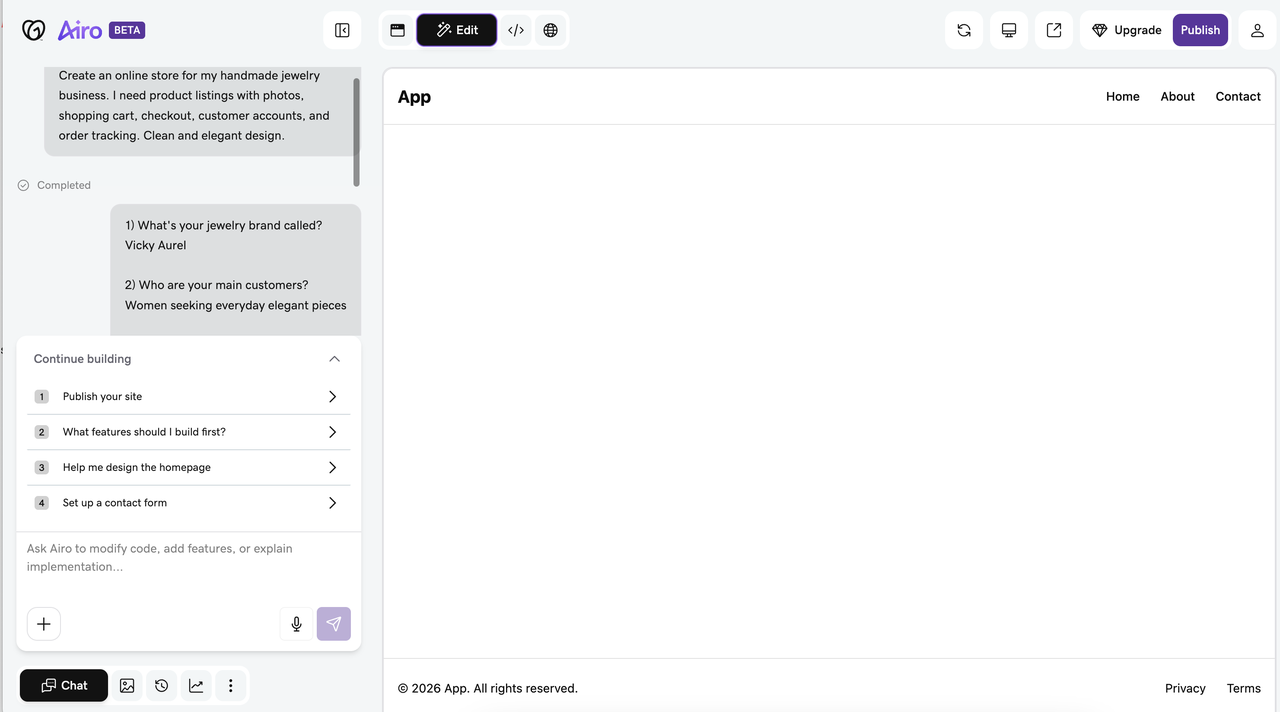
The limitation is worth knowing upfront: Airo's e-commerce depth is shallower than Shopify's. Simple product catalogs work fine. Variant-heavy products, complex fulfillment setups, or stores that need granular shipping rules will run into constraints quickly. It is a strong starting point for straightforward stores, not a full operational platform.
Hostinger AI website builder
- You need to sign up first.
Type a prompt like "create a pet supplies online store," and Hostinger generates a working store in about two to three minutes. You get a homepage, collection page, product detail page, About Us, and a checkout flow — ready to edit straight away. It is faster than most platforms at this stage, though the page set is more basic compared to Shoplazza's AI output, which also generates policy pages, shopping cart, and a fully configured checkout from the same prompt.

Independent testing by Tech.co found that Hostinger delivered the fastest site loading speeds of all website builders tested, which is a practical advantage for stores relying on mobile traffic. Reviewers also note that the beginner-friendly drag-and-drop editor makes it easy to add sections or move elements after the AI generates the initial layout, so you are not locked into what the AI produces.
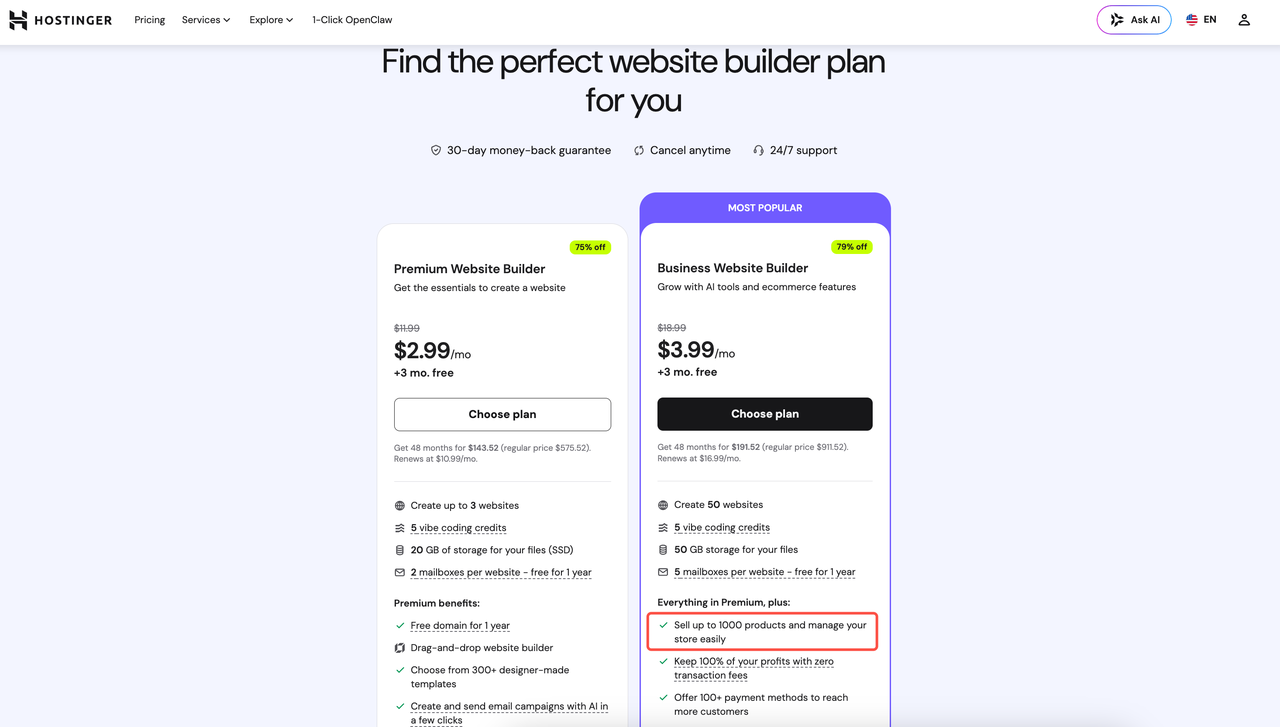
Where Hostinger has limits: the Business plan supports up to 1,000 products with zero transaction fees, which is fine for most early-stage stores but becomes a ceiling if you plan to scale a large catalog. It works best for sellers with a focused product range who want to get online quickly without a steep learning curve.
Similar themes and storefront design
- Platforms: Shoplazza, Wix
What sellers value about Shopify's theme ecosystem is professional-looking templates that work on mobile without extra effort, plus enough customization depth to make a store feel brand-specific without hiring a designer. Both Shoplazza and Wix deliver on that, but in noticeably different ways.
Shoplazza
Shoplazza's store themes are built exclusively for e-commerce. Every template covers the full commerce workflow. Templates are organized by industry vertical, including apparel, electronics, beauty, home goods, so you start from a layout already structured for your product type. The page hierarchy, image ratios, and section logic are set up before you touch anything.
Reformia is worth calling out specifically for all sellers. On the collection page, hovering over a product image instantly switches to the secondary image, and shoppers can add items to the cart using the quick-add button without opening the product detail page. That cuts out a step that a meaningful percentage of mobile users drop off at.

- The theme also displays real-time viewer counts and remaining stock levels on product pages automatically, which nudges hesitant buyers without any manual setup.
- Trust signals, like free returns, authenticity guarantees, and discount badges, appear in a dedicated trust bar that stays visible through the purchase flow, so shoppers see that information exactly when they are deciding.
- Customization runs through a drag-and-drop page editor, and the theme code is accessible for sellers who want to make bigger changes.
Wix
Wix has over 900 templates across categories, with a solid selection built specifically for e-commerce. Where it differs most from Shopify is editor flexibility. Shopify locks you into a section-based grid, and you can reorder sections but cannot place elements freely outside that structure. Wix removes that constraint entirely. Text, images, buttons, video — any element goes anywhere on the page.
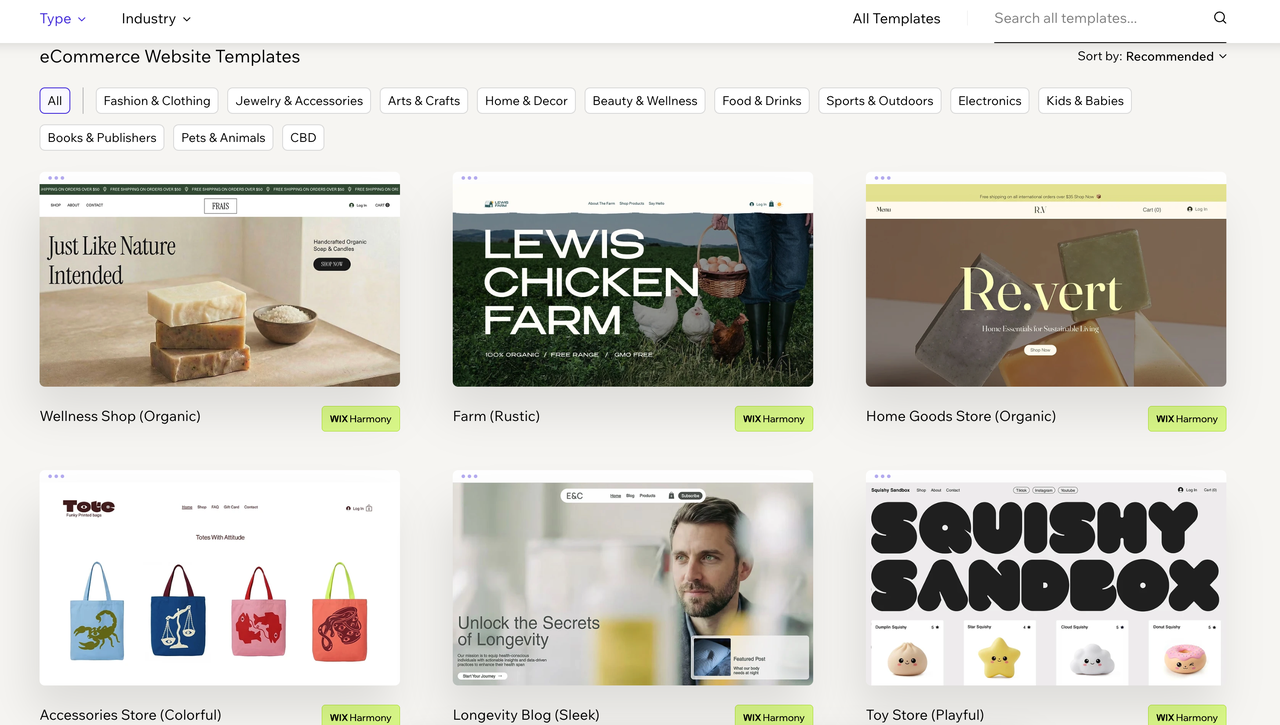
This matters most for brands where visual presentation drives the store experience. Fashion, lifestyle products, and anything where photography or brand storytelling does the heavy lifting tend to benefit from that freedom more than a grid-based layout allows.
Wix templates are not interchangeable after launch. Switching templates after you have customized and gone live means rebuilding your content from scratch. Choose your template carefully before you start adding products and pages.
Similar payment and checkout experience
- Platforms: Shoplazza, Square, BigCommerce
Shopify's payment system works because it is fully integrated. Sellers can activate it from the dashboard, and it handles currency conversion and mobile checkout automatically. These alternatives offer comparable checkout quality as well.
Shoplazza Payments
As mentioned above, the Reformia theme supports a quick-checkout flow directly on the product page, so mobile shoppers can complete a purchase without navigating to a separate cart page. Fewer steps between intent and payment makes a real difference for paid traffic conversion rates.
Multi-currency checkout is built in at every plans. Customers see prices and pay in their local currency, with Shoplazza handling conversion on the backend.
If you sell across multiple markets and need to support several payment methods at once, Shoplazza Payments handles that from a single dashboard. It covers 180+ countries and regions and supports over 180 payment methods across four categories: credit and debit cards, digital wallets like Apple Pay and Google Pay, buy-now-pay-later options including Klarna, Affirm, and Afterpay, and local payment methods specific to each market. For higher-ticket products, having buy-now-pay-later at checkout reduces upfront friction and lowers cart abandonment noticeably.
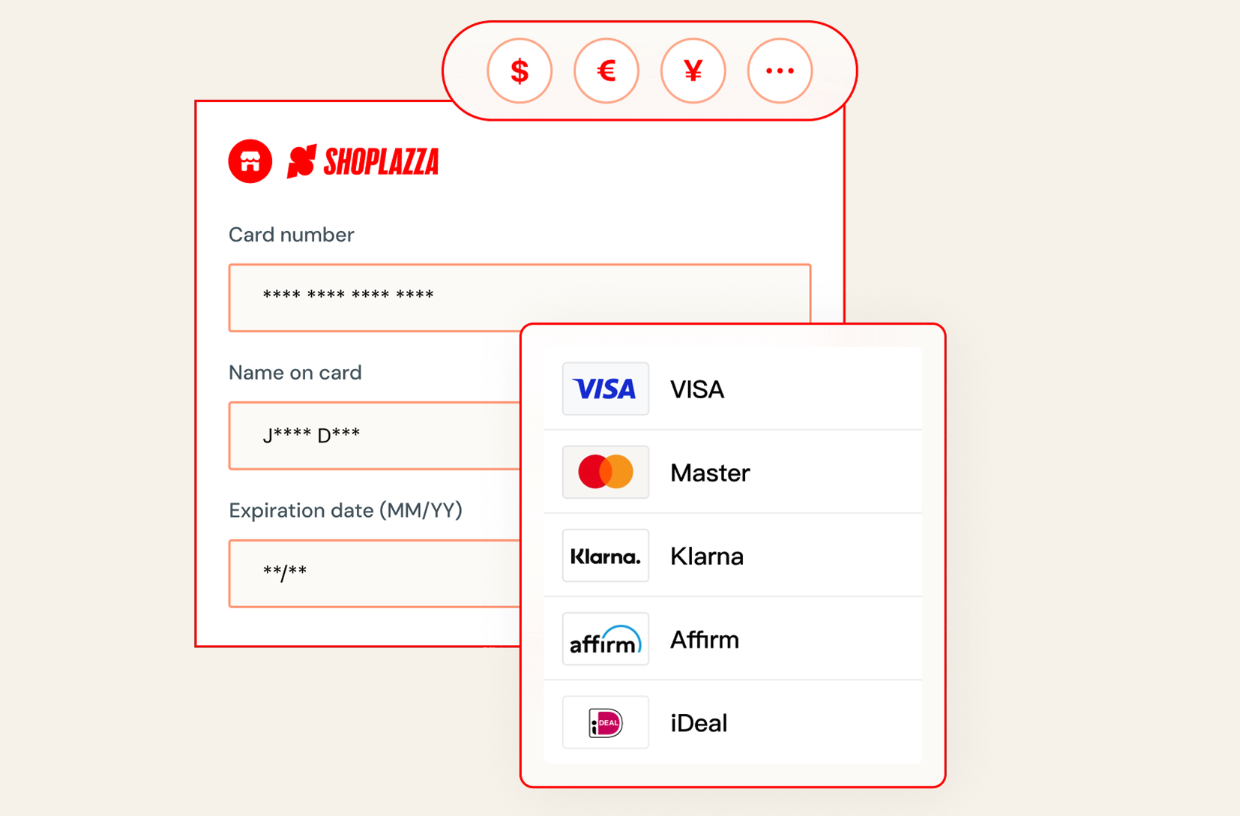
Shoplazza also runs AI fraud detection that flags suspicious orders before they become chargebacks. The platform reports a 16% average reduction in merchant dispute rates — worth paying attention to if you are new, since exceeding chargeback thresholds can get a payment account suspended.
Square POS
Shopify has its own POS system, and the more advanced POS features are locked behind the higher-tier plans. Square takes a different approach; the POS software is free, and it is built around in-person selling first, with online as an extension of that.
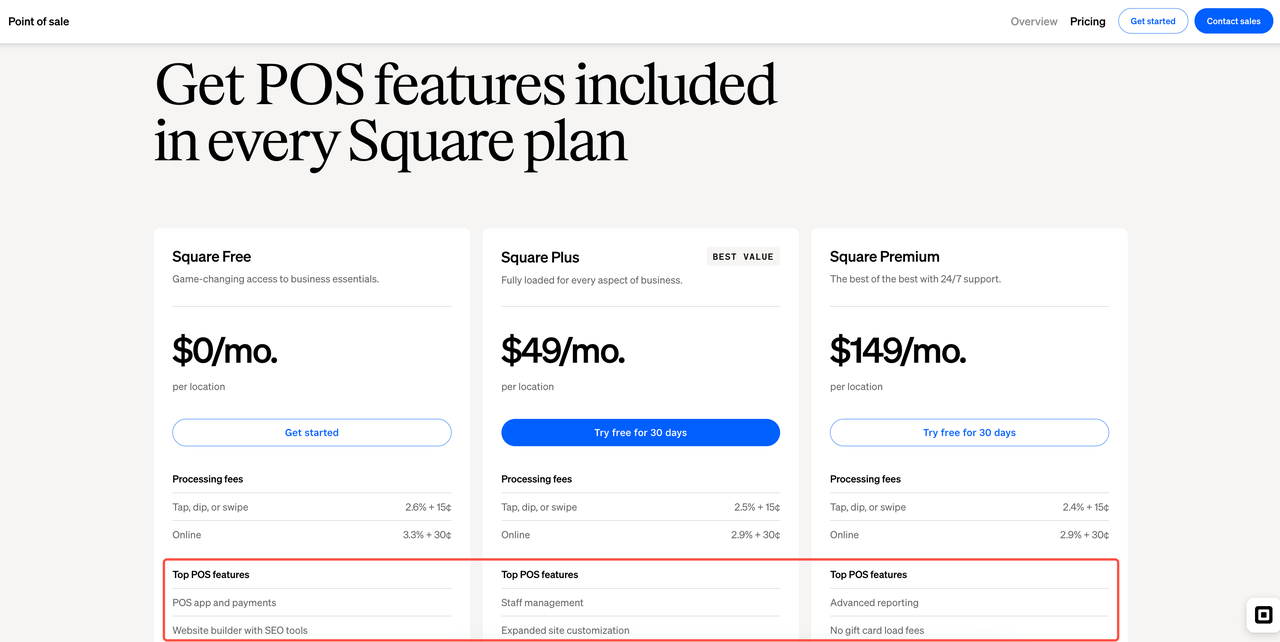
For sellers operating both at a physical location and online, that distinction matters in practice. Payments taken through Square POS hardware sync inventory and sales data to your online store in real time. If you sell at a weekend market and an item sells out, it is automatically marked unavailable online — no manual update needed, no overselling.
You might notice Square's online checkout customization is more limited than Shopify's. For standard checkout needs it is solid and well-optimized for mobile, but stores with specific upsell logic or post-purchase flow requirements will hit constraints fairly quickly.
BigCommerce
On the checkout side, BigCommerce supports 65+ pre-integrated payment gateways globally, covering major processors like Stripe, PayPal, and Square alongside regional options. You can offer the gateway your customers already trust without paying extra for the privilege.
Its Open Checkout feature also lets developers fully customize the checkout page at the layout, field, and logic level. For brands that need a tailored checkout experience without being locked into a specific payment processor, BigCommerce gives you both.
Similar dropshipping workflow
- Platforms: Shoplazza, Shift4Shop
What makes Shopify's dropshipping workflow functional is the integration layer:
- Supplier apps connect to your store
- Product import happens in a few clicks
- Orders route to the supplier automatically after a customer pays
Both Shoplazza and Shift4Shop replicate this, and Shoplazza also includes it with branding capabilities.
Shoplazza dropshipping
Like Shopify, Shoplazza supports both dropshipping and print-on-demand models. You can run a pure dropshipping business, add POD customization through dedicated plugins, or combine both depending on your product mix.
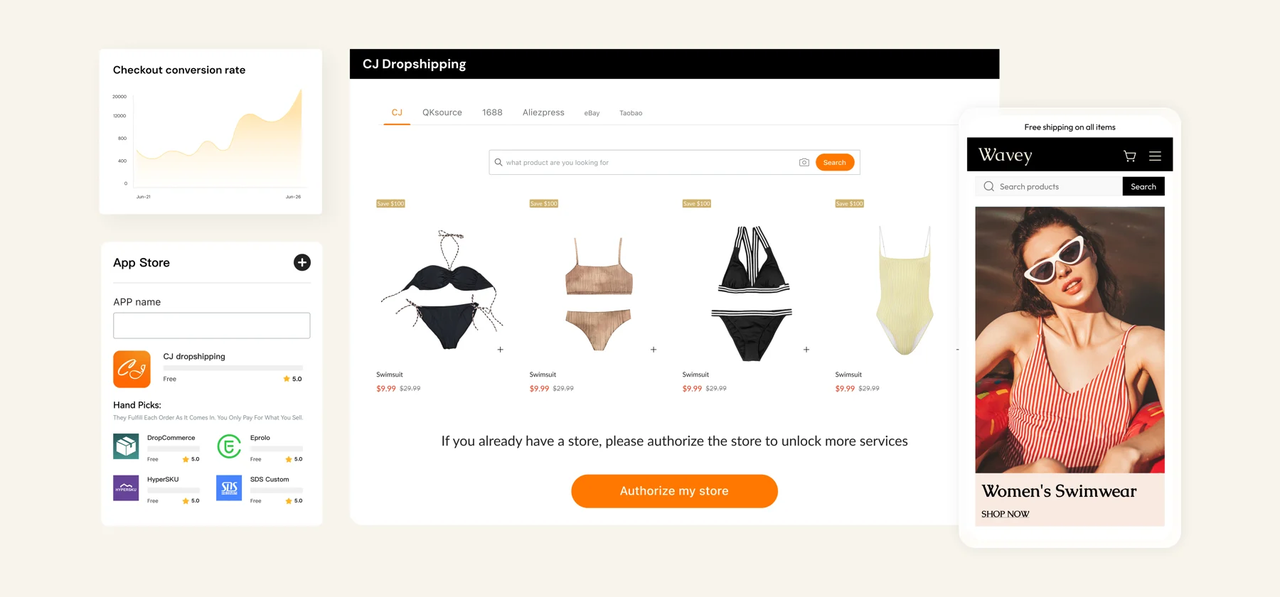
Shoplazza has direct integrations with CJdropshipping, EPROLO, and other dropshipping suppliers built into the platform. From the dashboard, you can browse supplier catalogs, import products with one click, and set fulfillment rules so orders route to the supplier automatically after payment. Once configured, the workflow from customer order to supplier dispatch requires no manual steps. On the branding side, EPROLO in particular covers branded packaging, custom labels, and hang tags — useful for sellers building a recognizable product identity rather than running a generic resale store.
After an order is placed, Shoplazza syncs tracking information back to the customer automatically. The order management dashboard also gives you full visibility over fulfillment status, so you can resolve issues quickly without digging through supplier emails.
Shift4Shop dropshipping
Shift4Shop's dashboard and product management screens are structured similarly to Shopify's, so the relearning curve is relatively low if you are coming from Shopify's admin. It supports dropshipping integrations with Modalyst, Inventory Source, and AliExpress-based suppliers.
One specific advantage worth noting: Shift4Shop product pages are Google AMP-compatible by default, which improves mobile load speed and can help with organic rankings for product-specific keywords.
One detail to be aware of: Shift4Shop's free plan is only available to US-based sellers using its own payment processor. If you are outside the US, you will be on a paid plan, so factor that in when comparing.
Similar multichannel selling
- Platforms: Shoplazza, BigCommerce, Ecwid
Shopify lets you sell across multiple channels — your online store, social platforms, and marketplaces — while keeping inventory and orders synced from one dashboard. The platforms below handle multichannel selling in different ways, so which one fits depends on which channels you sell on and how your store is set up today.
Shoplazza
For social marketing, Shoplazza connects to TikTok Shop, Instagram, Facebook, and more from a single dashboard. Generally, product catalog, inventory, and orders stay synced across all connected channels automatically. For example:
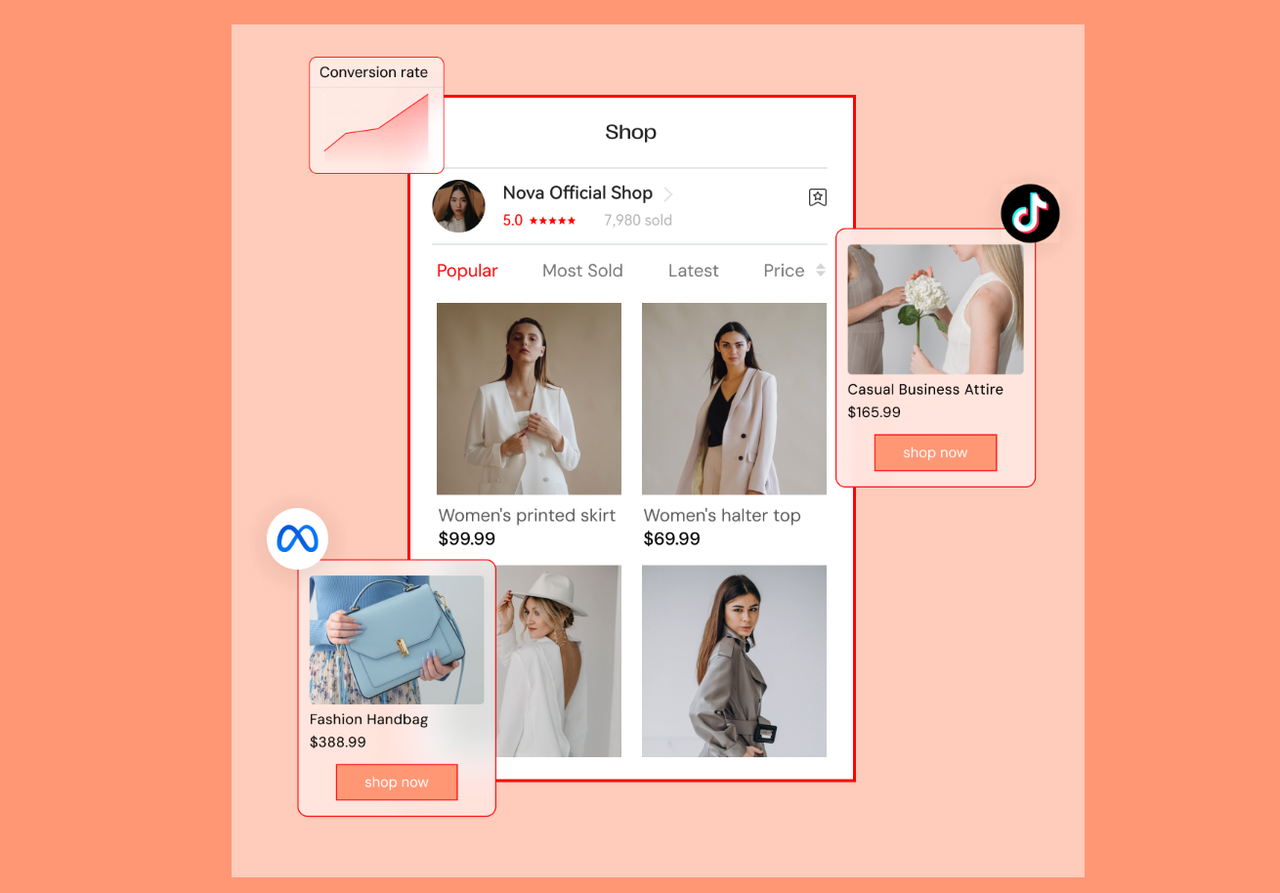
- Connect your TikTok For Business account from the Shoplazza dashboard, and all live products sync to your TikTok catalog automatically, with daily updates.
- You can manage TikTok ad campaigns, Pixel tracking, and TikTok Shop orders all from within Shoplazza — no need to switch between platforms.
- TikTok Shop integration is currently supported for US-based sellers.
For sellers who do not yet have a TikTok ad account, Shoplazza offers account opening guidance, with approval typically taking around 3 business days.
Amazon:
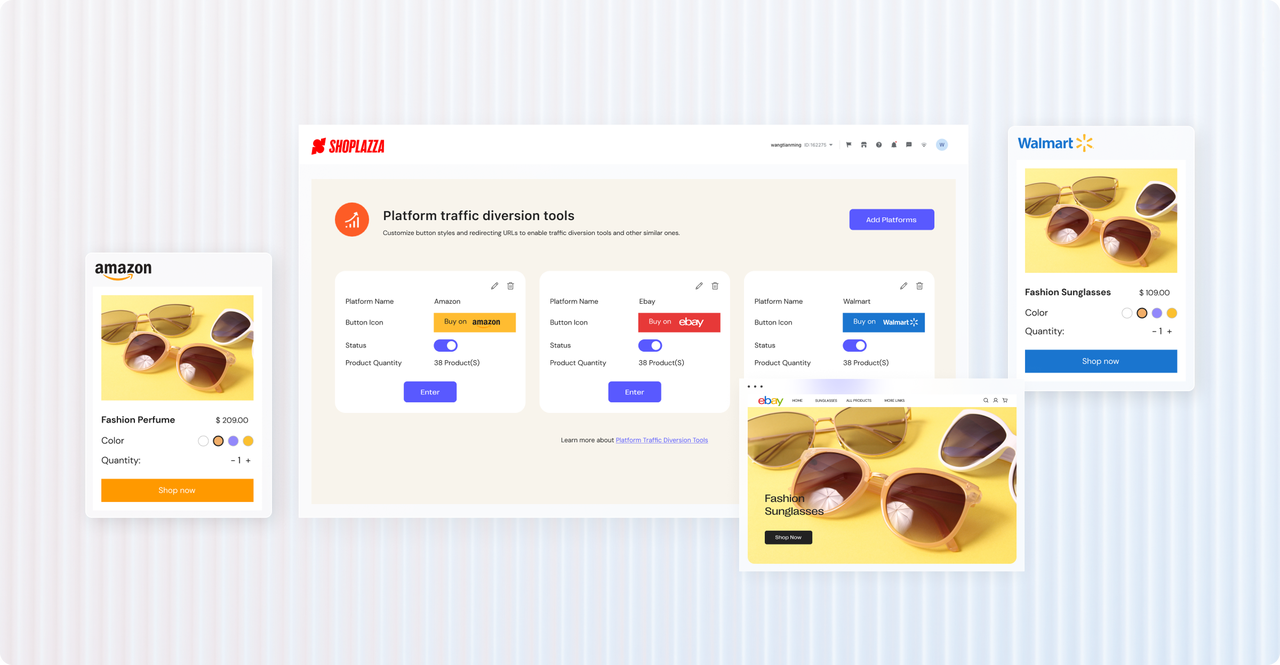
- Shoplazza supports an Amazon and independent store dual-track model — Amazon drives traffic discovery, while your own store handles repeat purchases and brand building
- Inventory syncs between both channels, reducing the risk of overselling when the same product is listed in both places
- Orders from Amazon and your Shoplazza store are managed from one dashboard, so you are not logging into two separate systems to handle fulfillment
Multichannel management allows tracking traffic volume, order counts, and sales data by channel. It gives you an early read on where your conversions are coming from without needing a separate analytics tool.
BigCommerce
BigCommerce's multichannel reach covers Amazon, eBay, Google Shopping, and social channels. Its strength is in high-SKU catalogs. If you sell hundreds of products across multiple marketplaces, BigCommerce's bulk listing and inventory sync tools handle that scale more efficiently than most platforms.
What's more, BigCommerce lets you set channel-specific pricing. You can list a product at one price on your own store and a different price on Amazon, without maintaining two separate product records. For sellers whose marketplace pricing strategy differs from their DTC pricing — which is common for brands trying to protect their own store's margin — this is a meaningful built-in capability.
Ecwid
Ecwid's multichannel value is different from Shoplazza and BigCommerce. It is designed to add channel reach to a store you have already built on another platform. If you have an existing website on WordPress, Wix, or even a simple HTML site, Ecwid embeds as a widget and syncs that inventory to TikTok, Instagram, Facebook, and Amazon — without requiring you to migrate your site to a new platform.
A practical use case: a seller who built their store on Wix and wants to expand to TikTok Shop without rebuilding on an entirely new platform. Ecwid handles the channel sync while Wix remains the storefront. The tradeoff is that Ecwid's native store management is less sophisticated than a full platform, but for sellers who want to add channel reach without disrupting a working site, it is a low-friction solution.
Similar app and plugin ecosystem
- Platforms: Shoplazza, WooCommerce, BigCommerce
Shopify's app store is one of the reasons sellers stick with the platform — with over 8,000 apps, you can extend your store to handle almost anything. The tradeoff is cost: a loyalty app, a review tool, an email platform, and a subscription manager can easily add $100 to $300 per month on top of your plan fee. The platforms below each take a different approach to the ecosystem question, and the right one depends on how much you want to build versus how much you want included from the start.
Shoplazza
Around 90% of Shoplazza's apps are free, covering the full range a new or growing seller needs: marketing automation, store design, shipping management, and day-to-day operations. On top of that, Shoplazza has built several AI-powered tools directly into the platform. For example:
Apps from the app store:
- Loyalty and Push: Automates member tier management, discount optimization, and personalized email campaigns. Supports checkout-page points redemption so customers can apply rewards without leaving the purchase flow. Free tier available; paid plans start at $27/month.
- Intelligent Product Recommendation: Displays personalized product suggestions based on browsing and purchase behavior, helping increase average order value automatically. No manual curation needed once configured. Free to use.
- Bundle Sales: Lets you create product bundles and combo offers directly from the dashboard without custom coding or developer involvement. A practical way to increase cart size on straightforward product ranges. Free to use.
- QuickCEP AI Shoppable Videos: Turns video content into shoppable product experiences, letting customers browse and complete purchases directly from a video embedded on your store page.
Built-in natively, no app needed:
- LazzaStudio: An AI product image generation tool built into Shoplazza. Upload a product photo or describe a scene, and it produces commercial-grade images in multiple variations. Useful for sellers testing new products before committing to a professional photography shoot.
- Athena: Shoplazza's built-in AI assistant that handles routine store queries and operational tasks directly from the dashboard, available around the clock. Reduces time spent searching help documentation for common store management questions.
- Abandoned checkout recovery: The dashboard automatically groups qualifying abandoned orders. Select the ones you want to recover, attach a discount code if needed, choose from ready-made email templates, and send batch recall emails in one click. Takes under five minutes.
- Marketing and promotions: Configure buy X get Y offers, flash sales, coupons, discount codes, popups, and sales notifications directly from the backend. No additional apps or developer setup required to run or adjust any of these campaigns.
WooCommerce
WooCommerce's plugin library exceeds 55,000 options, making it the largest ecosystem of any e-commerce platform by a significant margin. The practical implication of that scale is that whatever specific functionality you need, a plugin almost certainly exists. Custom product configurators, complex membership tier logic, deeply integrated ERP connections — these are buildable through WooCommerce plugins without custom development in most cases.
The challenge is quality control. Not all plugins in the library are actively maintained or security-audited, and installing a poorly maintained plugin introduces both stability and security risks. Checking the last update date, the active installation count, and the user reviews before installing anything is a basic vetting step that becomes especially important with WooCommerce given the library's size.
BigCommerce
BigCommerce's core philosophy is to include more functionality natively rather than routing sellers toward paid apps. Features like product variant support up to 600 options, wishlists, persistent cart, and B2B price lists are all available natively on BigCommerce — on Shopify, these require third-party apps.
BigCommerce's app marketplace has approximately 1,300 integrations, compared to Shopify's 8,000+. The smaller number is a genuine tradeoff — for niche tools, you may find fewer options. But for the categories most stores actually need — email marketing, reviews, shipping, loyalty, and analytics — the coverage is solid, and the native feature set means you are not installing apps just to access standard commerce functionality.
For mainstream needs, the coverage is fine; for niche tools, you may need to build or pay a developer. That is the honest version of BigCommerce's ecosystem position: broad enough for most stores, but with less depth than Shopify's marketplace for specialized requirements.
Which platform fits what you need?
Not sure which platform to go with? Here is a quick breakdown by what matters most to you.
- If setup speed is your priority: Shoplazza's AI Store Builder generates a full store before you create an account. No credit card required at the preview stage. GoDaddy Airo and Hostinger are worth considering if your store is simple and you want to be live in minutes.
- If design flexibility matters more than e-commerce depth: Wix lets you place any element anywhere on the page, breaking out of the section grid that most platforms lock you into. With 900+ templates, it suits brands where visual presentation and storytelling drive the store experience.
- If you need e-commerce-specific themes: Shoplazza's template library is built from the ground up, not adapted from general website templates. Reformia in particular is designed for paid traffic, with quick checkout, real-time social proof, and trust signal placement built into the theme itself.
- If you sell across multiple markets and need global payment coverage: Shoplazza Payments covers 180+ countries and regions, supports credit and debit cards, digital wallets, BNPL options, and local payment methods. Multi-currency checkout is available on every plan.
- If dropshipping or POD is your business model: Shoplazza has native integrations with CJdropshipping and EPROLO, supporting not just order routing but also custom packaging, private labeling, and branded inserts. Shift4Shop is a solid alternative if you want a Shopify-like interface and built-in Google AMP product pages for better mobile SEO.
- If multichannel selling is central to your strategy: Shoplazza connects to TikTok Shop, Instagram, Facebook, Pinterest, and Amazon from one dashboard, with inventory and orders syncing automatically across all channels. BigCommerce is worth considering if you run a high-SKU catalog across multiple marketplaces and need channel-specific pricing without a third-party app.
- If you want to add multichannel reach without rebuilding your site: Ecwid embeds as a widget on any existing platform — WordPress, Wix, or a basic HTML site — and syncs your inventory to TikTok, Instagram, Facebook, and Amazon without requiring a full migration.
- If you want broad app coverage without the monthly cost: Around 90% of Shoplazza's apps are free, covering AI image generation, loyalty marketing, product recommendations, bundle sales, and more. For sellers who were paying for several separate Shopify apps, consolidating onto Shoplazza can reduce monthly overhead meaningfully.
Set up a store with Shoplazza
The sites similar to Shopify for e-commerce setup worth your time are the ones built for the specific thing you actually need — not just the most popular name on a list. Match the platform to the dimension that matters most: setup speed, payments, dropshipping, multichannel reach, or app ecosystem. Once you know that, the decision gets straightforward fast. For sellers who need several of those things handled in one place, Shoplazza is worth starting with.
Frequently asked questions about Shopify alternatives
Q1: What makes a platform genuinely similar to Shopify rather than just an alternative?
A platform is similar to Shopify when it replicates the specific workflow or experience you rely on — not just when it covers the same general category. For example, if you value Shopify's guided onboarding and AI-generated store structure, Shoplazza's AI Store Builder provides that experience closely. If you value Shopify's multichannel sync, BigCommerce or Shoplazza's channel integrations cover that dimension. The similarity that matters is functional, not cosmetic.
Q2: Can I migrate my existing Shopify store to one of these platforms without losing data?
Several platforms support store migration from Shopify. Shoplazza's one-click migration tool makes the process fast and straightforward. Small stores typically move in minutes, while larger catalogs may take a few hours. The system processes up to 20,000 items per hour per module, so even high-volume stores transfer cleanly.
Q3: Which platform is best if I am selling in multiple countries from day one?
Shoplazza is the most practical starting point for cross-border sellers. Multi-currency checkout is available for free, Shoplazza Payments covers 180+ countries and regions, and the platform has direct integrations with global dropshipping suppliers. For sellers targeting North America, Europe, Japan, or the Middle East, the infrastructure handles international transactions without requiring additional configuration.
Q4: Do any of these platforms let me try before creating an account?
Shoplazza's AI Store Builder lets you generate and preview a complete store — including homepage, product pages, and checkout — before creating an account or entering payment information. This is different from most platforms, which require account creation before showing you a real store preview. GoDaddy Airo, Shopify, and Hostinger also allow some level of early-stage exploration, though the preview depth is more limited.